简介
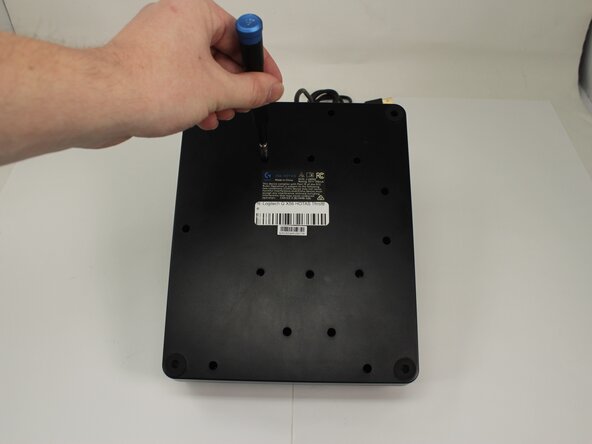
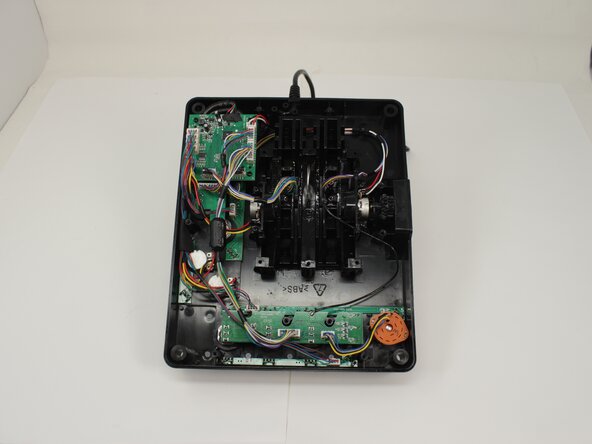
Removing the back panel of the Logitech G X56 HOTAS Throttle is a necessary step when accessing internal components such as LED indicators, toggle switches, or mechanical parts related to throttle movement. If you're experiencing issues like malfunctioning LEDs, unresponsive switches, or physical resistance when moving the throttle, disassembling the back panel will allow you to inspect, service, or replace the affected parts. This guide will walk you through the safe removal of the back panel while avoiding damage to wiring or internal connectors.
你所需要的

 询问修复机器人



To reassemble your device, follow these instructions in reverse order.
另外一个人完成了本指南。

团队

University of Memphis, Team 3-5, Sneed Spring 2025 University of Memphis, Team 3-5, Sneed Spring 2025 的会员
UM-SNEED-S25S3G5
4 名成员
创作了7篇指南
