跳转到主内容
加入维修社区 - 创建账户

Linsay Model F-7HD2CORE Screen Replacement

你所需要的

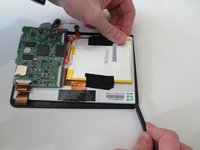
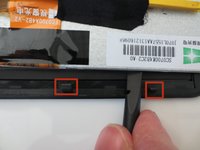
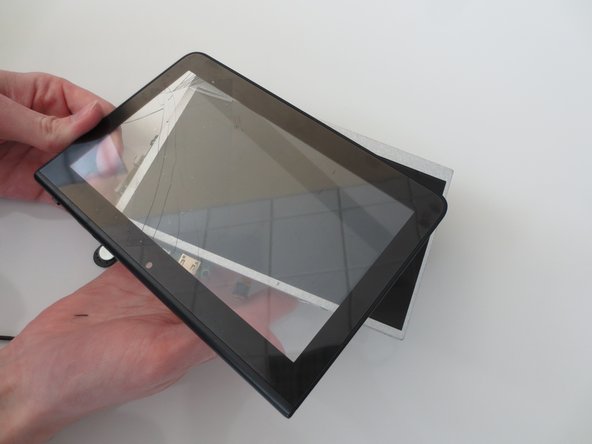
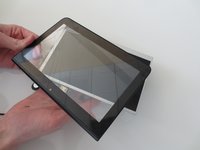
    1. Linsay Model F-7HD2CORE Screen Replacement, Screen: 步骤 1 中的图像 1,3 Linsay Model F-7HD2CORE Screen Replacement, Screen: 步骤 1 中的图像 2,3 Linsay Model F-7HD2CORE Screen Replacement, Screen: 步骤 1 中的图像 3,3
      • Insert your plastic opening tool in between the black and white portions of your device.

      • Gently pry the top screen from the base of the tablet.

      • Your tablet should now look like the third photo.

      询问修复机器人

      添加评论

    2. Linsay Model F-7HD2CORE Screen Replacement: 步骤 2 中的图像 1,2 Linsay Model F-7HD2CORE Screen Replacement: 步骤 2 中的图像 2,2
      • Peel the microphone from the back of the device.

      询问修复机器人

      添加评论

    3. Linsay Model F-7HD2CORE Screen Replacement: 步骤 3 中的图像 1,1
      • Remove the tape from the indicated copper strip.

      询问修复机器人

      添加评论

    4. Linsay Model F-7HD2CORE Screen Replacement: 步骤 4 中的图像 1,2 Linsay Model F-7HD2CORE Screen Replacement: 步骤 4 中的图像 2,2
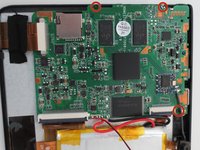
      • Use your 00 phillips head screwdriver to remove the three 4mm phillips screws circled in red.

      询问修复机器人

      添加评论

    5. Linsay Model F-7HD2CORE Screen Replacement: 步骤 5 中的图像 1,1
      • Remove the soldered portion of the circuit board on the screen.

      • You will need a soldering kit to reattach this part.

      询问修复机器人

      添加评论

    6. Linsay Model F-7HD2CORE Screen Replacement: 步骤 6 中的图像 1,2 Linsay Model F-7HD2CORE Screen Replacement: 步骤 6 中的图像 2,2
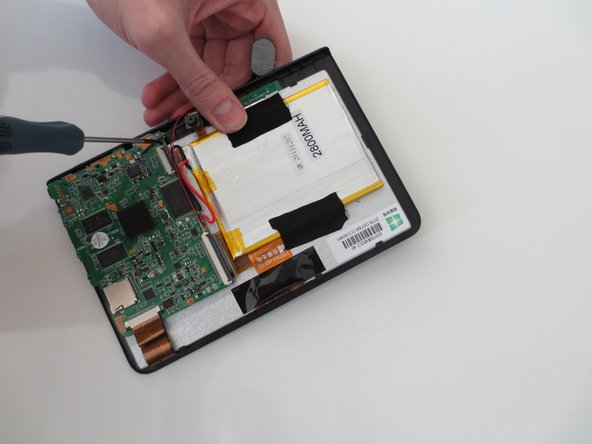
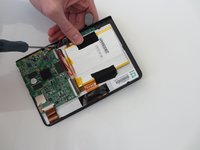
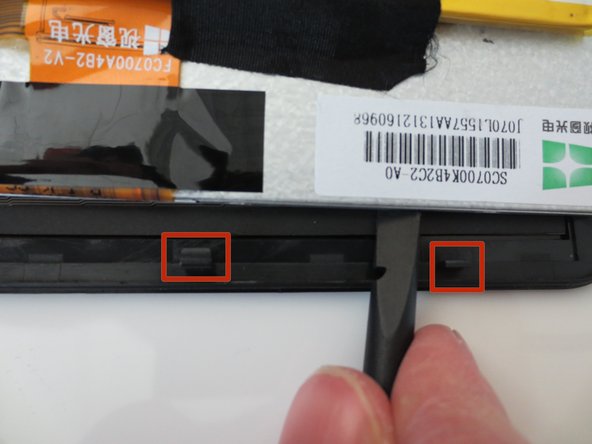
      • Use the blunt end of the spudger to remove the circuit panel and battery from the glass screen portion of the device.

      • There will be several small hooks holding the screen onto the back panel.

      询问修复机器人

      添加评论

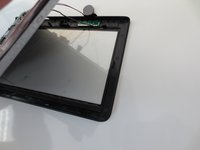
    7. Linsay Model F-7HD2CORE Screen Replacement: 步骤 7 中的图像 1,2 Linsay Model F-7HD2CORE Screen Replacement: 步骤 7 中的图像 2,2
      • Gently pull the two pieces of the tablet apart.

      • Your tablet should now look like image two.

      • You are now ready to attach your new screen!

      询问修复机器人

      添加评论

结论

To reassemble your device, follow these instructions in reverse order.

取消:我没有完成这个指南。

3等其他人完成本指南。

团队

Penn State, Team 1-5, Kaschak Winter 2015 Penn State, Team 1-5, Kaschak Winter 2015 的会员

PSU-KASCHAK-W15S1G5

3 名成员

创作了2篇指南

1指南评论

Excellent work!

Glen Lind - 回复 分享

添加评论

浏览统计数据:

过去 24 小时: 1

过去 7 天: 10

过去 30 天: 41

总计 1,671