跳转到主内容
加入维修社区 - 创建账户

Lenovo Essential B570 RAM Replacement

你所需要的

    1. Lenovo Essential B570 RAM Replacement, Battery: 步骤 1 中的图像 1,1
      • Turn over laptop.

      • Switch open the left battery lock.

      • If you are replacing inner components of the laptop, it is recommended to remove the battery first to avoid damage to the laptop.

      询问修复机器人

      添加评论

    2. Lenovo Essential B570 RAM Replacement: 步骤 2 中的图像 1,1
      • Hold the right battery lock open with one hand while removing the battery itself with the other.

      询问修复机器人

      添加评论

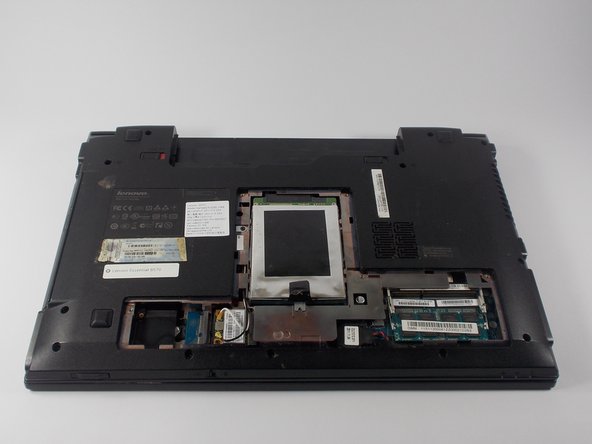
    1. Lenovo Essential B570 RAM Replacement, Back Panel: 步骤 3 中的图像 1,1
      • Loosen the five Philips screws that secure the panel.

      • The screws do not actually fully remove from the panel. Loosening them as much as you can will be enough to disconnect them from the laptop.

      询问修复机器人

      添加评论

    2. Lenovo Essential B570 RAM Replacement: 步骤 4 中的图像 1,3 Lenovo Essential B570 RAM Replacement: 步骤 4 中的图像 2,3 Lenovo Essential B570 RAM Replacement: 步骤 4 中的图像 3,3
      • Prop open the cover with a plastic opening tool.

      • If the cover does not come off easily, do not force it. Make sure all screws are loosened.

      询问修复机器人

      添加评论

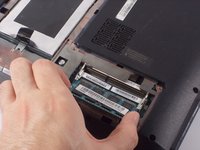
    1. Lenovo Essential B570 RAM Replacement, RAM: 步骤 5 中的图像 1,2 Lenovo Essential B570 RAM Replacement, RAM: 步骤 5 中的图像 2,2
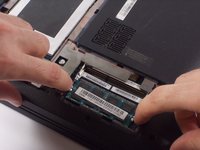
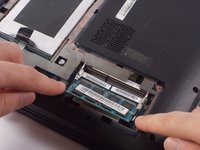
      • Release your RAM by pulling its locks away from one another.

      询问修复机器人

      添加评论

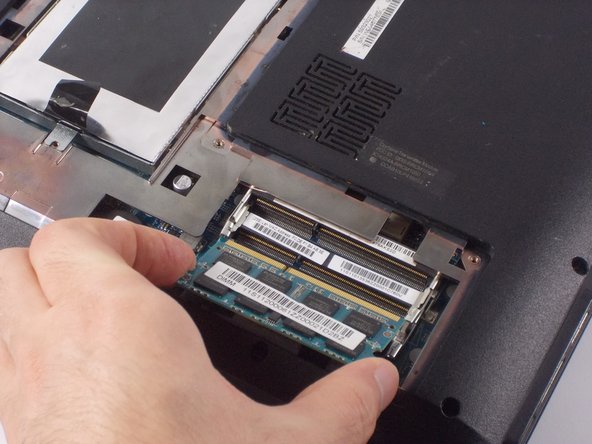
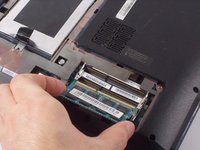
    2. Lenovo Essential B570 RAM Replacement: 步骤 6 中的图像 1,2 Lenovo Essential B570 RAM Replacement: 步骤 6 中的图像 2,2
      • Remove RAM by carefully pulling it away from its socket.

      询问修复机器人

      添加评论

结论

To reassemble your device, follow these instructions in reverse order.

取消:我没有完成这个指南。

另外一个人完成了本指南。

团队

UMass Dartmouth, Team 4-5, Catania Fall 2015 UMass Dartmouth, Team 4-5, Catania Fall 2015 的会员

UMASSD-CATANIA-F15S4G5

4 名成员

创作了18篇指南

0指南评论

添加评论

浏览统计数据:

过去 24 小时: 0

过去 7 天: 6

过去 30 天: 26

总计 1,305