简介
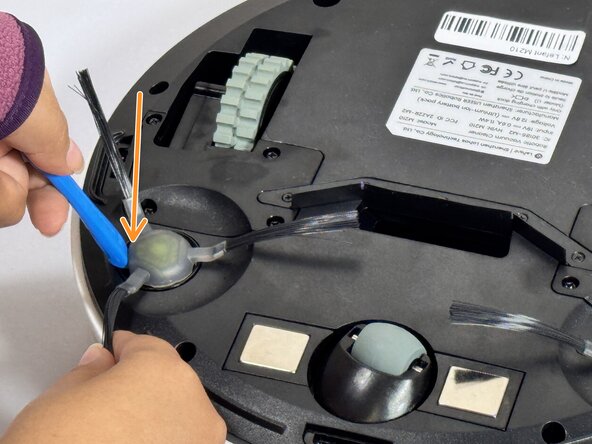
If the rotating brush on your Lefant M210 robotic vacuum cleaner is damaged or worn out, use this guide to replace it.
The main rotating brush agitates and lifts dirt, debris, and pet hair from floors into the vacuum's suction pathway. A damaged brush will result in reduced cleaning performance, visible debris left behind, or unusual noises during operation.
Common symptoms indicating replacement is needed:
- Frayed, bent, or missing bristles
- Reduced cleaning effectiveness
- Squeaking or grinding noises
- Visible wear patterns or bald spots
Before replacing the brush, inspect it for tangled hair or debris. Remove any obstructions and test performance. If cleaning remains poor after debris removal, the brush needs replacement.
Before you begin:
- Power off the Lefant M210 completely
- Disconnect from the charging dock
- Allow the device to cool if recently used
This replacement requires only basic prying and no disassembly of internal components.
你所需要的
-
-
-
Turn off the Lefant M210 and disconnect it from the charging dock.
-
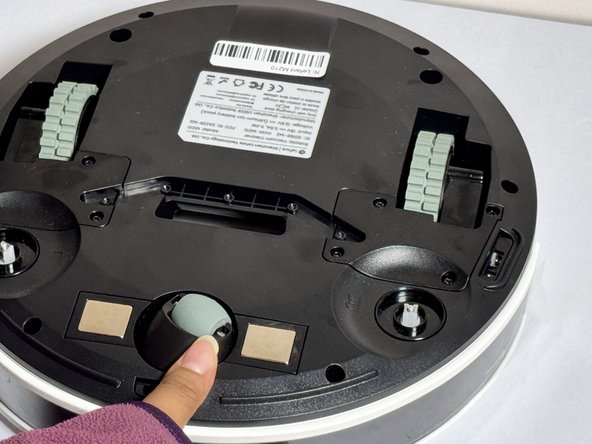
Flip the unit over so the bottom faces upward.
-
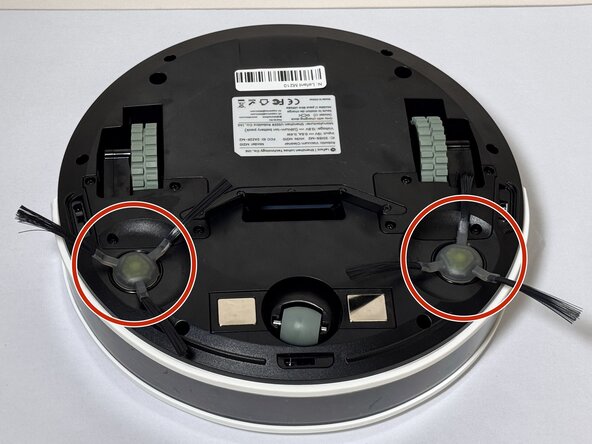
Locate the circular brush assemblies on the left and right sides of the underside.
 询问修复机器人
-
-
-
-
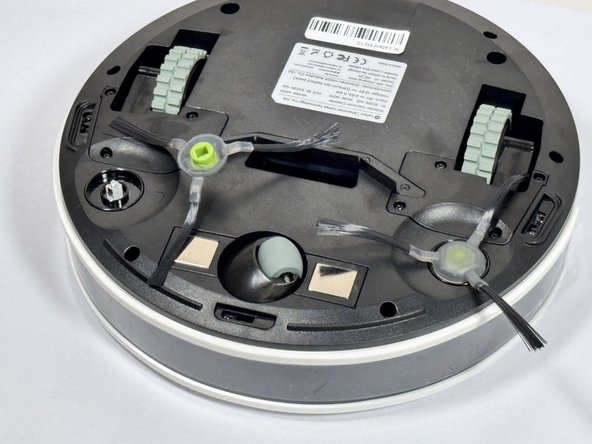
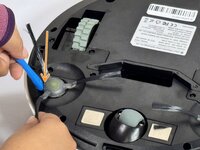
Position the new brush assembly above the square mounting peg.
-
Align the square cavity on the bottom of the brush with the corresponding square peg in the vacuum housing.
-
Press down firmly on the brush assembly until you hear or feel it click into place.
-
Gently tug on the brush to verify it is securely seated.
-
-




If problems occur: Power off the unit, flip it over, and verify the brush is correctly aligned and fully seated. With fresh brushes installed, your robot vacuum is back in action and ready to keep your floors spotless!
Take your e-waste to an R2 or e-Stewards certified recycler.

团队

CSU Los Angeles, Team 2-4, Kershman Fall 2024 CSU Los Angeles, Team 2-4, Kershman Fall 2024 的会员
CSULA-KERSHMAN-F24S2G4
4 名成员
创作了13篇指南
