跳转到主内容
加入维修社区 - 创建账户

Leapfrog My Own Leaptop Keyboard Buttons Replacement Guide

你所需要的

    1. Leapfrog My Own Leaptop Keyboard Buttons Replacement Guide, Battery: 步骤 1 中的图像 1,1
      • Flip over device so that back portion of the device is facing you.

      询问修复机器人

      添加评论

    2. Leapfrog My Own Leaptop Keyboard Buttons Replacement Guide: 步骤 2 中的图像 1,1
      • Unscrew the one 10mm screw that holds the battery cover in place with a a PH1 phillips head screwdriver.

      • Please note that the screw cannot be removed as it is attached to the battery cover.

      添加评论

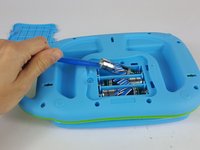
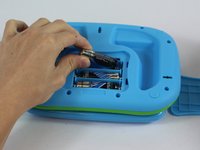
    3. Leapfrog My Own Leaptop Keyboard Buttons Replacement Guide: 步骤 3 中的图像 1,2 Leapfrog My Own Leaptop Keyboard Buttons Replacement Guide: 步骤 3 中的图像 2,2
      • Carefully pry the batteries out with a plastic opening tool prying from the non spring side.

      • Remove the three AA batteries.

      • Note the direction of the batteries for when reassembling.

      询问修复机器人

      添加评论

    1. Leapfrog My Own Leaptop Keyboard Buttons Replacement Guide, Keyboard Buttons: 步骤 4 中的图像 1,1
      • Remove the eleven 10mm screws from the back of the device with a a PH1 phillips head screwdriver.

      询问修复机器人

      添加评论

    2. Leapfrog My Own Leaptop Keyboard Buttons Replacement Guide: 步骤 5 中的图像 1,1
      • Carefully remove back of the device.

      • Make sure not to rip the wires when lifting the cover off.

      询问修复机器人

      添加评论

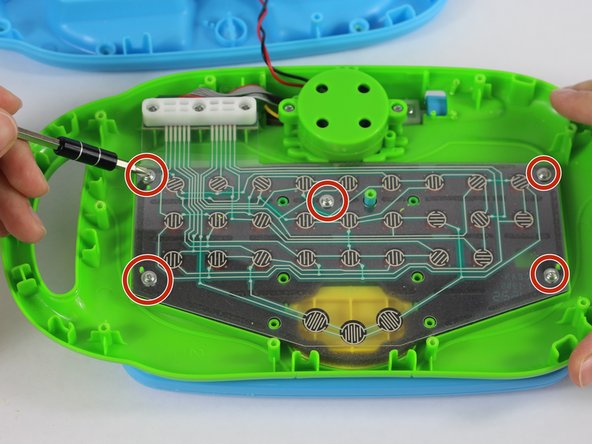
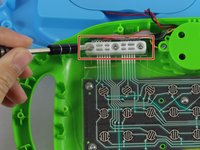
    3. Leapfrog My Own Leaptop Keyboard Buttons Replacement Guide: 步骤 6 中的图像 1,2 Leapfrog My Own Leaptop Keyboard Buttons Replacement Guide: 步骤 6 中的图像 2,2
      • Remove the three 10mm screws from the upper left hand corner white plastic piece with a PH1 phillips head screwdriver.

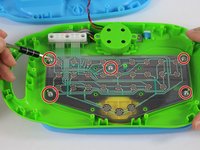
      • Unscrew the five 4mm screws from the plastic membrane with a PH1 phillips head screwdriver.

      询问修复机器人

      添加评论

    4. Leapfrog My Own Leaptop Keyboard Buttons Replacement Guide: 步骤 7 中的图像 1,1
      • Remove the white plastic piece and place it to the side.

      询问修复机器人

      添加评论

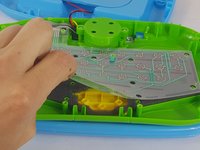
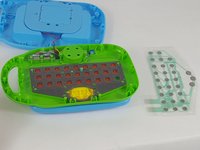
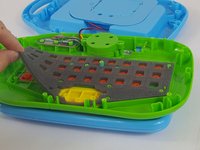
    5. Leapfrog My Own Leaptop Keyboard Buttons Replacement Guide: 步骤 8 中的图像 1,3 Leapfrog My Own Leaptop Keyboard Buttons Replacement Guide: 步骤 8 中的图像 2,3 Leapfrog My Own Leaptop Keyboard Buttons Replacement Guide: 步骤 8 中的图像 3,3
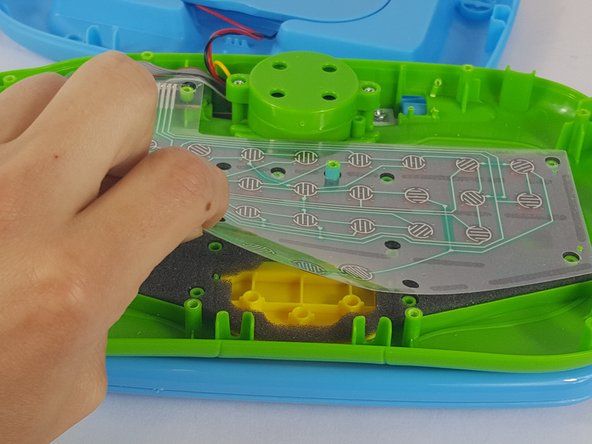
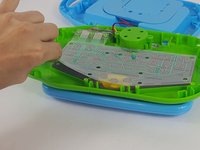
      • Gently grab the membrane and peal it upwards.

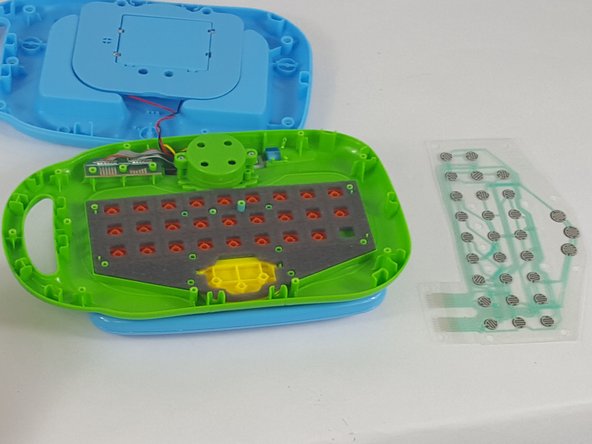
      • Carefully remove the membrane and set it to the side.

      • From this step you can also clean the membrane of any residue with a lightly dampened paper towel.

      • Ensure that the membrane is completely dry before reassembly.

      添加评论

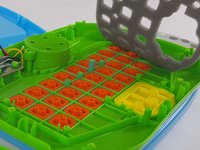
    6. Leapfrog My Own Leaptop Keyboard Buttons Replacement Guide: 步骤 9 中的图像 1,2 Leapfrog My Own Leaptop Keyboard Buttons Replacement Guide: 步骤 9 中的图像 2,2
      • Gently lift and remove the foam piece

      询问修复机器人

      添加评论

    7. Leapfrog My Own Leaptop Keyboard Buttons Replacement Guide: 步骤 10 中的图像 1,3 Leapfrog My Own Leaptop Keyboard Buttons Replacement Guide: 步骤 10 中的图像 2,3 Leapfrog My Own Leaptop Keyboard Buttons Replacement Guide: 步骤 10 中的图像 3,3
      在这个步骤中使用的工具:
      Tweezers
      $4.99
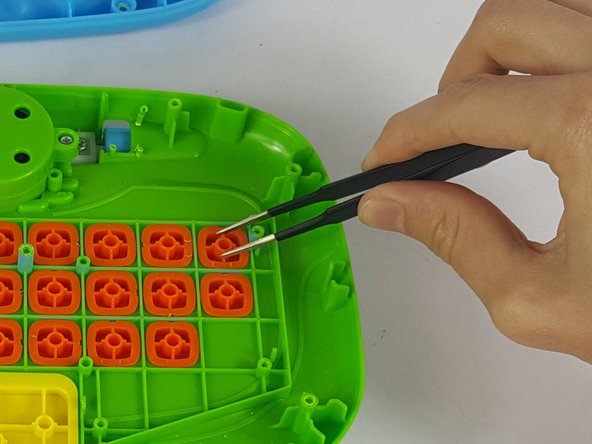
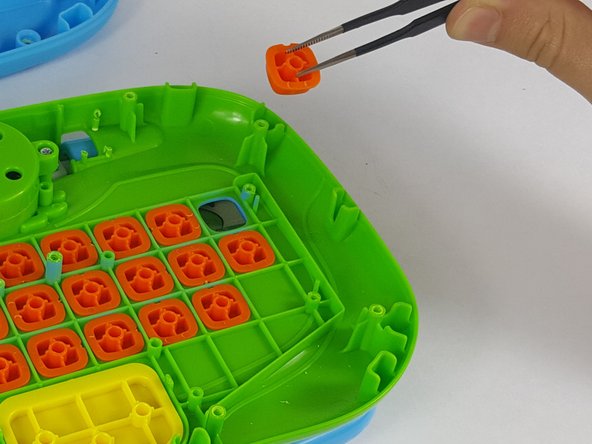
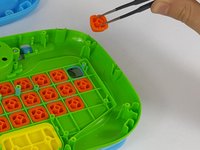
      • From here, each button is able to be removed for cleaning or replacement.

      • Using a tweezers or needle nose pliers, remove the necessary pieces from the device.

      询问修复机器人

      添加评论

结论

To reassemble your device, follow these instructions in reverse order.

取消:我没有完成这个指南。

3等其他人完成本指南。

团队

USF Tampa, Team 14-6, Lacy Spring 2016 USF Tampa, Team 14-6, Lacy Spring 2016 的会员

USFT-LACY-S16S14G6

4 名成员

创作了6篇指南

7指南评论

Very useful. but where to get a new membrane? please help

Alina Timchenko - 回复 分享

Didn't work. I'll buy a new toy.

victoria_nglover19 - 回复 分享

Is the screen on this suppose to light up?

stewartmelinda41 - 回复 分享

I was wondering if the screen is suppose to light up because the one I have doesnt

stewartmelinda41 - 回复 分享

thank you very much

Njabulo Mbele - 回复 分享

添加评论

浏览统计数据:

过去 24 小时: 4

过去 7 天: 33

过去 30 天: 84

总计 6,481