跳转到主内容
加入维修社区 - 创建账户

LG V20 Volume Button Replacement

你所需要的

  1. LG V20 Volume Button Replacement, Battery: 步骤 1 中的图像 1,3 LG V20 Volume Button Replacement, Battery: 步骤 1 中的图像 2,3 LG V20 Volume Button Replacement, Battery: 步骤 1 中的图像 3,3
    • Before disassembling your phone, discharge the battery below 25%. A charged lithium-ion battery can catch fire and/or explode if accidentally punctured.

    • Insert a spudger or your fingernail under the battery at the small recess on the lower edge.

    • Be careful not to deform or puncture the battery.

    • Pry up and remove the battery.

    询问修复机器人
  2. LG V20 Volume Button Replacement, Midframe Assembly: 步骤 2 中的图像 1,1
    • Remove the sixteen 4mm Phillips #00 screws attaching the back cover to the motherboard.

    询问修复机器人
  3. LG V20 Volume Button Replacement: 步骤 3 中的图像 1,2 LG V20 Volume Button Replacement: 步骤 3 中的图像 2,2
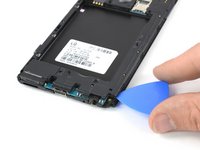
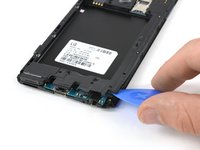
    • The top and bottom frame section hold very tight to the mid frame. It is possible to pull them off with your hands. If you're not able to do so, use the following removal procedure:

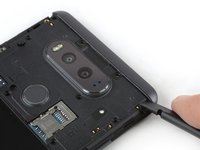
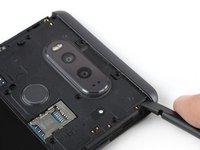
    • Use the flat end of a spudger and apply pressure to one of the corners of the frame section until you create a small gap.

    询问修复机器人
  4. LG V20 Volume Button Replacement: 步骤 4 中的图像 1,2 LG V20 Volume Button Replacement: 步骤 4 中的图像 2,2
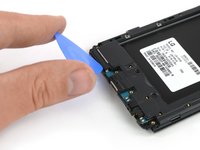
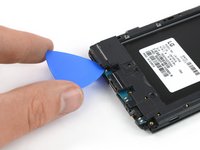
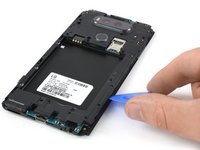
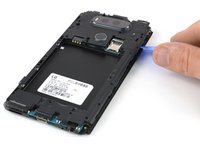
    • Flip the phone and insert an opening pick in the gap you created.

    • Slide the opening pick along the gap until the frame section pops out of its plastic clamps.

  5. LG V20 Volume Button Replacement: 步骤 5 中的图像 1,1
    • Remove the frame section.

    • Repeat this procedure with the frame section on the other end of the phone.

    • Within the top frame section there's a small silver grating that covers the speaker. This may fall out, so be careful not to lose it.

    询问修复机器人
  6. LG V20 Volume Button Replacement: 步骤 6 中的图像 1,2 LG V20 Volume Button Replacement: 步骤 6 中的图像 2,2
    • The loudspeaker is attached to the cover of the motherboard. Use an opening pick to pry it up.

  7. LG V20 Volume Button Replacement: 步骤 7 中的图像 1,2 LG V20 Volume Button Replacement: 步骤 7 中的图像 2,2
    • The cover of the motherboard is held in its place by several plastic clamps.

    • Use an opening pick to pry up the motherboard cover at the right corner at the bottom of your phone until it pops out of the plastic clamp.

  8. LG V20 Volume Button Replacement: 步骤 8 中的图像 1,2 LG V20 Volume Button Replacement: 步骤 8 中的图像 2,2
    • Slide the opening pick along the mid frame and flip it sideways to open the plastic clamps holding the motherboard cover in its place.

    询问修复机器人
  9. LG V20 Volume Button Replacement: 步骤 9 中的图像 1,1
    • Remove the motherboard cover.

    询问修复机器人
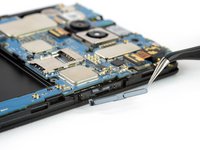
  10. LG V20 Volume Button Replacement, Volume Button: 步骤 10 中的图像 1,2 LG V20 Volume Button Replacement, Volume Button: 步骤 10 中的图像 2,2
    • Use the flat end of a spudger to slide the volume button out of its bracket and remove it.

    询问修复机器人
结论

To reassemble your device, follow these instructions in reverse order.

7等其他人完成本指南。

团队

Cal Poly, Team S22-G5, Livingston Spring 2017 Cal Poly, Team S22-G5, Livingston Spring 2017 的会员

CPSU-LIVINGSTON-S17S22G5

4 名成员

创作了36篇指南

0指南评论

添加评论

浏览统计数据:

过去 24 小时: 0

过去 7 天: 12

过去 30 天: 81

总计 3,650