跳转到主内容
加入维修社区 - 创建账户

LG Tribute Rear-Facing Camera Replacement

你所需要的

    1. LG Tribute Rear-Facing Camera Replacement, Battery: 步骤 1 中的图像 1,2 LG Tribute Rear-Facing Camera Replacement, Battery: 步骤 1 中的图像 2,2
      • Use the plastic opening tool to pry off the back cover.

      询问修复机器人

      添加评论

    2. LG Tribute Rear-Facing Camera Replacement: 步骤 2 中的图像 1,1
      • Lift the battery out of place.

      • When replacing the battery, the (+) and (-) symbols must match up with the phone's charging nodes.

      询问修复机器人

      添加评论

    1. LG Tribute Rear-Facing Camera Replacement, Mid-panel: 步骤 3 中的图像 1,2 LG Tribute Rear-Facing Camera Replacement, Mid-panel: 步骤 3 中的图像 2,2
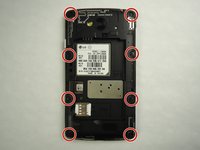
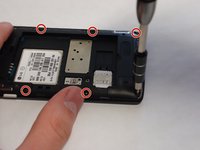
      • Remove eight 4mm screws using a Phillips head 000 screwdriver (PH000).

      询问修复机器人

      添加评论

    2. LG Tribute Rear-Facing Camera Replacement: 步骤 4 中的图像 1,2 LG Tribute Rear-Facing Camera Replacement: 步骤 4 中的图像 2,2
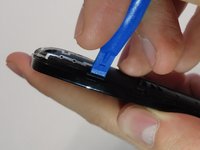
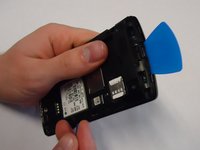
      • Use a plastic opening tool to loosen the tabs around the edge of the phone.

      • Inserting a thin piece of plastic will help prevent opened tabs from locking back into place.

      • This step can be frustrating, but requires patience. Avoid the temptation to pry the panel loose. Using excessive force may break the delicate tabs.

      询问修复机器人

      添加评论

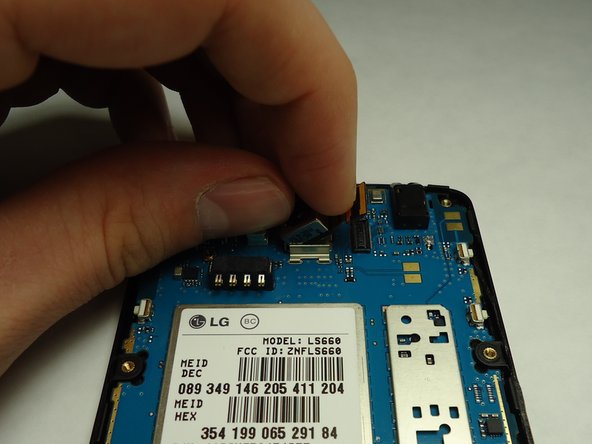
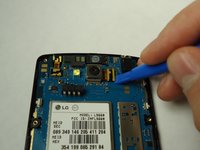
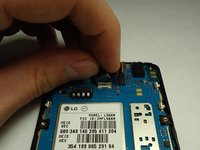
    1. LG Tribute Rear-Facing Camera Replacement, Rear Facing Camera: 步骤 5 中的图像 1,2 LG Tribute Rear-Facing Camera Replacement, Rear Facing Camera: 步骤 5 中的图像 2,2
      • Disconnect the rear facing camera from the motherboard using a plastic opening tool.

      • Lift the rear facing camera out of its housing.

      询问修复机器人

      添加评论

结论

To reassemble your device, follow these instructions in reverse order.

取消:我没有完成这个指南。

2等其他人完成本指南。

0指南评论

添加评论

浏览统计数据:

过去 24 小时: 0

过去 7 天: 4

过去 30 天: 31

总计 920