跳转到主内容
加入维修社区 - 创建账户

LG Phoenix 2 Camera Replacement

你所需要的

    1. LG Phoenix 2 Camera Replacement, Battery: 步骤 1 中的图像 1,3 LG Phoenix 2 Camera Replacement, Battery: 步骤 1 中的图像 2,3 LG Phoenix 2 Camera Replacement, Battery: 步骤 1 中的图像 3,3
      • Place a fingernail in the notch at the bottom edge of the phone.

      • Pull on the back cover with one hand while keeping the rest of the phone steady, and run your fingernail along the edge.

      询问修复机器人

      添加评论

    2. LG Phoenix 2 Camera Replacement: 步骤 2 中的图像 1,3 LG Phoenix 2 Camera Replacement: 步骤 2 中的图像 2,3 LG Phoenix 2 Camera Replacement: 步骤 2 中的图像 3,3
      • Place a fingernail in the notch at the bottom edge of the battery.

      • Pull the battery out.

      询问修复机器人

      添加评论

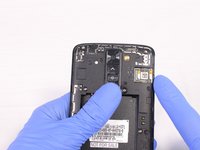
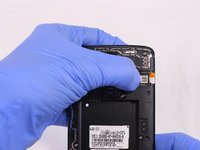
    1. LG Phoenix 2 Camera Replacement, Rear Camera: 步骤 3 中的图像 1,2 LG Phoenix 2 Camera Replacement, Rear Camera: 步骤 3 中的图像 2,2
      • Locate the SIM card in the top right corner on the back of the phone.

      • Remove the SIM card by pushing it with your thumb from left to right.

      询问修复机器人

      添加评论

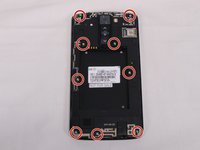
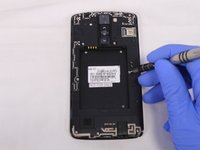
    2. LG Phoenix 2 Camera Replacement: 步骤 4 中的图像 1,3 LG Phoenix 2 Camera Replacement: 步骤 4 中的图像 2,3 LG Phoenix 2 Camera Replacement: 步骤 4 中的图像 3,3
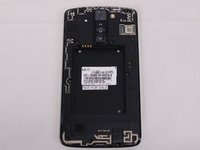
      • Remove all 9 screws on the back by using a Phillips head #00 screwdriver.

      • To remove the screws rotate them counterclockwise.

      询问修复机器人

      添加评论

    3. LG Phoenix 2 Camera Replacement: 步骤 5 中的图像 1,3 LG Phoenix 2 Camera Replacement: 步骤 5 中的图像 2,3 LG Phoenix 2 Camera Replacement: 步骤 5 中的图像 3,3
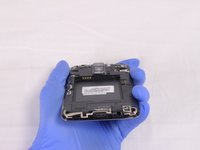
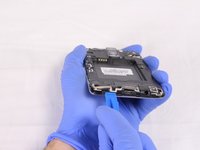
      • Insert a plastic opening tool in the split at the bottom of the phone (between the bottom shield and the rest of the phone).

      • Pry the bottom shield to separate it from the phone.

      • Once it is loose you should be able to remove it with your hand.

      询问修复机器人

      添加评论

    4. LG Phoenix 2 Camera Replacement: 步骤 6 中的图像 1,3 LG Phoenix 2 Camera Replacement: 步骤 6 中的图像 2,3 LG Phoenix 2 Camera Replacement: 步骤 6 中的图像 3,3
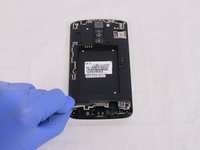
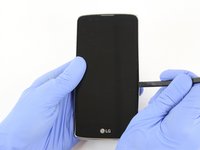
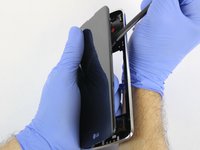
      • Insert the flat end of the Spudger between the screen and the chromed frame.

      • Once inserted, run the Spudger along the frame to separate the front part of the phone from the back shield.

      询问修复机器人

      添加评论

    5. LG Phoenix 2 Camera Replacement: 步骤 7 中的图像 1,3 LG Phoenix 2 Camera Replacement: 步骤 7 中的图像 2,3 LG Phoenix 2 Camera Replacement: 步骤 7 中的图像 3,3
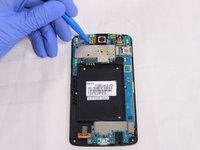
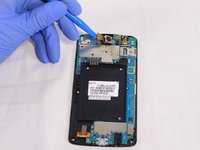
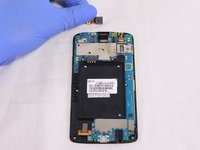
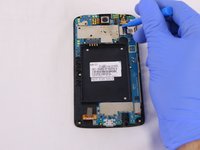
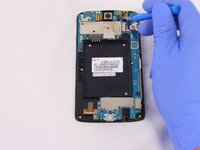
      • Insert the flat end of the Spudger or the plastic opening tool underneath the camera connector.

      • Gently lever the camera connector free.

      • Once disconnected, take the camera out.

      询问修复机器人

      添加评论

    6. LG Phoenix 2 Camera Replacement: 步骤 8 中的图像 1,3 LG Phoenix 2 Camera Replacement: 步骤 8 中的图像 2,3 LG Phoenix 2 Camera Replacement: 步骤 8 中的图像 3,3
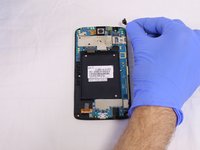
      • The front camera can be removed in a similar way as the rear camera. See previous step.

      询问修复机器人

      添加评论

结论

To reassemble your device, follow these instructions in reverse order.

取消:我没有完成这个指南。

团队

USF Tampa, Team S2-G2, Eyestone Spring 2018 USF Tampa, Team S2-G2, Eyestone Spring 2018 的会员

USFT-EYESTONE-S18S2G2

4 名成员

创作了40篇指南

0指南评论

添加评论

浏览统计数据:

过去 24 小时: 0

过去 7 天: 12

过去 30 天: 40

总计 1,040