跳转到主内容
加入维修社区 - 创建账户

LG Optimus L7 P705 Display Replacement

你所需要的

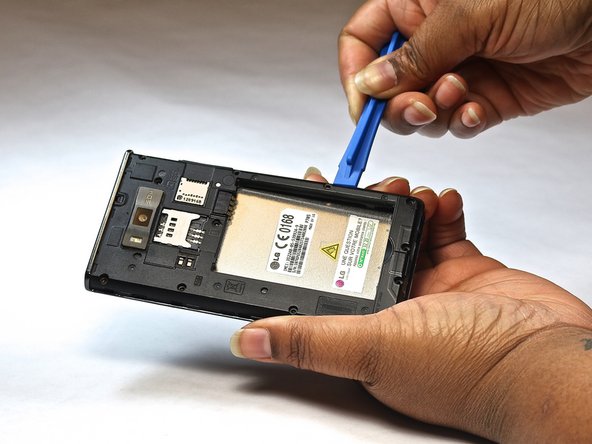
  1. LG Optimus L7 P705 Display Replacement, Display: 步骤 1 中的图像 1,2 LG Optimus L7 P705 Display Replacement, Display: 步骤 1 中的图像 2,2
    • Use a plastic opening tool to gently pry the back cover away from the phone by inserting it into the seam around the edges.

    • Once the cover is off, remove the battery and SIM card.

  2. LG Optimus L7 P705 Display Replacement: 步骤 2 中的图像 1,1
    • Using a Phillips #000 screwdriver, remove the twelve 3mm screws around the frame, including those near the SIM and SD card slots.

  3. LG Optimus L7 P705 Display Replacement: 步骤 3 中的图像 1,1
    • Carefully remove the bottom plastic plate located around the charging port area.

  4. LG Optimus L7 P705 Display Replacement: 步骤 4 中的图像 1,2 LG Optimus L7 P705 Display Replacement: 步骤 4 中的图像 2,2
    • Insert a plastic opening tool along the seam of the phone’s frame and gently apply pressure to lift off the midframe cover.

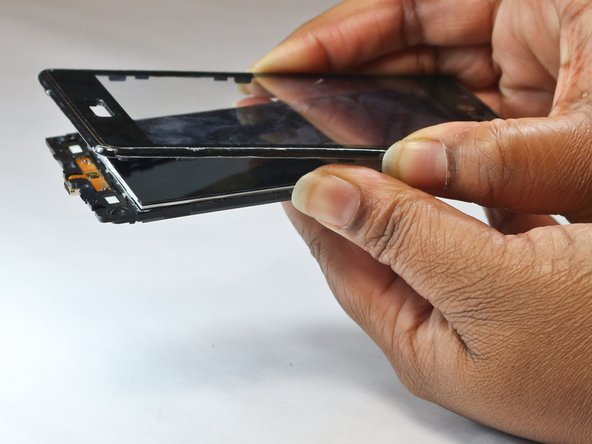
  5. LG Optimus L7 P705 Display Replacement: 步骤 5 中的图像 1,2 LG Optimus L7 P705 Display Replacement: 步骤 5 中的图像 2,2
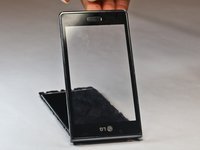
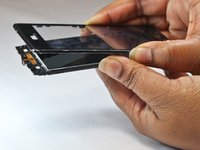
    • Flip the phone over so the screen is facing up.

    • Carefully lift and remove the glass screen (display) from the front of the device.

结论

To reassemble your device, follow these instructions in reverse order. Take your e-waste to an R2 or e-Stewards certified recycler.

8等其他人完成本指南。

Craig Lashley

于10/08/14注册

307 声望

撰写一个指南

团队

USF Tampa, Team 9-1, Leahy Fall 2014 USF Tampa, Team 9-1, Leahy Fall 2014 的会员

USFT-LEAHY-F14S9G1

3 名成员

创作了5篇指南

2指南评论

Great tutorial as always on ifixit. Just be mindful of the top clip holding the glass bevel as it can be tricky and is close to circuitry.

Sooty - 回复 分享

Im miles i great this ifixit i'm beginner

Omair Sarip - 分享

添加评论

浏览统计数据:

过去 24 小时: 1

过去 7 天: 4

过去 30 天: 23

总计 5,591