跳转到主内容

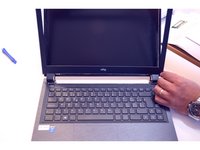
LCD screen Replacement

你所需要的

  1. LCD screen Replacement, Battery: 步骤 1 中的图像 1,3 LCD screen Replacement, Battery: 步骤 1 中的图像 2,3 LCD screen Replacement, Battery: 步骤 1 中的图像 3,3
    • Unlock the battery latch on the right.

    • Unlock the battery lock on the left.

    • Remove the battery pack from its slot.

  2. LCD screen Replacement, LCD screen: 步骤 2 中的图像 1,3 LCD screen Replacement, LCD screen: 步骤 2 中的图像 2,3 LCD screen Replacement, LCD screen: 步骤 2 中的图像 3,3
    • Gently insert the fingernail between the screen frame and the screen glass.

    • De-clipping one by one the fixing points of the frame surrounding the LCD screen

  3. LCD screen Replacement: 步骤 3 中的图像 1,3 LCD screen Replacement: 步骤 3 中的图像 2,3 LCD screen Replacement: 步骤 3 中的图像 3,3
    • Completely detach the frame surrounding the LCD screen.

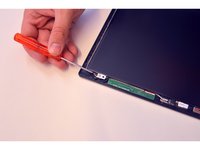
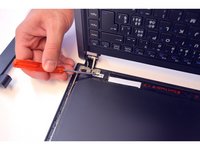
    • Mark the 2 upper fixing screws of the LCD screen. Unscrew them.

    • Mark the two lower fixing screws on the LCD screen. Unscrew them.

  4. LCD screen Replacement: 步骤 4 中的图像 1,3 LCD screen Replacement: 步骤 4 中的图像 2,3 LCD screen Replacement: 步骤 4 中的图像 3,3
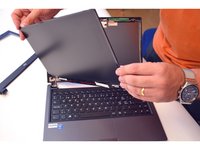
    • Gently lay the LCD screen on the keyboard.

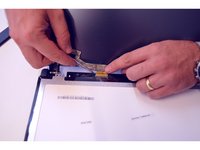
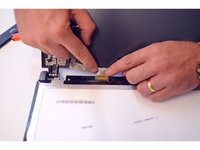
    • Locate the connector on the LCD screen

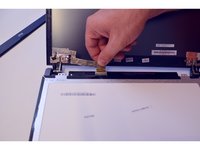
    • Release the connection cable.

  5. LCD screen Replacement: 步骤 5 中的图像 1,2 LCD screen Replacement: 步骤 5 中的图像 2,2
    • Remove the connector.

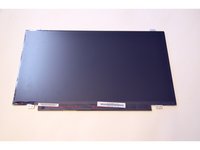
    • Once the connector is removed, completely remove the LCD screen.

结论

To reassemble your device follow the following instructions in reverse order

由衷感谢以下译者:

fr en

100%

irlanda正在帮助我们修复这个世界! 您也想加入吗?
开始翻译 ›

Felice Suglia

于06/15/13注册

33,538 声望

创作了283篇指南

1指南评论

I have a ultragear 32gn650-b (31.5" ) and a ultragear 32gn550 (28") . finding replacement screens on these is a b####, and for the right price.

bruhissusin1987 - 回复

添加评论

浏览统计数据:

过去 24 小时: 3

过去 7 天: 14

过去 30 天: 69

总计 5,922