跳转到主内容
加入维修社区 - 创建账户

JBL Go Woofer Replacement

你所需要的

  1. JBL Go Woofer Replacement, Front Cover: 步骤 1 中的图像 1,1
    • Use an opening tool to scrape around the outside of the front cover to remove the glue attaching it to the surrounding rubber layer.

    添加评论

  2. JBL Go Woofer Replacement: 步骤 2 中的图像 1,1
    • Once you have scraped off all of the glue, use the opening tool to pry up the front cover.

    询问修复机器人

    添加评论

  3. JBL Go Woofer Replacement: 步骤 3 中的图像 1,1
    • Carefully remove the loose plastic cover from the speaker.

    询问修复机器人

    添加评论

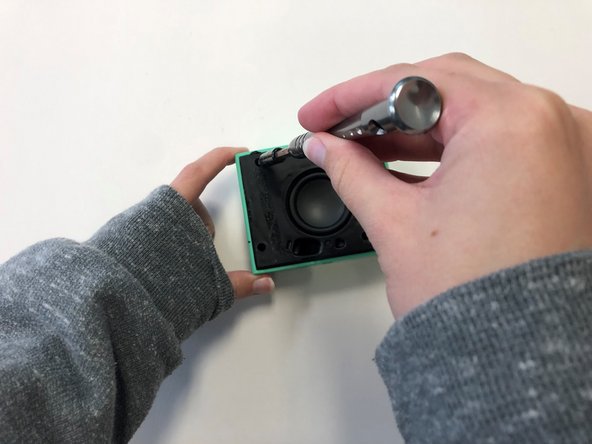
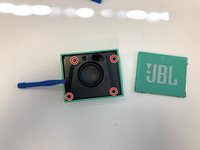
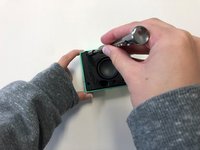
  4. JBL Go Woofer Replacement, Woofer: 步骤 4 中的图像 1,2 JBL Go Woofer Replacement, Woofer: 步骤 4 中的图像 2,2
    • Once the front cover is removed, use a T6 screwdriver head to remove the four 9 mm screws on the black cover.

    询问修复机器人

    添加评论

  5. JBL Go Woofer Replacement: 步骤 5 中的图像 1,1
    • After removing the screws, use the plastic opening tool to carefully pry around the edges of the black cover to loosen and lift the cover off of the device.

    询问修复机器人

    添加评论

  6. JBL Go Woofer Replacement: 步骤 6 中的图像 1,1
    • Carefully unplug the woofer wires from the motherboard

    询问修复机器人

    添加评论

  7. JBL Go Woofer Replacement: 步骤 7 中的图像 1,1
    • Once the black cover is fully detached from the speaker, unscrew the woofer from the back of the black cover using a T6 screwdriver head.

    询问修复机器人

    添加评论

结论

To reassemble your device, follow these instructions in reverse order.

取消:我没有完成这个指南。

4等其他人完成本指南。

0指南评论

添加评论

浏览统计数据:

过去 24 小时: 2

过去 7 天: 31

过去 30 天: 109

总计 4,007