此翻译由机器生成,尚未经过人工审核。 会说这种语言吗? 查看评论。

Innioasis Y1 SD 卡更换

浏览量: 4.3万
浏览统计数据:
- 过去24小时
- 29
- 过去 7 天:
- 139
- 过去 30 天:
- 757
- 总计
- 43,037
评论: 21
1 comment on steps, 20 guide comments.
Go to guide comments已完成: 16 17
16 人已将本指南标记为“已完成”。你会是下一个完成的人吗?
17 人已将本指南标记为“已完成”。包括你——干的漂亮!
收藏: 4 5
4 人已收藏(并订阅)本指南。你会是下一个吗?
5 人收藏(并订阅)了本指南——这其中包括你!
社区贡献指南
我们社区的一个非常棒的成员制作了本指南。它不是由 iFixit 工作人员创建的。
要点符号!
更好地协调标记与要点符号的颜色和类型将有助于使本指南更清楚!
你所需要的
工具


 询问修复机器人


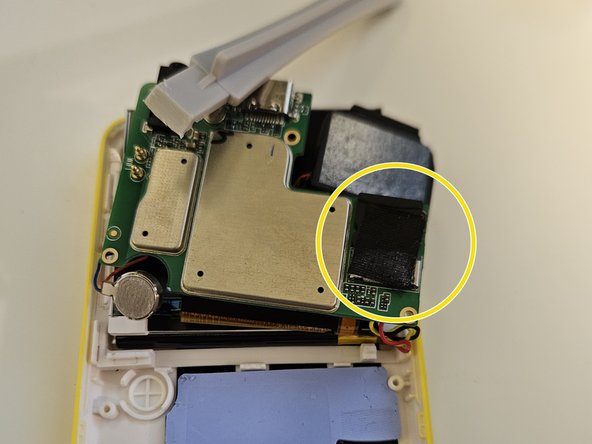
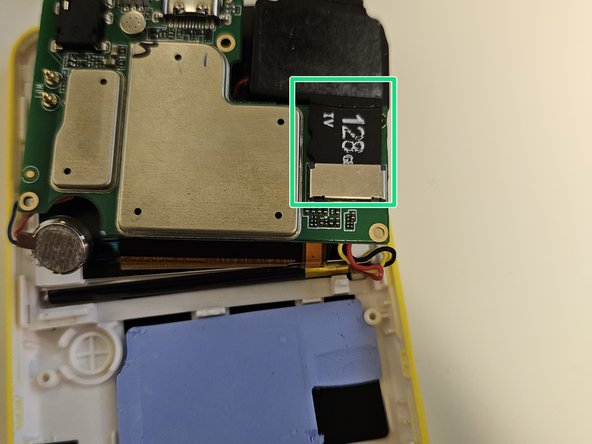
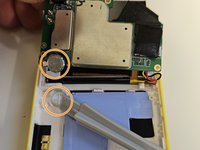
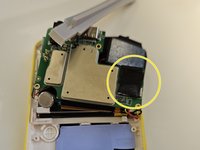
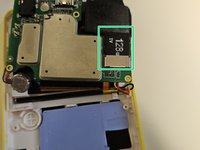
要重新组装设备,请按相反顺序执行这些说明。
16等其他人完成本指南。
20指南评论
Tired of waiting for a reaction to my questions above I bought a Samsung 512GB Micro SD Evo Plus UHS-I U3 SDcard. Maybe overkill, but very fast. the replacement of the card was a 5 minutes job. Now I am copying the contents of the old 128GB card to the Innioasis Y3 which will take hours I guess. I let everyone know if it all works fine.
P. Reuvers - 回复 分享
It works great. Only one small issue. The Innioasis Y1 shows that it contain 128GB, But he shows the correct used and available space, at this moment I used 143GB of the 512GB, more then the original Innioasis Y1.
P. Reuvers - 回复 分享
Will this work with an ExFAT format card or just FAT32? Thanks
jjedwards894 - 回复 分享
ExFAT worked fine for me.
Tanner Mills - 回复 分享
