跳转到主内容
加入维修社区 - 创建账户

IBM ThinkPad 600E RAM Replacement

你所需要的

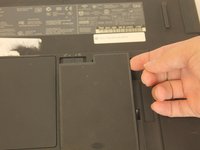
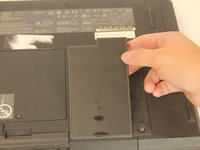
    1. IBM ThinkPad 600E RAM Replacement, Battery: 步骤 1 中的图像 1,3 IBM ThinkPad 600E RAM Replacement, Battery: 步骤 1 中的图像 2,3 IBM ThinkPad 600E RAM Replacement, Battery: 步骤 1 中的图像 3,3
      • Flip the laptop over and find the battery latch.

      询问修复机器人

      添加评论

    2. IBM ThinkPad 600E RAM Replacement: 步骤 2 中的图像 1,1
      • Move the latch to the side with the unlocked symbol.

      询问修复机器人

      添加评论

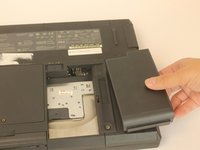
    3. IBM ThinkPad 600E RAM Replacement: 步骤 3 中的图像 1,3 IBM ThinkPad 600E RAM Replacement: 步骤 3 中的图像 2,3 IBM ThinkPad 600E RAM Replacement: 步骤 3 中的图像 3,3
      • Pry the battery out using your fingers.

      询问修复机器人

      添加评论

    1. IBM ThinkPad 600E RAM Replacement, RAM: 步骤 4 中的图像 1,1
      • Put on the anti-static wrist trap and clip it to a large metal object.

      • If you do not have an anti-static wristband, make sure to touch a large metal object to ground yourself before beginning to work on your replacement. Occasionally touch the metal object.

      询问修复机器人

      添加评论

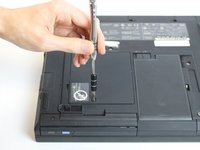
    2. IBM ThinkPad 600E RAM Replacement: 步骤 5 中的图像 1,3 IBM ThinkPad 600E RAM Replacement: 步骤 5 中的图像 2,3 IBM ThinkPad 600E RAM Replacement: 步骤 5 中的图像 3,3
      • Using a screwdriver, loosen but do not remove the captive screw by turning counterclockwise.

      • One 3mm PH0 screw

      询问修复机器人

      添加评论

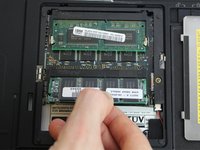
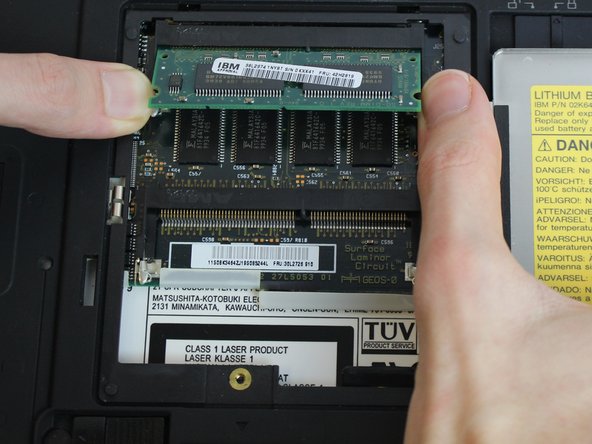
    3. IBM ThinkPad 600E RAM Replacement: 步骤 6 中的图像 1,3 IBM ThinkPad 600E RAM Replacement: 步骤 6 中的图像 2,3 IBM ThinkPad 600E RAM Replacement: 步骤 6 中的图像 3,3
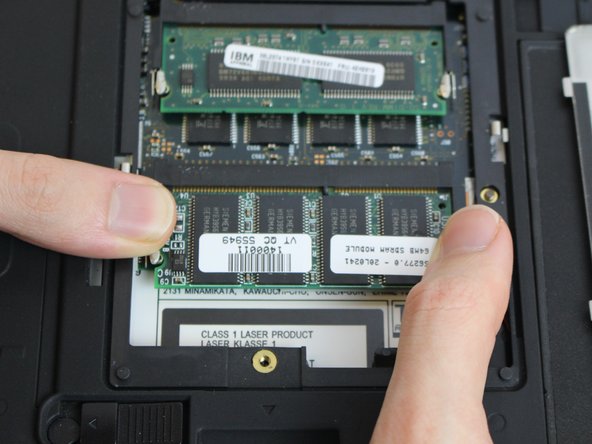
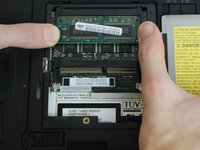
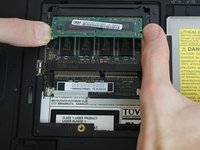
      • Using your fingers, pry the small retention clips apart until the ram pops up.

      询问修复机器人

      添加评论

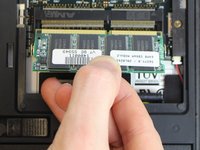
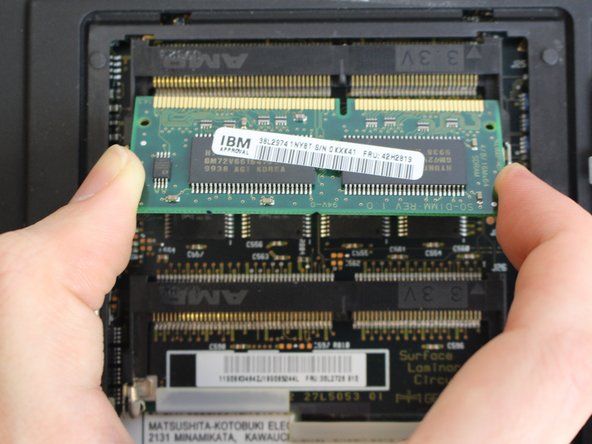
    4. IBM ThinkPad 600E RAM Replacement: 步骤 7 中的图像 1,2 IBM ThinkPad 600E RAM Replacement: 步骤 7 中的图像 2,2
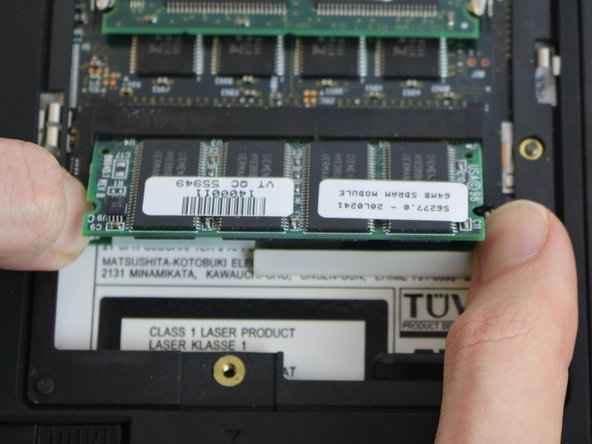
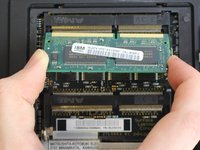
      • Using your fingers, pull straight in line with the ram to remove it.

      询问修复机器人

      添加评论

    5. IBM ThinkPad 600E RAM Replacement: 步骤 8 中的图像 1,3 IBM ThinkPad 600E RAM Replacement: 步骤 8 中的图像 2,3 IBM ThinkPad 600E RAM Replacement: 步骤 8 中的图像 3,3
      • Repeat steps 3 and 4 if you want to remove the second ram stick.

      添加评论

结论

To reassemble your device, follow these instructions in reverse order.

取消:我没有完成这个指南。

2等其他人完成本指南。

Harold Rocha

于10/04/16注册

173 声望

撰写一个指南

团队

USF Tampa, Team 1-4, Nance Fall 2016 USF Tampa, Team 1-4, Nance Fall 2016 的会员

USFT-NANCE-F16S1G4

4 名成员

创作了45篇指南

0指南评论

添加评论

浏览统计数据:

过去 24 小时: 1

过去 7 天: 15

过去 30 天: 45

总计 1,513