跳转到主内容
加入维修社区 - 创建账户

Huawei Honor 6x Front Display Panel Replacement

你所需要的

    1. Huawei Honor 6x Front Display Panel Replacement, SIM Card: 步骤 1 中的图像 1,1
      • Turn off the device.

      询问修复机器人

      添加评论

    2. Huawei Honor 6x Front Display Panel Replacement: 步骤 2 中的图像 1,2 Huawei Honor 6x Front Display Panel Replacement: 步骤 2 中的图像 2,2
      • Insert the SIM Card Eject Tool into the SIM card tray hole.

      • Press the eject tool into the hole until the tray clicks open.

      询问修复机器人

      添加评论

    3. Huawei Honor 6x Front Display Panel Replacement: 步骤 3 中的图像 1,1
      • Remove the SIM tray from the device using two fingers.

      • When reinserting the SIM card, be sure it is properly aligned with the SIM tray.

      询问修复机器人
      添加评论

    4. Huawei Honor 6x Front Display Panel Replacement: 步骤 4 中的图像 1,1
      • Remove the SIM card from the compartment using two fingers.

      询问修复机器人
      添加评论

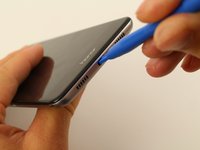
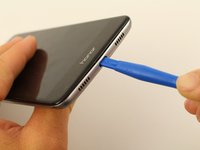
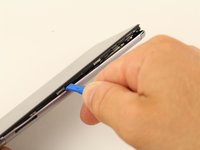
    1. Huawei Honor 6x Front Display Panel Replacement, Back Cover: 步骤 5 中的图像 1,2 Huawei Honor 6x Front Display Panel Replacement, Back Cover: 步骤 5 中的图像 2,2
      • Insert a plastic opening tool into the Micro USB charging port with the the angled side of the tool facing the screen.

      • Pry the screen off the back of the phone by pushing down on the opening tool.

      询问修复机器人

      添加评论

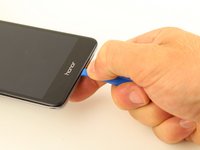
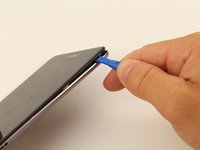
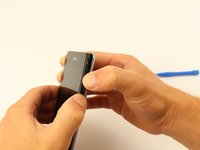
    2. Huawei Honor 6x Front Display Panel Replacement: 步骤 6 中的图像 1,3 Huawei Honor 6x Front Display Panel Replacement: 步骤 6 中的图像 2,3 Huawei Honor 6x Front Display Panel Replacement: 步骤 6 中的图像 3,3
      • Slide the opening tool or spudger along the bottom of the phone and around the edge.

      询问修复机器人

      添加评论

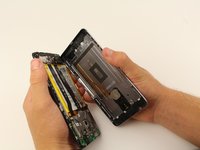
    3. Huawei Honor 6x Front Display Panel Replacement: 步骤 7 中的图像 1,2 Huawei Honor 6x Front Display Panel Replacement: 步骤 7 中的图像 2,2
      • Once three sides of the screen are detached, pry the phone apart using two hands.

      • When separating the back panel from the screen, do not pull them too far apart. There is an interconnect that is attached to both sides that could break, or tear, if pulled too far.

      询问修复机器人

      添加评论

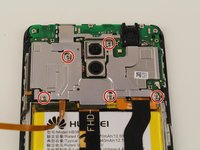
    4. Huawei Honor 6x Front Display Panel Replacement: 步骤 8 中的图像 1,3 Huawei Honor 6x Front Display Panel Replacement: 步骤 8 中的图像 2,3 Huawei Honor 6x Front Display Panel Replacement: 步骤 8 中的图像 3,3
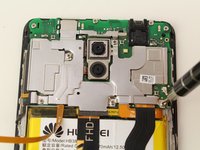
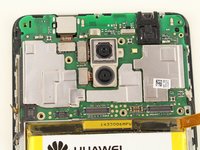
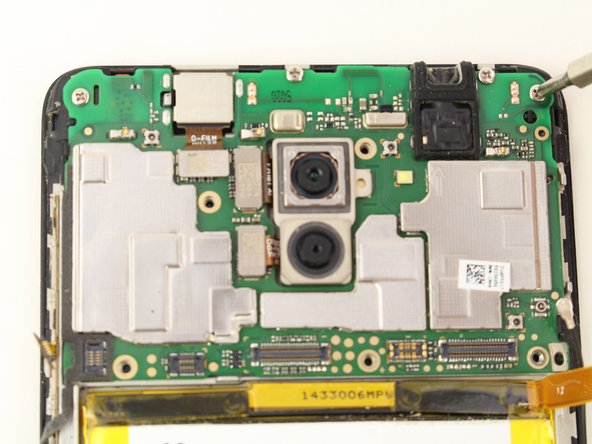
      • Remove the five 4mm Phillips #00 screws using a screwdriver.

      询问修复机器人
      添加评论

    5. Huawei Honor 6x Front Display Panel Replacement: 步骤 9 中的图像 1,1
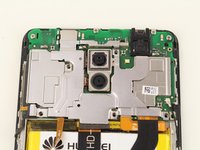
      • Remove the motherboard cover from the device using a spudger or your fingers.

      添加评论

    1. Huawei Honor 6x Front Display Panel Replacement, Battery: 步骤 10 中的图像 1,2 Huawei Honor 6x Front Display Panel Replacement, Battery: 步骤 10 中的图像 2,2
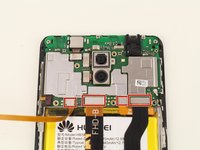
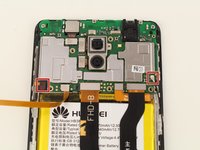
      • Remove the four connectors by placing the spudger between the motherboard and the connectors.

      • Press upwards against the connectors until they disconnect.

      • The connectors will make a "click" sound when disconnected.

      询问修复机器人

      添加评论

    2. Huawei Honor 6x Front Display Panel Replacement: 步骤 11 中的图像 1,2 Huawei Honor 6x Front Display Panel Replacement: 步骤 11 中的图像 2,2
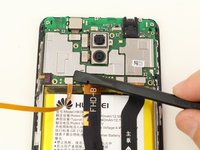
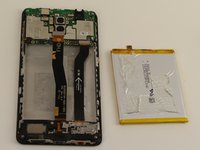
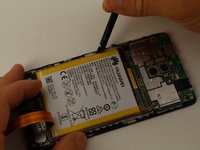
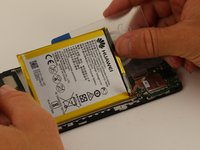
      • Remove the battery by first prying a spudger between the battery and the screen.

      • Slice through the adhesive by pushing card around and underneath the battery.

      • The adhesive is fairly strong, so make sure to press firmly against the adhesive.

      • Do not excessively bend the battery. Bending the battery too much can cause it to break and even catch fire.

      询问修复机器人

      添加评论

    3. Huawei Honor 6x Front Display Panel Replacement: 步骤 12 中的图像 1,2 Huawei Honor 6x Front Display Panel Replacement: 步骤 12 中的图像 2,2
      在这个步骤中使用的工具:
      Plastic Cards
      $2.99
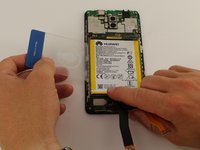
      • Using the plastic card, remove the battery by lifting it from the casing.

      询问修复机器人

      添加评论

    1. Huawei Honor 6x Front Display Panel Replacement, Front Display Panel: 步骤 13 中的图像 1,2 Huawei Honor 6x Front Display Panel Replacement, Front Display Panel: 步骤 13 中的图像 2,2
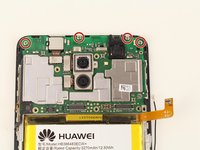
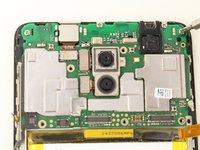
      • Remove the last two connectors from the motherboard using a spudger or your fingers.

      • All cables should now be detached from the motherboard.

      询问修复机器人

      添加评论

    2. Huawei Honor 6x Front Display Panel Replacement: 步骤 14 中的图像 1,3 Huawei Honor 6x Front Display Panel Replacement: 步骤 14 中的图像 2,3 Huawei Honor 6x Front Display Panel Replacement: 步骤 14 中的图像 3,3
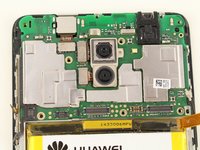
      • Remove the four 2mm Phillips #00 screws.

      询问修复机器人

      添加评论

    3. Huawei Honor 6x Front Display Panel Replacement: 步骤 15 中的图像 1,2 Huawei Honor 6x Front Display Panel Replacement: 步骤 15 中的图像 2,2
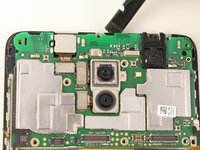
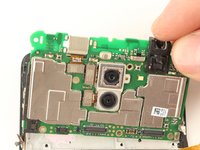
      • Gently lift the motherboard from the phone using two fingers or a spudger.

      询问修复机器人

      添加评论

    4. Huawei Honor 6x Front Display Panel Replacement: 步骤 16 中的图像 1,1
      • Remove the speaker using the tip of a spudger.

      • The speaker may need to be re-glued during reassembly.

      询问修复机器人

      添加评论

    5. Huawei Honor 6x Front Display Panel Replacement: 步骤 17 中的图像 1,3 Huawei Honor 6x Front Display Panel Replacement: 步骤 17 中的图像 2,3 Huawei Honor 6x Front Display Panel Replacement: 步骤 17 中的图像 3,3
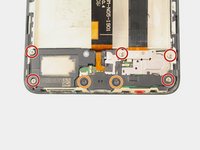
      • Remove the five 2mm Phillips #00 screws using a screwdriver.

      • Remove the two 2mm #5 Torx screws using a screwdriver.

      询问修复机器人

      添加评论

    6. Huawei Honor 6x Front Display Panel Replacement: 步骤 18 中的图像 1,2 Huawei Honor 6x Front Display Panel Replacement: 步骤 18 中的图像 2,2
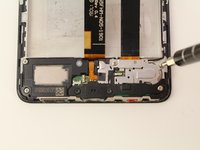
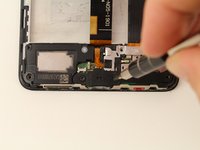
      • Remove the metal plate from the vibrator assembly using a spudger.

      询问修复机器人

      添加评论

    7. Huawei Honor 6x Front Display Panel Replacement: 步骤 19 中的图像 1,3 Huawei Honor 6x Front Display Panel Replacement: 步骤 19 中的图像 2,3 Huawei Honor 6x Front Display Panel Replacement: 步骤 19 中的图像 3,3
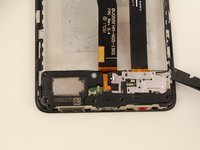
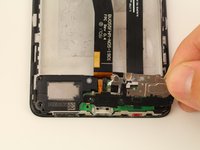
      • Snap the two connectors off using a spudger or your finger.

      询问修复机器人

      添加评论

    8. Huawei Honor 6x Front Display Panel Replacement: 步骤 20 中的图像 1,1
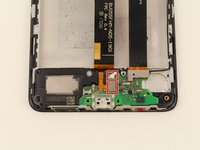
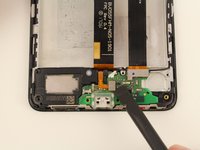
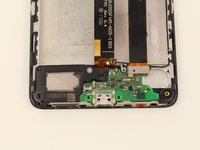
      • Pry the micro USB port off of the phone using a spudger.

      询问修复机器人

      添加评论

    9. Huawei Honor 6x Front Display Panel Replacement: 步骤 21 中的图像 1,3 Huawei Honor 6x Front Display Panel Replacement: 步骤 21 中的图像 2,3 Huawei Honor 6x Front Display Panel Replacement: 步骤 21 中的图像 3,3
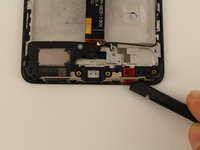
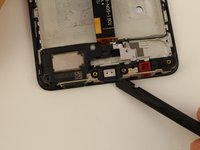
      • Pry the speaker and microphone assembly off of the phone by sliding a spudger down along the bottom.

      询问修复机器人

      添加评论

    10. Huawei Honor 6x Front Display Panel Replacement: 步骤 22 中的图像 1,2 Huawei Honor 6x Front Display Panel Replacement: 步骤 22 中的图像 2,2
      在这个步骤中使用的工具:
      Tweezers
      $4.99
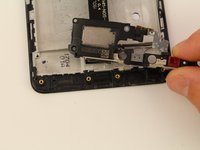
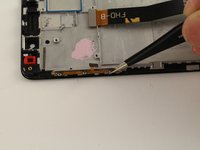
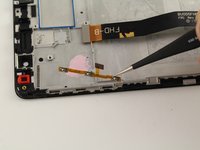
      • Pull the volume buttons off using tweezers or the end of a spudger.

      • It may take a bit of wiggling and poking to get through the adhesive.

      询问修复机器人

      添加评论

结论

To reassemble your device, follow these instructions in reverse order.

取消:我没有完成这个指南。

12等其他人完成本指南。

Tessa Kemper

于10/08/18注册

591 声望

创作了3篇指南

团队

Cal Poly, Team S13-G5, White Fall 2018 Cal Poly, Team S13-G5, White Fall 2018 的会员

CPSU-WHITE-F18S13G5

4 名成员

创作了49篇指南

0指南评论

添加评论

浏览统计数据:

过去 24 小时: 0

过去 7 天: 8

过去 30 天: 58

总计 5,890