This guide shows how to install and remove Expansion Cards for your Framework Laptop.
All official Expansion Cards work fully in all slots, so you can install them however you wish!
The Expansion Cards are hot-swappable. You can install and remove them without turning off your laptop.
-
-
-
The next two steps show how to install an Expansion Card.
-
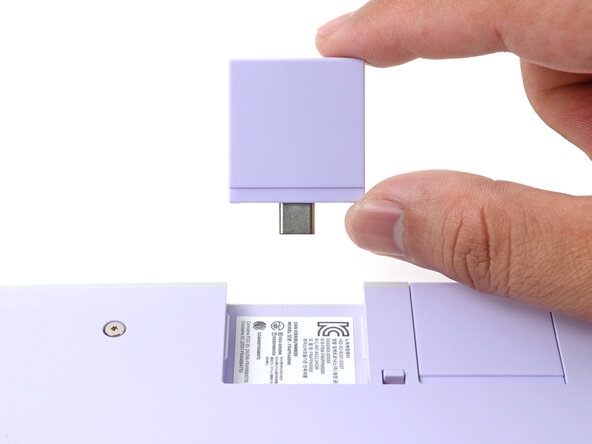
Slide an Expansion Card into an Expansion Card slot.
-
You don't need to unlock the latches to install the Expansion Cards—only when you want to remove them.
-
The Expansion Cards should click into place, and the front edge should be flush with the laptop.
-
-
-
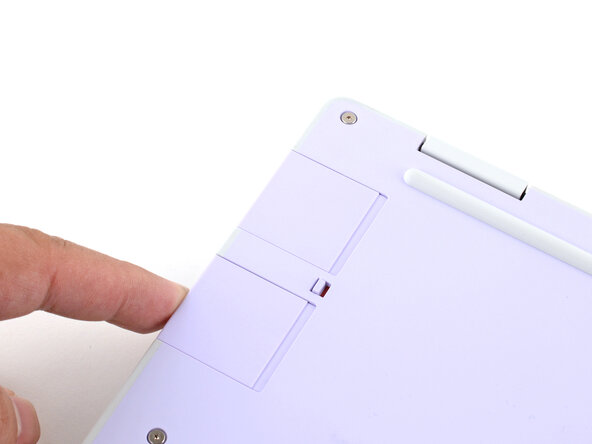
If there's a red bar showing under the Expansion Card latch, use your finger to flip the latch and lock the Expansion Card into its slot.
-
Locking the Expansion Card slots helps keep the cards in place when you unplug cables from them.
-
-
The next two steps show how to remove an Expansion Card.
-
Use your fingers to flip the two Expansion Card latches (one for each side) into the unlocked position.
-
The latches display a red bar when they're unlocked.
-
-
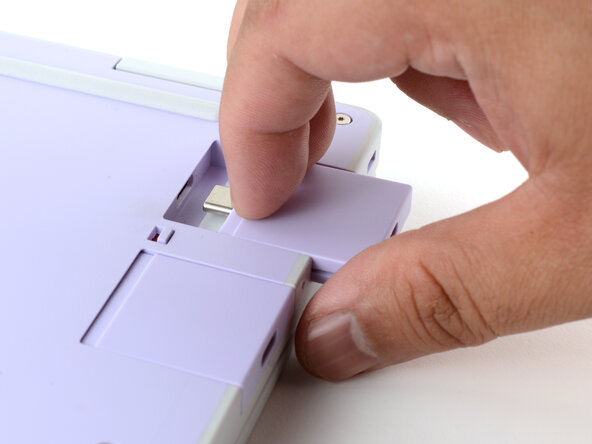
Grip the lip of the Expansion Card with your fingers.
-
Pull the Expansion Card out of its slot and remove it.
-
If you have trouble pulling the Expansion Card out, you can also use the flat end of your Framework Screwdriver to push against the lip.
嵌入本指南
选择一个尺寸并复制下面的代码,将本指南作为一个小插件嵌入到你的网站/论坛中。
预览