跳转到主内容
加入维修社区 - 创建账户

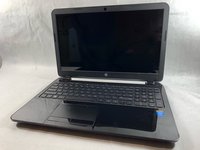
How to Access the Internal Components of an HP 15-R011DX

你所需要的

    1. How to Access the Internal Components of an HP 15-R011DX, Battery: 步骤 1 中的图像 1,2 How to Access the Internal Components of an HP 15-R011DX, Battery: 步骤 1 中的图像 2,2
      • Slide the lock mechanism on the left side of the laptop to the right.

      询问修复机器人

      添加评论

    2. How to Access the Internal Components of an HP 15-R011DX: 步骤 2 中的图像 1,1
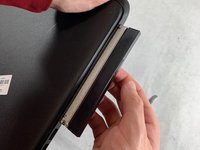
      • While holding the right slide mechanism, remove the battery from the laptop.

      • The battery is not pictured here because it is missing from this particular device.

      询问修复机器人

      添加评论

    1. How to Access the Internal Components of an HP 15-R011DX, How to Access the Internal Components of an HP 15-R011DX: 步骤 3 中的图像 1,2 How to Access the Internal Components of an HP 15-R011DX, How to Access the Internal Components of an HP 15-R011DX: 步骤 3 中的图像 2,2
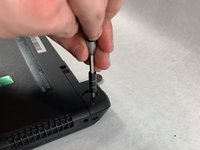
      • Flip the laptop over to reveal screw locations.

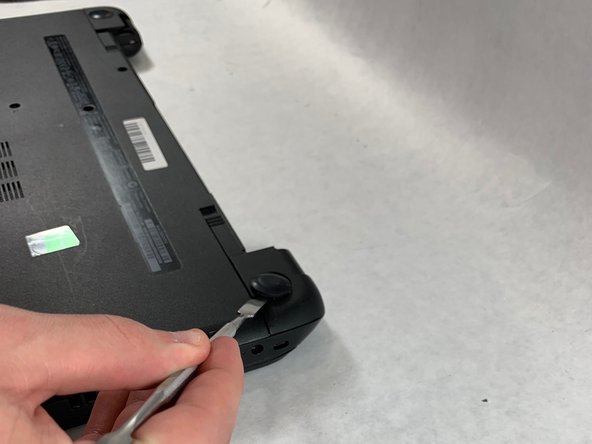
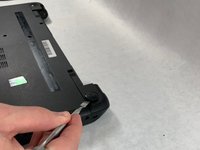
      • Use a metal spudger to remove the two rear rubber feet. There are screws hidden underneath them.

      询问修复机器人

      添加评论

    2. How to Access the Internal Components of an HP 15-R011DX: 步骤 4 中的图像 1,2 How to Access the Internal Components of an HP 15-R011DX: 步骤 4 中的图像 2,2
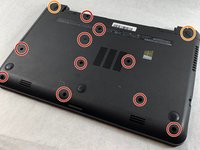
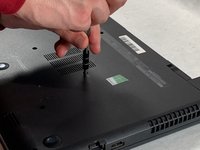
      • Remove the twelve 5mm Phillips #1 screws on the back of the laptop.

      询问修复机器人

      添加评论

    3. How to Access the Internal Components of an HP 15-R011DX: 步骤 5 中的图像 1,2 How to Access the Internal Components of an HP 15-R011DX: 步骤 5 中的图像 2,2
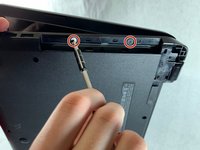
      • Remove the DVD drive from the laptop.

      • Remove the two 3 mm Phillips #1 screws underneath the DVD drive.

      添加评论

    4. How to Access the Internal Components of an HP 15-R011DX: 步骤 6 中的图像 1,3 How to Access the Internal Components of an HP 15-R011DX: 步骤 6 中的图像 2,3 How to Access the Internal Components of an HP 15-R011DX: 步骤 6 中的图像 3,3
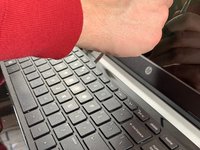
      • Flip the laptop and open.

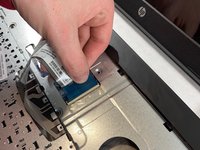
      • Detach the keyboard by prying it free from the laptop using a spudger.

      • Do not completely remove the keyboard yet. It is still attached by a ribbon cable.

      • Disconnect the keyboard ribbon cable.

      询问修复机器人

      添加评论

    5. How to Access the Internal Components of an HP 15-R011DX: 步骤 7 中的图像 1,2 How to Access the Internal Components of an HP 15-R011DX: 步骤 7 中的图像 2,2
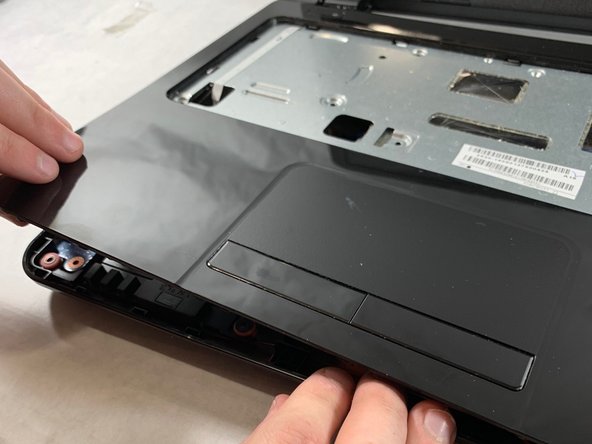
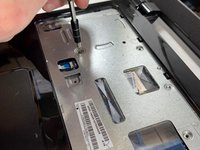
      • Disconnect the two narrow ribbon cables to the left of the keyboard connection.

      • Remove five 4 mm Phillips #1 screws from the metal tray for the keyboard.

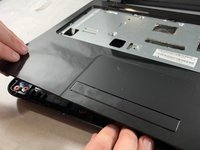
      • Pry open the plastic casing using a spudger.

      • If struggling to remove the plastic case, check that all screws have been removed.

      添加评论

结论

To reassemble your device, follow these instructions in reverse order.

取消:我没有完成这个指南。

2等其他人完成本指南。

团队

UMass Dartmouth, Team S2-G4, Bailey Spring 2019 UMass Dartmouth, Team S2-G4, Bailey Spring 2019 的会员

UMASSD-BAILEY-S19S2G4

3 名成员

创作了54篇指南

0指南评论

添加评论

浏览统计数据:

过去 24 小时: 1

过去 7 天: 2

过去 30 天: 16

总计 823