跳转到主内容
加入维修社区 - 创建账户

HTC Wizard 100 Camera Replacement

你所需要的

    1. HTC Wizard 100 Camera Replacement, Battery: 步骤 1 中的图像 1,2 HTC Wizard 100 Camera Replacement, Battery: 步骤 1 中的图像 2,2
      • Power the phone off.

      • Use your thumb to gently press downward and away from the camera to remove the battery cover.

      询问修复机器人

      添加评论

    2. HTC Wizard 100 Camera Replacement: 步骤 2 中的图像 1,2 HTC Wizard 100 Camera Replacement: 步骤 2 中的图像 2,2
      • Pull on the plastic tab to release the battery.

      询问修复机器人

      添加评论

    1. HTC Wizard 100 Camera Replacement, Back Case: 步骤 3 中的图像 1,2 HTC Wizard 100 Camera Replacement, Back Case: 步骤 3 中的图像 2,2
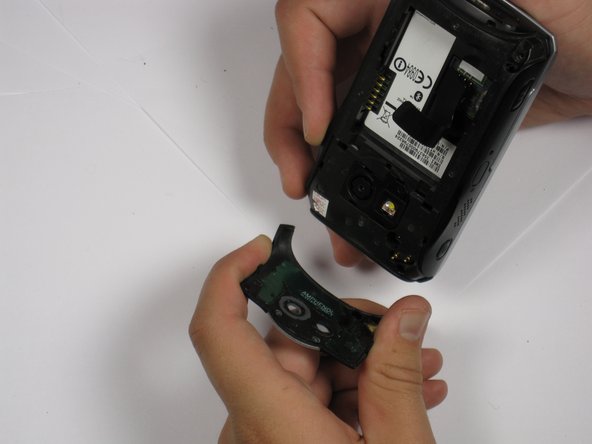
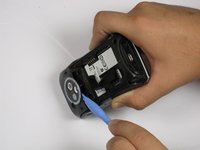
      • Use a plastic opening tool to remove the camera cover.

      • Work around the corners to avoid breaking the plastic clips that hold the camera cover on.

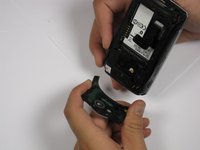
      • Lift the camera cover off of the phone.

      询问修复机器人

      添加评论

    2. HTC Wizard 100 Camera Replacement: 步骤 4 中的图像 1,1
      • Remove the stylus from the phone.

      • Remove the four 5.5 mm screws with the T6 Torx Screwdriver.

      • One of the screws might be under a sticker, which will void your warranty.

      询问修复机器人

      添加评论

    3. HTC Wizard 100 Camera Replacement: 步骤 5 中的图像 1,3 HTC Wizard 100 Camera Replacement: 步骤 5 中的图像 2,3 HTC Wizard 100 Camera Replacement: 步骤 5 中的图像 3,3
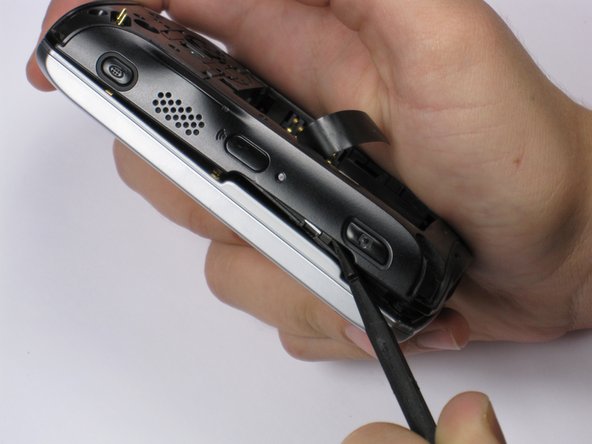
      • Be Careful! Do not insert the spudger in between the keyboard and screen. This could break the keyboard off the phone.

      • If your phone contains a memory card, you may want to remove it before proceeding with this step.

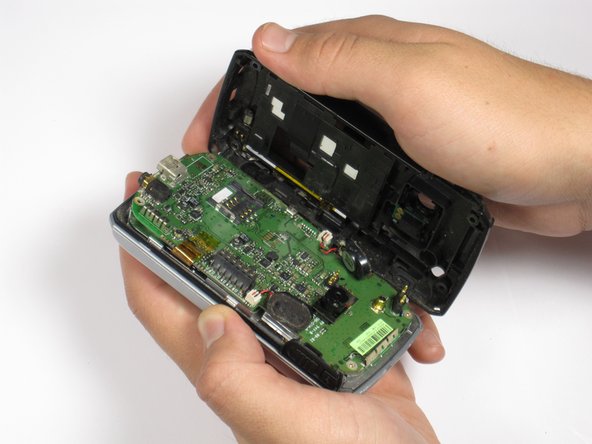
      • Insert spudger in the bottom corner as seen in the picture. Carefully slide the spudger from the bottom towards the top as seen in the second picture.

      • Lift the back case off completely.

      • The speakers might be dangling and unsecured.

      询问修复机器人

      添加评论

    1. HTC Wizard 100 Camera Replacement, Camera: 步骤 6 中的图像 1,1
      • Locate the camera and pry off with the plastic opening tool or spudger.

      询问修复机器人

      添加评论

结论

To reassemble your device, follow these instructions in reverse order.

取消:我没有完成这个指南。

团队

Cal Poly, Team 20-28, Maness Fall 2011 Cal Poly, Team 20-28, Maness Fall 2011 的会员

CPSU-MANESS-F11S20G28

4 名成员

创作了39篇指南

0指南评论

添加评论

浏览统计数据:

过去 24 小时: 0

过去 7 天: 7

过去 30 天: 19

总计 1,072