简介
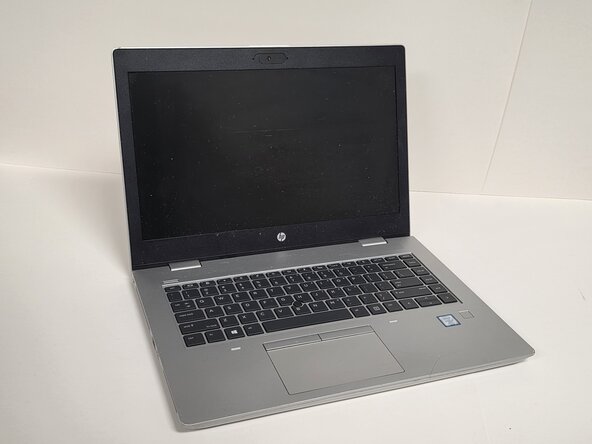
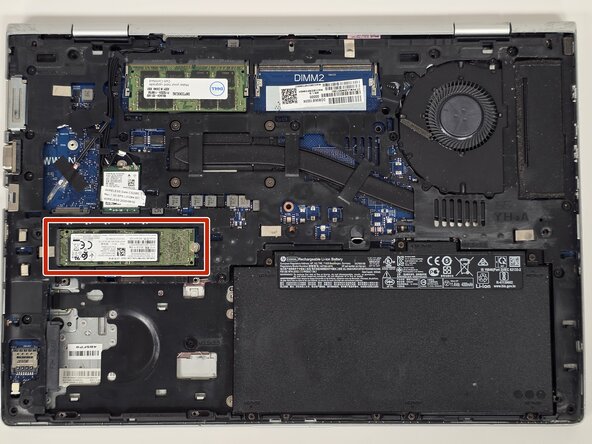
Use this guide to replace a faulty or damaged SSD in the HP ProBook 640 G5 laptop. If your laptop is not booting, showing "No boot device found", experiencing slow performance, or failing to load the operating system, the SSD may be the cause. This guide will show you how to safely remove the bottom cover, locate the SSD, and remove the existing drive to install a new one. Before starting, power off the laptop completely and disconnect all power sources.
你所需要的
-
-
-
Shut down the HP ProBook 640 G5 completely.
-
Disconnect the power adapter and all connected peripherals.
-
Press and hold the power button for 5 seconds to discharge remaining electricity.
 询问修复机器人
-
-
-
-
Flip the laptop over so the bottom is facing up.
-
Loosen eight silver 6mm screws using a Phillips #0 screwdriver.
-
Remove two black 6mm screws using a TR7 Torx screwdriver.
-
Insert a plastic opening tool into the seam and gently pry around the edges.
-
Lift the bottom cover away from the laptop.
-
-
-



To reassemble your device, follow these instructions in reverse order.

团队

Austin Community College, Team 1-2, Anderson Spring 2026 Austin Community College, Team 1-2, Anderson Spring 2026 的会员
AUSTINCC-ANDERSON-S26S1G2
3 名成员
创作了45篇指南
