跳转到主内容
加入维修社区 - 创建账户

HP Mini 210-2070NR Wi-Fi Card (WLAN Module) Replacement

你所需要的

    1. HP Mini 210-2070NR Wi-Fi Card (WLAN Module) Replacement, Battery and Service Access Cover: 步骤 1 中的图像 1,1
      • Before beginning, make sure that your computer is turned off and all external power cords are disconnected.

      • Close the laptop and turn it over so that the underside is up and the silver battery bay is facing towards you.

      询问修复机器人

      添加评论

    2. HP Mini 210-2070NR Wi-Fi Card (WLAN Module) Replacement: 步骤 2 中的图像 1,3 HP Mini 210-2070NR Wi-Fi Card (WLAN Module) Replacement: 步骤 2 中的图像 2,3 HP Mini 210-2070NR Wi-Fi Card (WLAN Module) Replacement: 步骤 2 中的图像 3,3
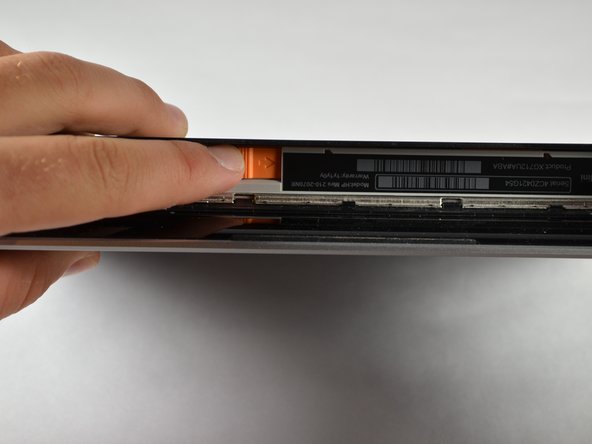
      • The battery locking latch is on the bottom right corner; slide it inward to unlock the battery.

      • Slide the battery release latch inwards.

      • Pull the battery towards you to remove it.

      询问修复机器人

      添加评论

    3. HP Mini 210-2070NR Wi-Fi Card (WLAN Module) Replacement: 步骤 3 中的图像 1,3 HP Mini 210-2070NR Wi-Fi Card (WLAN Module) Replacement: 步骤 3 中的图像 2,3 HP Mini 210-2070NR Wi-Fi Card (WLAN Module) Replacement: 步骤 3 中的图像 3,3
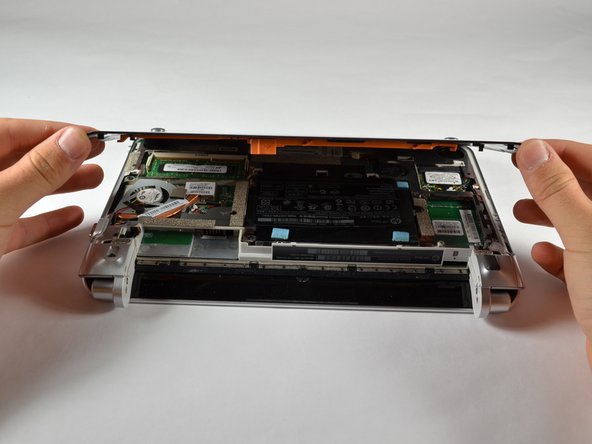
      • Slide the service access cover release lever to the right.

      • While holding the lever to the right, lift up the laptop's bottom cover gently and remove the cover.

      询问修复机器人

      添加评论

    4. HP Mini 210-2070NR Wi-Fi Card (WLAN Module) Replacement: 步骤 4 中的图像 1,1
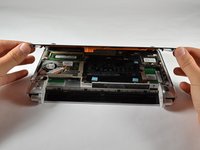
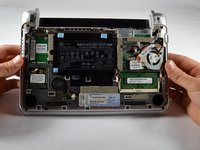
      • Orient the computer as shown in the picture.

      询问修复机器人

      添加评论

    1. HP Mini 210-2070NR Wi-Fi Card (WLAN Module) Replacement, Wi-Fi Card (WLAN Module): 步骤 5 中的图像 1,2 HP Mini 210-2070NR Wi-Fi Card (WLAN Module) Replacement, Wi-Fi Card (WLAN Module): 步骤 5 中的图像 2,2
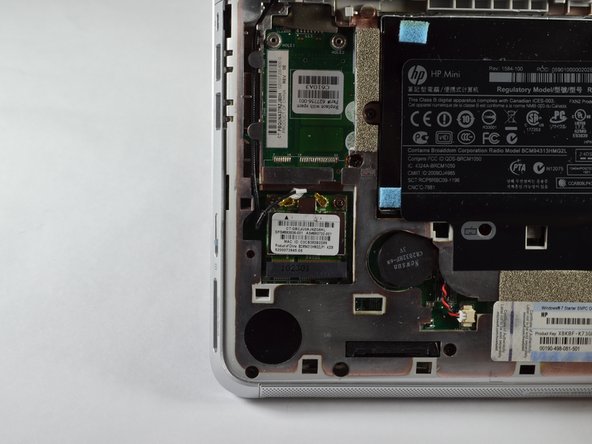
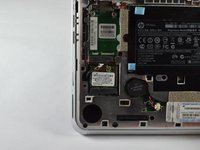
      • Locate the Wi-Fi Card (WLAN Module), near the computer's bottom left corner.

      询问修复机器人

      添加评论

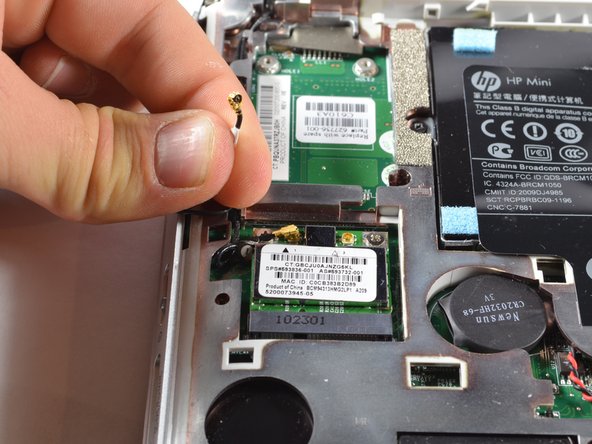
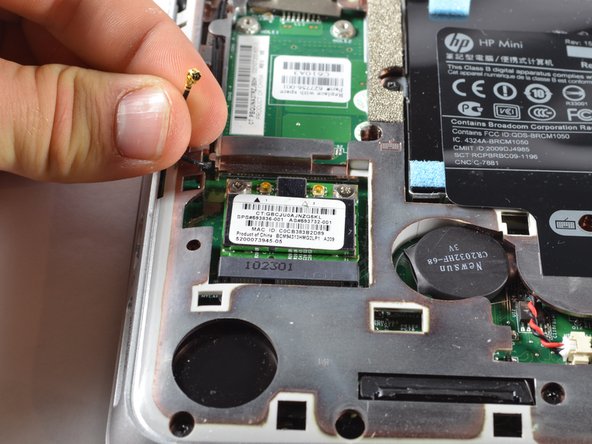
    2. HP Mini 210-2070NR Wi-Fi Card (WLAN Module) Replacement: 步骤 6 中的图像 1,3 HP Mini 210-2070NR Wi-Fi Card (WLAN Module) Replacement: 步骤 6 中的图像 2,3 HP Mini 210-2070NR Wi-Fi Card (WLAN Module) Replacement: 步骤 6 中的图像 3,3
      • Disconnect the two cables from the Wi-Fi card by gently lifting them away from the card.

      • There should be two black cables, one labeled with a white sticker, connected to the module.

      询问修复机器人

      添加评论

    3. HP Mini 210-2070NR Wi-Fi Card (WLAN Module) Replacement: 步骤 7 中的图像 1,1
      • Remove the two 2.0 x 3.0 screws securing the Wi-Fi card using a Phillips #00 screwdriver

      • The card should tilt up away from the laptop at an angle after removing the screws.

      询问修复机器人

      添加评论

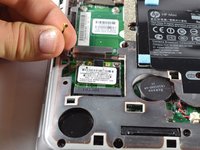
    4. HP Mini 210-2070NR Wi-Fi Card (WLAN Module) Replacement: 步骤 8 中的图像 1,1
      • Remove the Wi-Fi card by gently pulling it out of its slot at an angle.

      • Potential for device damage: Be sure to pull gently and at an angle away from you. If the card is pulled straight up, there is a chance it could break or bend.

      询问修复机器人

      添加评论

结论

To reassemble your device, follow these instructions in reverse order.

取消:我没有完成这个指南。

Taylor

于10/05/12注册

116 声望

撰写一个指南

团队

Cal Poly, Team 3-23, Amido Fall 2012 Cal Poly, Team 3-23, Amido Fall 2012 的会员

CPSU-AMIDO-F12S3G23

4 名成员

创作了54篇指南

0指南评论

添加评论

浏览统计数据:

过去 24 小时: 0

过去 7 天: 5

过去 30 天: 21

总计 1,587