简介
The computers hard drive is where all of its data is stored and kept when the computer is turned off. Upgrading it to a larger or faster HDD or SSD is very important in keeping your computer running properly. This simple guide shows how to easily access the HDD bay within the laptop.
你所需要的
-
-
-
Place the laptop face down in front of you.
-
Use a Phillips #0 screwdriver to remove the three 3 mm screws from the back of the case.
-
Remove the back panel.
 询问修复机器人
-
-
-


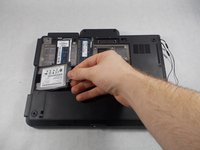
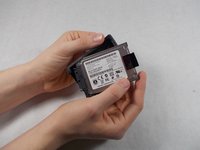
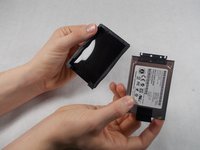
To reassemble your device, follow these instructions in reverse order.
6等其他人完成本指南。

团队

UMass Dartmouth, Team S8-G4, Valliere Spring 2018 UMass Dartmouth, Team S8-G4, Valliere Spring 2018 的会员
UMASSD-VALLIERE-S18S8G4
3 名成员
创作了48篇指南
1指南评论
You can use any mSATA SSD as replacement by using the following caddy/adapter:
https://www.ebay.fr/itm/165266235415
jacques_06
jacques_06 - 回复 分享
