跳转到主内容
加入维修社区 - 创建账户

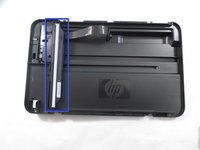
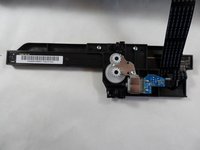
HP Deskjet F4480 Scanner Light Replacement

你所需要的

  1. HP Deskjet F4480 Scanner Light Replacement, Front: 步骤 1 中的图像 1,1
    • Open the front access panel by placing your finger in the front slot and pulling gently.

    询问修复机器人

    添加评论

  2. HP Deskjet F4480 Scanner Light Replacement, Top Lid: 步骤 2 中的图像 1,1
    • Open the protective lid that is covering the glass. Press gently against the base of the panel to remove the lid from the rest of the printer.

    询问修复机器人

    添加评论

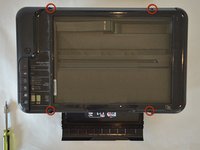
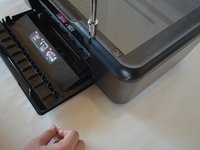
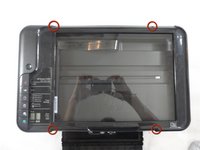
  3. HP Deskjet F4480 Scanner Light Replacement: 步骤 3 中的图像 1,3 HP Deskjet F4480 Scanner Light Replacement: 步骤 3 中的图像 2,3 HP Deskjet F4480 Scanner Light Replacement: 步骤 3 中的图像 3,3
    • Remove the four 9mm T10 Torx screws on the top.

    询问修复机器人

    添加评论

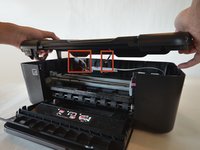
  4. HP Deskjet F4480 Scanner Light Replacement: 步骤 4 中的图像 1,2 HP Deskjet F4480 Scanner Light Replacement: 步骤 4 中的图像 2,2
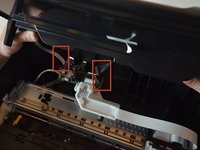
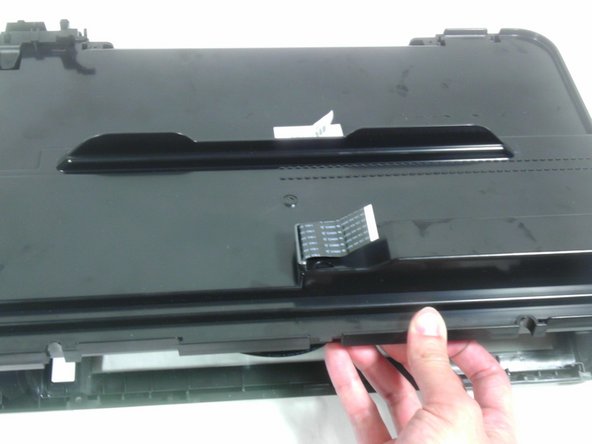
    • Carefully lift the top panel off of the printer.

    • Do not tear or damage the two cables that connect the top lid to the motherboard.

    询问修复机器人

    添加评论

  5. HP Deskjet F4480 Scanner Light Replacement: 步骤 5 中的图像 1,3 HP Deskjet F4480 Scanner Light Replacement: 步骤 5 中的图像 2,3 HP Deskjet F4480 Scanner Light Replacement: 步骤 5 中的图像 3,3
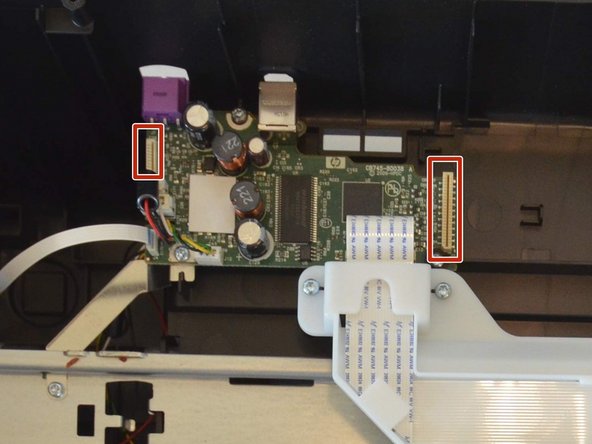
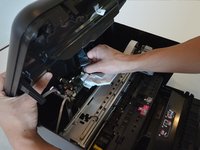
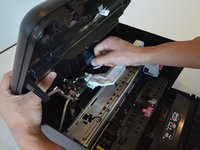
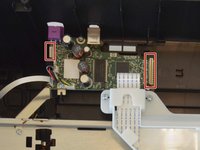
    • Remove the two cables by gripping each one close to their connection ports on the motherboard and gently disconnecting them.

    询问修复机器人

    添加评论

  6. HP Deskjet F4480 Scanner Light Replacement, Remove Back Panel of Lid: 步骤 6 中的图像 1,1
    • Remove one 9mm T10 Torx screw from the back of the printer lid.

    询问修复机器人

    添加评论

  7. HP Deskjet F4480 Scanner Light Replacement: 步骤 7 中的图像 1,2 HP Deskjet F4480 Scanner Light Replacement: 步骤 7 中的图像 2,2
    • Press outward on the plastic tab holding the back panel in place.

    询问修复机器人

    添加评论

  8. HP Deskjet F4480 Scanner Light Replacement: 步骤 8 中的图像 1,2 HP Deskjet F4480 Scanner Light Replacement: 步骤 8 中的图像 2,2
    • Pull the back panel towards you and lift it away from the rest of the printer cover.

    • Some ribbon cables may still be inserted through the back panel. Be careful not to damage these and they should slide out easily.

    询问修复机器人

    添加评论

  9. HP Deskjet F4480 Scanner Light Replacement, Scanner Light: 步骤 9 中的图像 1,2 HP Deskjet F4480 Scanner Light Replacement, Scanner Light: 步骤 9 中的图像 2,2
    • Remove scanner bar from track inside lid.

    • Do not try to detach the large ribbon cable. It is not designed to be removed from the scanner bar. Also do not try to pull ribbon cable out of the lid.

    询问修复机器人

    添加评论

  10. HP Deskjet F4480 Scanner Light Replacement: 步骤 10 中的图像 1,1
    • Remove two 9mm T10 Torx screws from the scanner bar to release scanner light.

    询问修复机器人

    添加评论

  11. HP Deskjet F4480 Scanner Light Replacement: 步骤 11 中的图像 1,1
    • Separate the scanner light from the rest of the scanner bar.

    询问修复机器人

    添加评论

结论

To reassemble your device, follow these instructions in reverse order.

取消:我没有完成这个指南。

Tim

于01/15/13注册

193 声望

创作了4篇指南

团队

Cal Poly, Team 18-35, Regan Winter 2013 Cal Poly, Team 18-35, Regan Winter 2013 的会员

CPSU-REGAN-W13S18G35

5 名成员

创作了15篇指南

0指南评论

添加评论

浏览统计数据:

过去 24 小时: 5

过去 7 天: 12

过去 30 天: 51

总计 4,246