简介
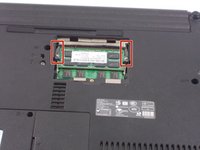
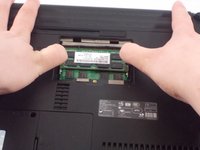
Replacing the RAM card is a very common task that takes no time at all. The only tool needed for this replacement guide is the PH00 bit. Don't worry about losing the one screw that gets unscrewed because it is attached to the device for your convenience. Make sure the device is off before starting the guide. Be careful and gentle once you access the RAM because the tabs you slide and the RAM itself is delicate.
你所需要的

 询问修复机器人




结论
To reassemble your device, follow these instructions in reverse order.

团队

UMass Dartmouth, Team S4-G1, Covino Spring 2018 UMass Dartmouth, Team S4-G1, Covino Spring 2018 的会员
UMASSD-COVINO-S18S4G1
3 名成员
创作了45篇指南
