跳转到主内容
加入维修社区 - 创建账户

HP 8 1401 Power/ Volume Button Board Replacement

你所需要的

    1. HP 8 1401 Power/ Volume Button Board Replacement, Back Panel: 步骤 1 中的图像 1,1
      • Using a Torx T4 screwdriver, remove the four 5 mm screws on the back panel.

      询问修复机器人

      添加评论

    2. HP 8 1401 Power/ Volume Button Board Replacement: 步骤 2 中的图像 1,1
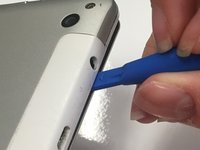
      • Insert the tip of a plastic opening tool in the seam between the front and back panels.

      询问修复机器人

      添加评论

    3. HP 8 1401 Power/ Volume Button Board Replacement: 步骤 3 中的图像 1,2 HP 8 1401 Power/ Volume Button Board Replacement: 步骤 3 中的图像 2,2
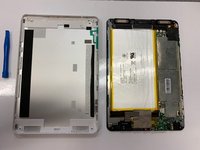
      • Slide the plastic opening tool around all edges of the device until the back panel detaches.

      • Lift off the back panel.

      询问修复机器人

      添加评论

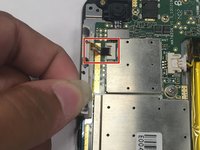
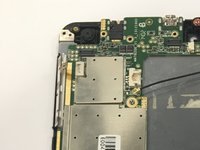
    1. HP 8 1401 Power/ Volume Button Board Replacement, Power/ Volume Button Board: 步骤 4 中的图像 1,3 HP 8 1401 Power/ Volume Button Board Replacement, Power/ Volume Button Board: 步骤 4 中的图像 2,3 HP 8 1401 Power/ Volume Button Board Replacement, Power/ Volume Button Board: 步骤 4 中的图像 3,3
      在这个步骤中使用的工具:
      Tweezers
      $4.99
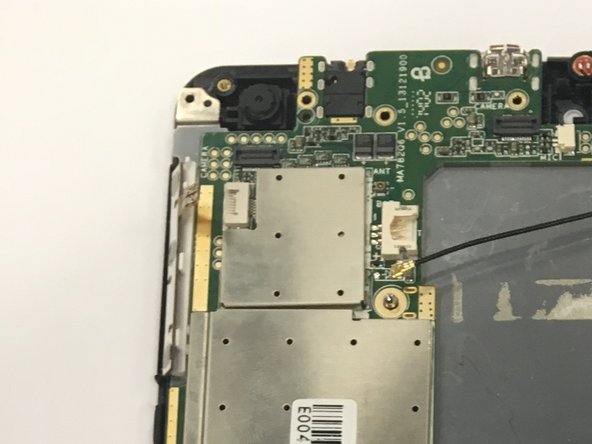
      • Disconnect the power/ volume button board from the control board by pulling the ribbon cable out of the white connector. You can use tweezers or your fingers.

      询问修复机器人

      添加评论

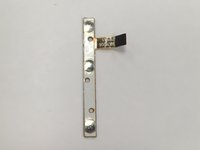
    2. HP 8 1401 Power/ Volume Button Board Replacement: 步骤 5 中的图像 1,1
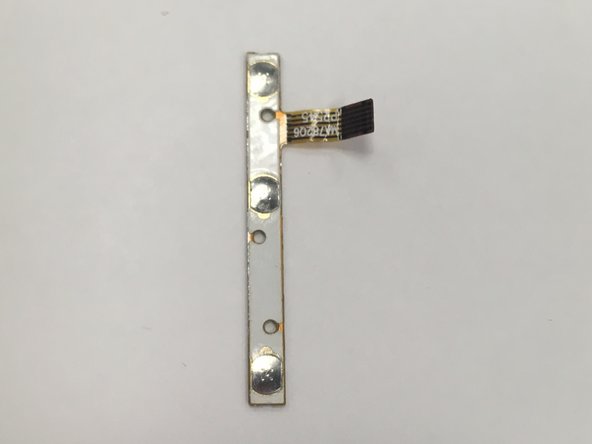
      • After removing the power/ volume button board, it should look like this.

      询问修复机器人

      添加评论

结论

To reassemble your device, follow these instructions in reverse order.

取消:我没有完成这个指南。

0指南评论

添加评论

浏览统计数据:

过去 24 小时: 3

过去 7 天: 10

过去 30 天: 21

总计 361