跳转到主内容
加入维修社区 - 创建账户

HP 15-db0004dx Battery Replacement

你所需要的

  1. HP 15-db0004dx Battery Replacement, Bottom Case: 步骤 1 中的图像 1,2 HP 15-db0004dx Battery Replacement, Bottom Case: 步骤 1 中的图像 2,2
    • Turn the laptop off and unplug it before starting.

    • Flip your laptop over, face down.

    询问修复机器人
  2. HP 15-db0004dx Battery Replacement: 步骤 2 中的图像 1,1
    • Peel off the two long rubber grips running lengthwise on the laptop.

    询问修复机器人
  3. HP 15-db0004dx Battery Replacement: 步骤 3 中的图像 1,2 HP 15-db0004dx Battery Replacement: 步骤 3 中的图像 2,2
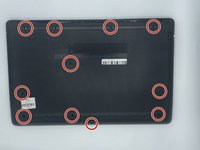
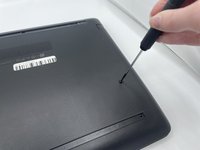
    • Using a Phillips #000 screwdriver, remove the eleven 10 mm screws located on the underside of the laptop, that are holding the back panel in place.

    询问修复机器人
  4. HP 15-db0004dx Battery Replacement: 步骤 4 中的图像 1,1
    • Carefully slide the optical drive out of the laptop.

    询问修复机器人
  5. HP 15-db0004dx Battery Replacement: 步骤 5 中的图像 1,1
    • Use a plastic opening tool to separate the back panel from the laptop.

    • For an easier removal, start at the corner and run the tool along the edge of the cover.

    • If you do not have a plastic opening tool, open it carefully using your hands, as shown.

    • Be careful to not bend the back panel, or to not apply too much pressure and force, doing so could cause the panel to break.

    询问修复机器人
  6. HP 15-db0004dx Battery Replacement, Battery: 步骤 6 中的图像 1,2 HP 15-db0004dx Battery Replacement, Battery: 步骤 6 中的图像 2,2
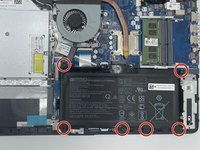
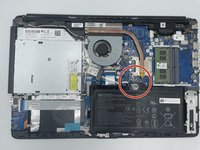
    • Using the Philips #000 screwdriver remove all of the six 5mm screws.

    询问修复机器人
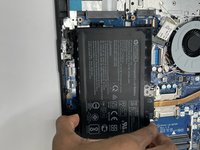
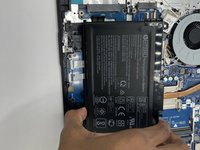
  7. HP 15-db0004dx Battery Replacement: 步骤 7 中的图像 1,3 HP 15-db0004dx Battery Replacement: 步骤 7 中的图像 2,3 HP 15-db0004dx Battery Replacement: 步骤 7 中的图像 3,3
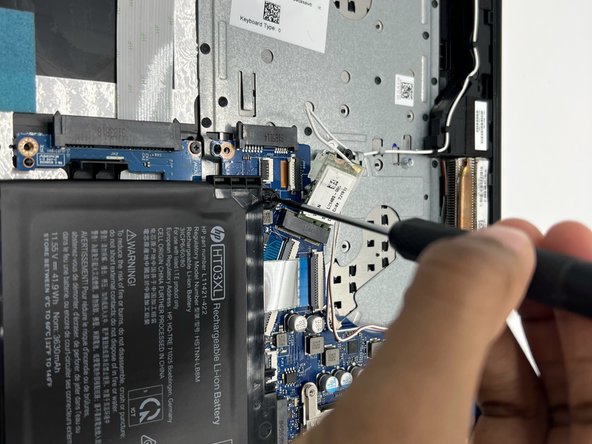
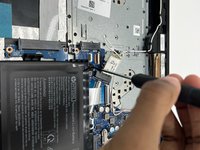
    • Disconnect the battery connector.

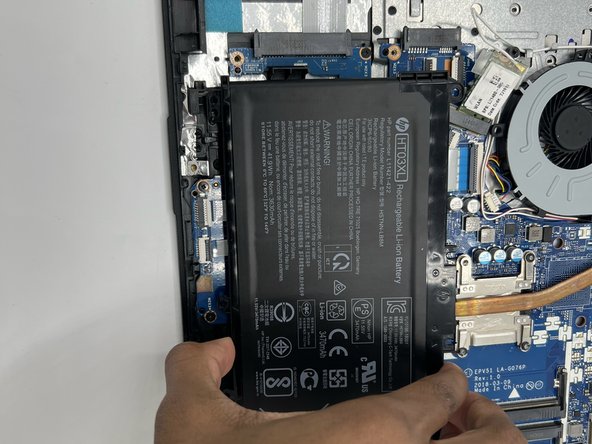
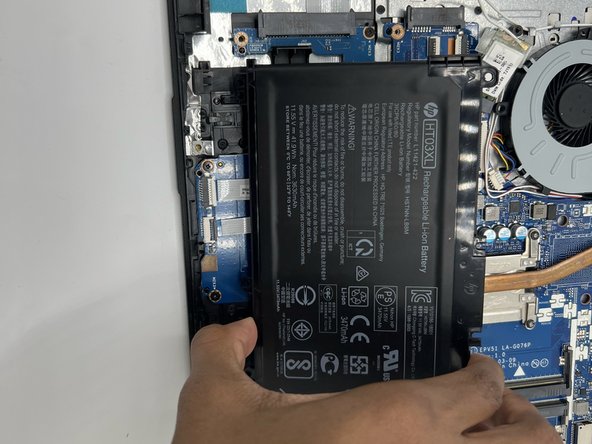
    • Slide the battery up and out.

结论

To reassemble your device, follow these instructions in reverse order.

2等其他人完成本指南。

0指南评论

添加评论

浏览统计数据:

过去 24 小时: 0

过去 7 天: 5

过去 30 天: 46

总计 1,169