跳转到主内容
加入维修社区 - 创建账户

Google Home Sound Driver Replacement

你所需要的

  1. Google Home Sound Driver Replacement, Interconnect Cable: 步骤 1 中的图像 1,3 Google Home Sound Driver Replacement, Interconnect Cable: 步骤 1 中的图像 2,3 Google Home Sound Driver Replacement, Interconnect Cable: 步骤 1 中的图像 3,3
    • Removing the lid too quickly could cause you to tear the interconnect cable that attaches the base to the top of the lid.

    • Pull off the Google Home’s magnetically attached base and set it aside.

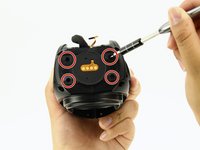
    • Using a Torx T6 screwdriver head, unscrew the four 1.7mm Torx screws deep in the speaker recess so that you can remove the lid.

    • After all four screws are out, pop the lid off the device to open the capsule.

    询问修复机器人

    添加评论

  2. Google Home Sound Driver Replacement: 步骤 2 中的图像 1,1
    在这个步骤中使用的工具:
    Tweezers
    $4.99
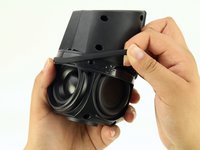
    • Carefully remove the interconnect cable using a pair of tweezers.

    询问修复机器人

    添加评论

  3. Google Home Sound Driver Replacement, Mute Button Switch: 步骤 3 中的图像 1,2 Google Home Sound Driver Replacement, Mute Button Switch: 步骤 3 中的图像 2,2
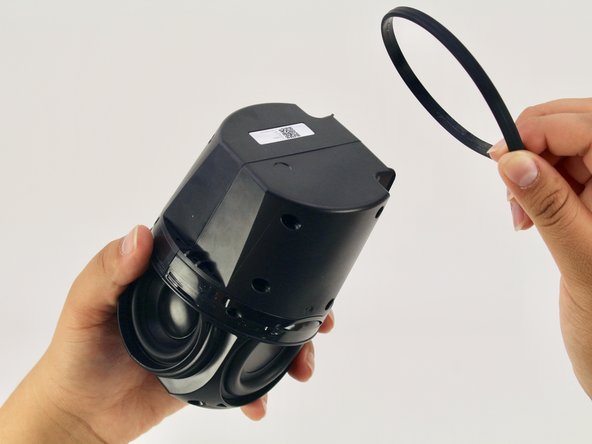
    • Remove the ‘O-ring’ that wraps around the device holding the switch panel in place.

    询问修复机器人

    添加评论

  4. Google Home Sound Driver Replacement: 步骤 4 中的图像 1,2 Google Home Sound Driver Replacement: 步骤 4 中的图像 2,2
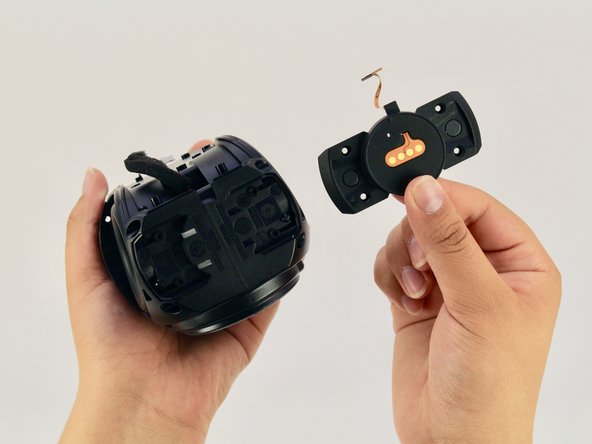
    • Using a Torx T6 screwdriver head, unscrew the four black 1.7mm Torx screws.

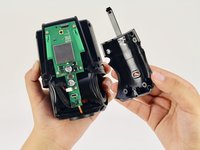
    • Remove the panel and the mute button switch. If done correctly you should now be able to see the device’s guitar-shaped motherboard.

    询问修复机器人

    添加评论

  5. Google Home Sound Driver Replacement, Motherboard: 步骤 5 中的图像 1,2 Google Home Sound Driver Replacement, Motherboard: 步骤 5 中的图像 2,2
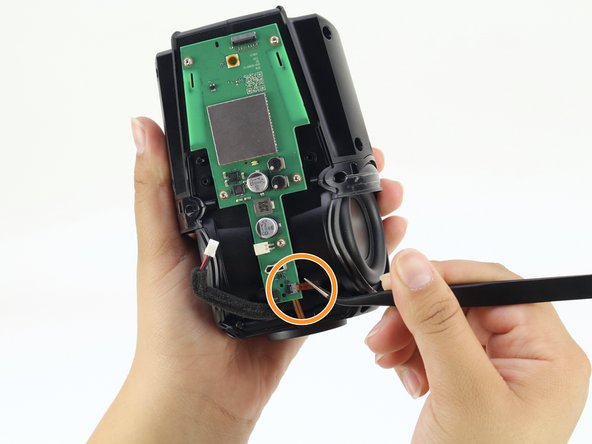
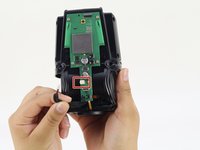
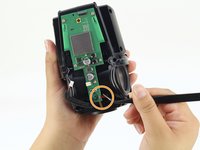
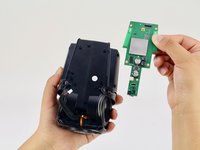
    • Disconnect the foam-padded, red and black cable that connects the motherboard to the sound driver, by squeezing and pulling on the tab

    • Disconnect the orange interconnect cable that connects the bottom of the device to the motherboard by pulling straight out on the orange tab.

    询问修复机器人

    添加评论

  6. Google Home Sound Driver Replacement: 步骤 6 中的图像 1,2 Google Home Sound Driver Replacement: 步骤 6 中的图像 2,2
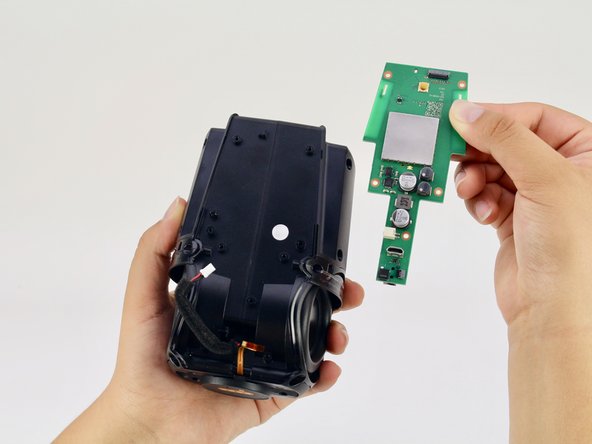
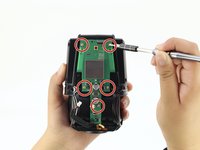
    • Using a Torx T6 screwdriver head, unscrew the five silver 1.7mm Torx screws keeping the motherboard in place.

    • Remove the motherboard.

    询问修复机器人

    添加评论

  7. Google Home Sound Driver Replacement, Sound Driver: 步骤 7 中的图像 1,2 Google Home Sound Driver Replacement, Sound Driver: 步骤 7 中的图像 2,2
    • Using a Torx T6 screwdriver head, unscrew the four black 1.7mm Torx screws on the bottom of the device.

    • For this step you will need a T6 screwdriver with an extra long head to reach the screws.

    询问修复机器人

    添加评论

  8. Google Home Sound Driver Replacement: 步骤 8 中的图像 1,2 Google Home Sound Driver Replacement: 步骤 8 中的图像 2,2
    • Using a Torx T6 screwdriver head, unscrew the six black 1.7mm Torx screws on the side of the device.

    添加评论

  9. Google Home Sound Driver Replacement: 步骤 9 中的图像 1,2 Google Home Sound Driver Replacement: 步骤 9 中的图像 2,2
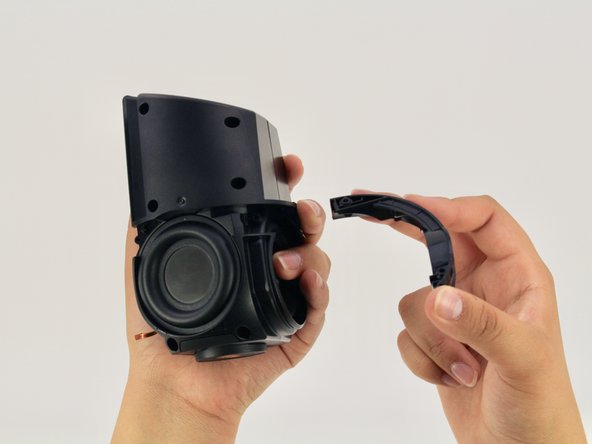
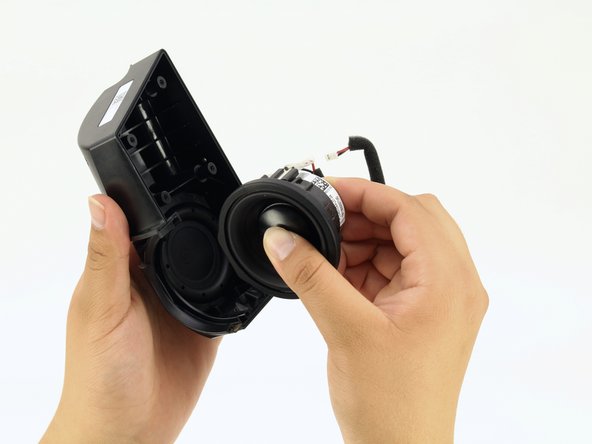
    • Pull apart the black casing to reveal the sound driver.

    • Remove the sound driver.

    添加评论

结论

To reassemble your device, follow these instructions in reverse order.

取消:我没有完成这个指南。

6等其他人完成本指南。

Gabe Hyun

于04/17/18注册

847 声望

创作了4篇指南

团队

Cal Poly, Team S24-G11, Maness Spring 2018 Cal Poly, Team S24-G11, Maness Spring 2018 的会员

CPSU-MANESS-S18S24G11

4 名成员

创作了10篇指南

4指南评论

I have a torn speaker cone. Can these be replaced and where can I buy the parts

rchrdsmmnds - 回复 分享

I would like to know where I can buy a replacement speaker for my Google Home. Thanks in advance P.s has anybody else had their speaker blow on them on the Google Home?

Mark Goff - 回复 分享

Looking for replacement speaker, where do I find?

Corey Anderson - 回复 分享

replacement speaker for google home, someone knows here i find?


model:PLS -50N25AL07-04

or compatible speaker

vinyboylima - 回复 分享

添加评论

浏览统计数据:

过去 24 小时: 3

过去 7 天: 19

过去 30 天: 68

总计 3,041