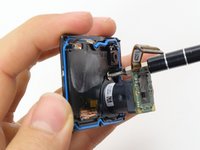
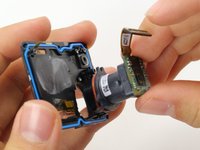
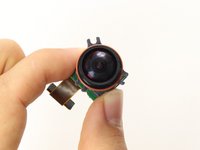
跳转到主内容
加入维修社区 - 创建账户

GoPro Hero5 Black Lens Assembly Replacement

你所需要的

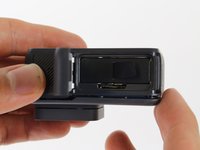
  1. GoPro Hero5 Black Lens Assembly Replacement, Battery: 步骤 1 中的图像 1,3 GoPro Hero5 Black Lens Assembly Replacement, Battery: 步骤 1 中的图像 2,3 GoPro Hero5 Black Lens Assembly Replacement, Battery: 步骤 1 中的图像 3,3
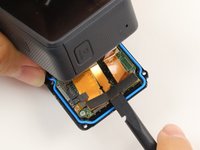
    • While pressing the button on the bottom of the GoPro, slide the battery door to the side to pop it open.

    询问修复机器人
    添加评论

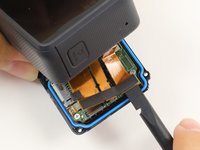
  2. GoPro Hero5 Black Lens Assembly Replacement: 步骤 2 中的图像 1,3 GoPro Hero5 Black Lens Assembly Replacement: 步骤 2 中的图像 2,3 GoPro Hero5 Black Lens Assembly Replacement: 步骤 2 中的图像 3,3
    • Grab the plastic flap on the battery and pull the battery out.

    询问修复机器人
    添加评论

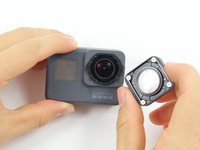
  3. GoPro Hero5 Black Lens Assembly Replacement, Back Housing: 步骤 3 中的图像 1,2 GoPro Hero5 Black Lens Assembly Replacement, Back Housing: 步骤 3 中的图像 2,2
    • Pull and twist the lens cover right or left until it pops off.

    • The lens cover is secured tightly and might be difficult to twist off.

    添加评论

  4. GoPro Hero5 Black Lens Assembly Replacement: 步骤 4 中的图像 1,1
    • This step is not necessary but will make the process of removing the faceplate much easier.

    • Refer to the iOpener instructions for how to heat up and use the iOpener.

    • Apply the heated iOpener to the front of the GoPro for a few minutes to melt the adhesive under the faceplate.

    • The heated iOpener is very hot and can burn your hands. Avoid burns by using towels or gloves to hold the iOpener.

    询问修复机器人

    添加评论

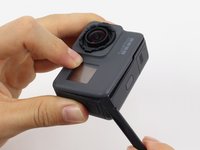
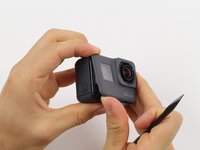
  5. GoPro Hero5 Black Lens Assembly Replacement: 步骤 5 中的图像 1,3 GoPro Hero5 Black Lens Assembly Replacement: 步骤 5 中的图像 2,3 GoPro Hero5 Black Lens Assembly Replacement: 步骤 5 中的图像 3,3
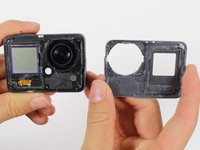
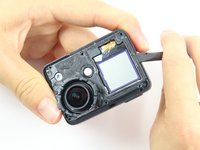
    • Starting with the edges, use the spudger to pry off the faceplate.

    • The faceplate is held down with adhesive and may take a while to get off.

    询问修复机器人

    添加评论

  6. GoPro Hero5 Black Lens Assembly Replacement: 步骤 6 中的图像 1,2 GoPro Hero5 Black Lens Assembly Replacement: 步骤 6 中的图像 2,2
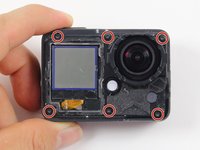
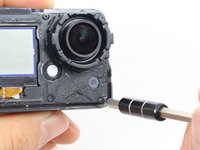
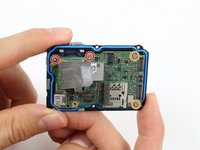
    • Remove the six T3 Torx screws.

    添加评论

  7. GoPro Hero5 Black Lens Assembly Replacement: 步骤 7 中的图像 1,3 GoPro Hero5 Black Lens Assembly Replacement: 步骤 7 中的图像 2,3 GoPro Hero5 Black Lens Assembly Replacement: 步骤 7 中的图像 3,3
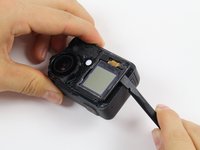
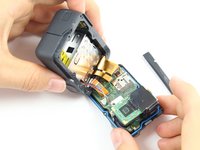
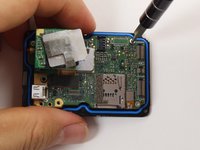
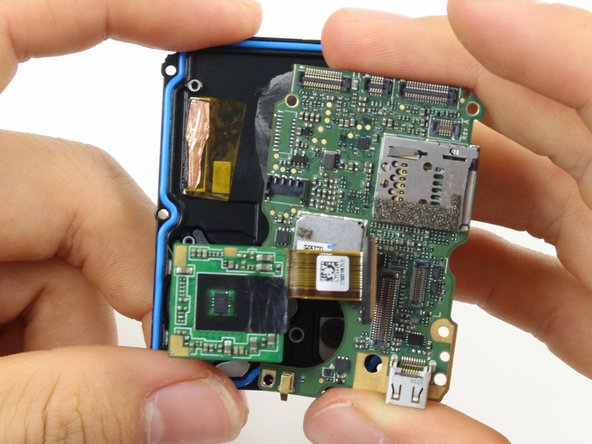
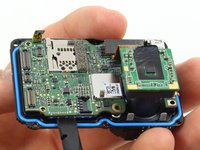
    • Be careful when pulling open the motherboard assembly as it is still connected to the back housing by four cables. The cables may break if stretched.

    • Using the spudger, slowly pry open the motherboard assembly from the LCD side of the GoPro.

    添加评论

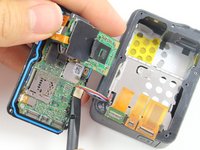
  8. GoPro Hero5 Black Lens Assembly Replacement: 步骤 8 中的图像 1,3 GoPro Hero5 Black Lens Assembly Replacement: 步骤 8 中的图像 2,3 GoPro Hero5 Black Lens Assembly Replacement: 步骤 8 中的图像 3,3
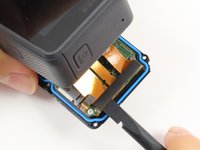
    • Use the flat end of a spudger to pry the three ribbon cables connected to the side of the motherboard.

    询问修复机器人
    添加评论

  9. GoPro Hero5 Black Lens Assembly Replacement: 步骤 9 中的图像 1,2 GoPro Hero5 Black Lens Assembly Replacement: 步骤 9 中的图像 2,2
    • Use the flat end of the spudger to pry the battery housing power cable straight up from its socket on the motherboard.

    添加评论

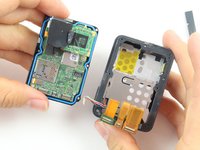
  10. GoPro Hero5 Black Lens Assembly Replacement, Motherboard: 步骤 10 中的图像 1,1
    • Use the flat end of the spudger to pry the black cover plate straight up from its socket on the motherboard.

    询问修复机器人
    添加评论

  11. GoPro Hero5 Black Lens Assembly Replacement: 步骤 11 中的图像 1,1
    在这个步骤中使用的工具:
    Tweezers
    $4.99
    • Use the tweezers to pull the ribbon cable connector out of its white socket on the charging assembly board.

    询问修复机器人

    添加评论

  12. GoPro Hero5 Black Lens Assembly Replacement: 步骤 12 中的图像 1,2 GoPro Hero5 Black Lens Assembly Replacement: 步骤 12 中的图像 2,2
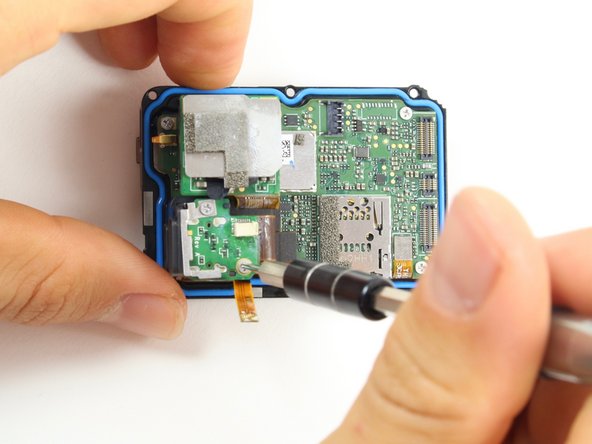
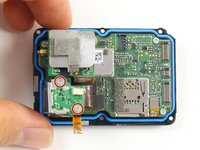
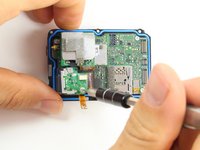
    • Remove the two #000 Phillips screw.

    询问修复机器人

    添加评论

  13. GoPro Hero5 Black Lens Assembly Replacement: 步骤 13 中的图像 1,2 GoPro Hero5 Black Lens Assembly Replacement: 步骤 13 中的图像 2,2
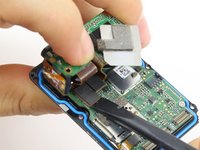
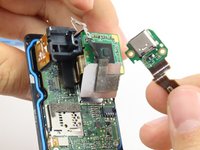
    • Use the flat end of the spudger to pry the charging port ribbon cable connector straight up from its socket on the motherboard.

    • Once the ribbon cable is disconnected from the motherboard. The charging port assembly should come right off.

    询问修复机器人

    添加评论

  14. GoPro Hero5 Black Lens Assembly Replacement: 步骤 14 中的图像 1,2 GoPro Hero5 Black Lens Assembly Replacement: 步骤 14 中的图像 2,2
    • Remove the 10mm #000 Phillips screw.

    询问修复机器人

    添加评论

  15. GoPro Hero5 Black Lens Assembly Replacement: 步骤 15 中的图像 1,1
    • Remove the charging assembly housing by pulling it straight up off the motherboard.

    询问修复机器人

    添加评论

  16. GoPro Hero5 Black Lens Assembly Replacement: 步骤 16 中的图像 1,2 GoPro Hero5 Black Lens Assembly Replacement: 步骤 16 中的图像 2,2
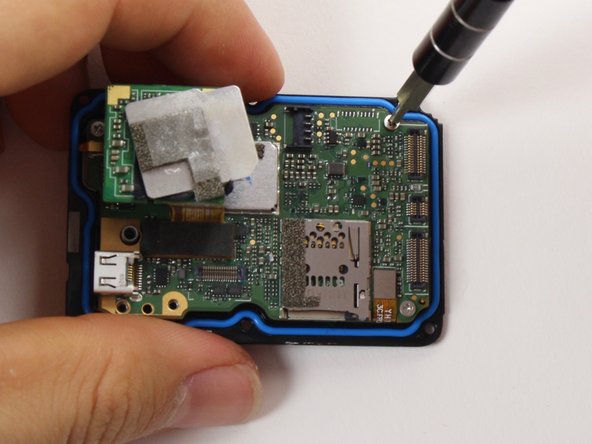
    • Remove the two 6mm #000 Phillips screws.

    • Remove the two 2mm #000 Phillips screws.

    询问修复机器人

    添加评论

  17. GoPro Hero5 Black Lens Assembly Replacement: 步骤 17 中的图像 1,1
    • Use the flat end of the spudger to pry the lens assembly ribbon cable connector straight up from its socket on the motherboard.

    询问修复机器人

    添加评论

  18. GoPro Hero5 Black Lens Assembly Replacement: 步骤 18 中的图像 1,1
    • Use the flat end of the spudger to pry the LCD screen ribbon cable connector straight up from its socket on the motherboard.

    询问修复机器人

    添加评论

  19. GoPro Hero5 Black Lens Assembly Replacement: 步骤 19 中的图像 1,3 GoPro Hero5 Black Lens Assembly Replacement: 步骤 19 中的图像 2,3 GoPro Hero5 Black Lens Assembly Replacement: 步骤 19 中的图像 3,3
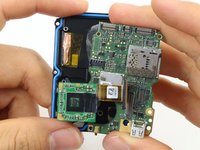
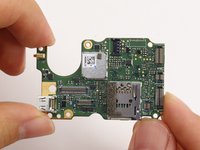
    • Use the flat end of the spudger to pry the motherboard off the midframe.

    • The motherboard is held onto the midframe with light adhesive and should come right off with a little force.

    询问修复机器人

    添加评论

  20. GoPro Hero5 Black Lens Assembly Replacement, Lens Assembly: 步骤 20 中的图像 1,2 GoPro Hero5 Black Lens Assembly Replacement, Lens Assembly: 步骤 20 中的图像 2,2
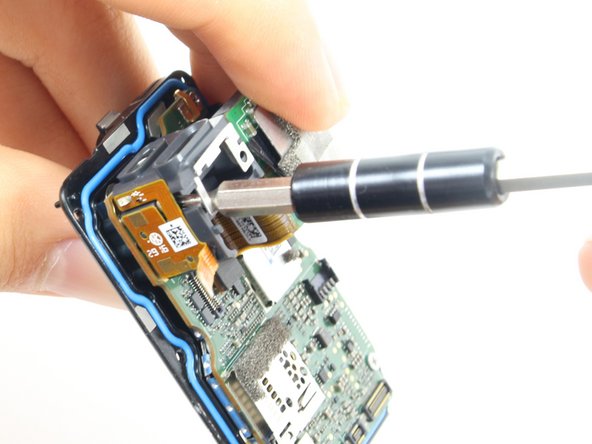
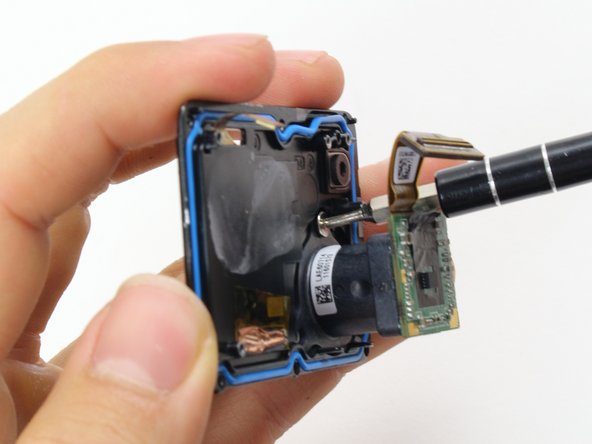
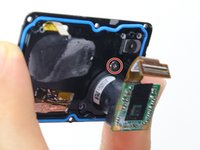
    • Remove the 2mm #000 Phillips screws using a #000 Phillips head screwdriver or tool bit.

    询问修复机器人

    添加评论

  21. GoPro Hero5 Black Lens Assembly Replacement: 步骤 21 中的图像 1,2 GoPro Hero5 Black Lens Assembly Replacement: 步骤 21 中的图像 2,2
    • Pull the lens assembly straight out from the Midframe.

    询问修复机器人

    添加评论

结论

To reassemble your device, follow these instructions in reverse order.

取消:我没有完成这个指南。

16等其他人完成本指南。

团队

Cal Poly, Team 18-6, Forte Fall 2016 Cal Poly, Team 18-6, Forte Fall 2016 的会员

CPSU-FORTE-F16S18G6

4 名成员

创作了22篇指南

7指南评论

RageCams has interchangeable lens mod for hero5

http://ragecams.com/shop/modified-gopro-...

dennis - 回复 分享

why can't You show how the lens is mount to that assembly? That's the point of it... can we change lenses that way or not?

Polina Luzenco - 回复 分享

Exactly. Can the actual lens be unscrewed from the mount or it glued / fixed?

contact - 回复 分享

The lens is heavily glued onto the assembly. It would be far easier to replace the entire assembly than trying to remove that glue.

Christopher Adams - 回复 分享

the guy who wrote the guide apparently has never heard of pliers. it comes right out, but no idea what the threading is.

mattatron4 - 回复 分享

添加评论

浏览统计数据:

过去 24 小时: 1

过去 7 天: 29

过去 30 天: 98

总计 17,783