跳转到主内容
加入维修社区 - 创建账户

Gateway MS2370 Screen Replacement

你所需要的

  1. Gateway MS2370 Screen Replacement, Battery: 步骤 1 中的图像 1,1
    • Make sure the laptop is turned off and flipped over so that the bottom is facing up. Then, locate the battery clip as shown.

    询问修复机器人

    添加评论

  2. Gateway MS2370 Screen Replacement: 步骤 2 中的图像 1,1
    • Either using your fingers or a plastic spudger push the battery clip to the left to release battery.

    询问修复机器人

    添加评论

  3. Gateway MS2370 Screen Replacement: 步骤 3 中的图像 1,1
    • Pull the battery from the laptop to remove it.

    询问修复机器人

    添加评论

  4. Gateway MS2370 Screen Replacement, Screen: 步骤 4 中的图像 1,1
    在这个步骤中使用的工具:
    Tweezers
    $4.99
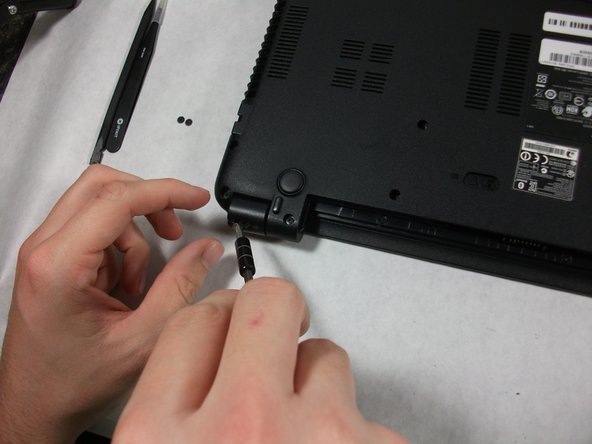
    • Using the pointed tweezers, remove plastic circles that are stuck onto the back of the laptop’s hinges.

    • These plastic circles are stuck inside the hole with adhesive and might require a significant amount of force.

    询问修复机器人

    添加评论

  5. Gateway MS2370 Screen Replacement: 步骤 5 中的图像 1,2 Gateway MS2370 Screen Replacement: 步骤 5 中的图像 2,2
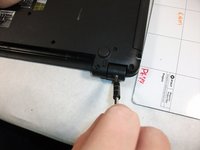
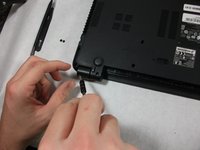
    • Unscrew both of the 3mm Phillips 01 screws on both hinges using the matching screwdriver.

    询问修复机器人

    添加评论

  6. Gateway MS2370 Screen Replacement: 步骤 6 中的图像 1,1
    • Take the plastic spudger and pull up the tabs on all four sides of the screen molding.

    询问修复机器人

    添加评论

  7. Gateway MS2370 Screen Replacement: 步骤 7 中的图像 1,1
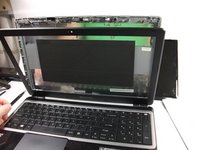
    • Carefully remove the screen molding. Be aware that the screen molding will not come out all the way.

    询问修复机器人

    添加评论

  8. Gateway MS2370 Screen Replacement: 步骤 8 中的图像 1,1
    • Unscrew the four 3mm inch Phillips 01 screws on the screen bracket.

    询问修复机器人

    添加评论

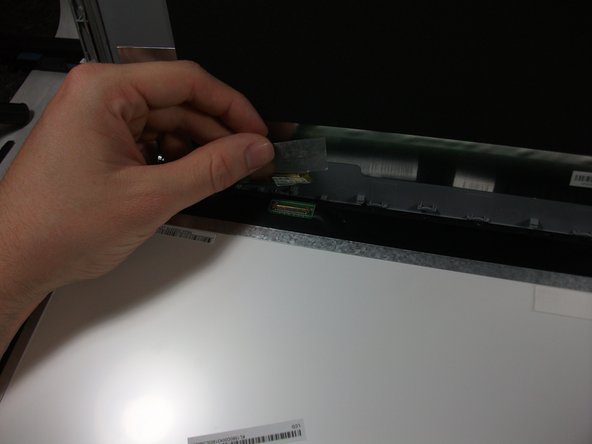
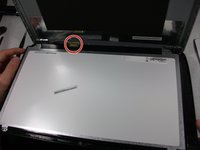
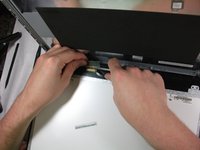
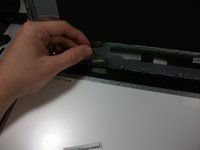
  9. Gateway MS2370 Screen Replacement: 步骤 9 中的图像 1,3 Gateway MS2370 Screen Replacement: 步骤 9 中的图像 2,3 Gateway MS2370 Screen Replacement: 步骤 9 中的图像 3,3
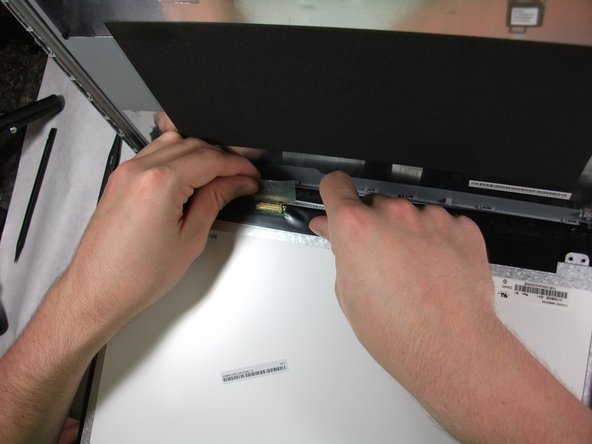
    • Peel up the tape over the connector and unplug the screen from the laptop.

    询问修复机器人

    添加评论

  10. Gateway MS2370 Screen Replacement: 步骤 10 中的图像 1,2 Gateway MS2370 Screen Replacement: 步骤 10 中的图像 2,2
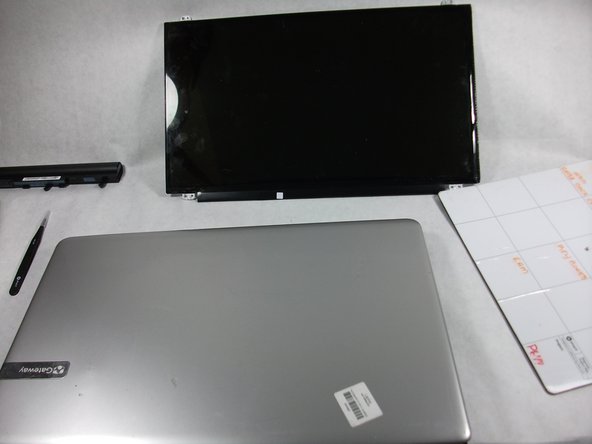
    • Slowly remove the screen from the laptop.

    询问修复机器人

    添加评论

结论

To reassemble your device, follow these instructions in reverse order.

取消:我没有完成这个指南。

团队

UMass Dartmouth, Team S1-G5, Simcock Fall 2017 UMass Dartmouth, Team S1-G5, Simcock Fall 2017 的会员

UMASSD-SIMCOCK-F17S1G5

3 名成员

创作了10篇指南

0指南评论

添加评论

浏览统计数据:

过去 24 小时: 0

过去 7 天: 7

过去 30 天: 20

总计 963