跳转到主内容
加入维修社区 - 创建账户

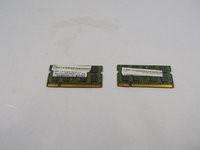
Gateway MS2285 RAM Replacement

你所需要的

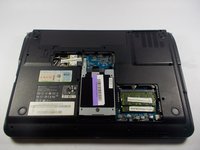
    1. Gateway MS2285 RAM Replacement, Turn Laptop Over: 步骤 1 中的图像 1,1
      • Turn the laptop over so that the underside is facing towards you.

      询问修复机器人
      添加评论

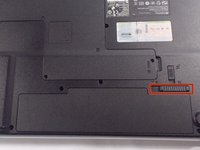
    2. Gateway MS2285 RAM Replacement, Unlock The Battery: 步骤 2 中的图像 1,2 Gateway MS2285 RAM Replacement, Unlock The Battery: 步骤 2 中的图像 2,2
      • Slide the short slider one towards the unlocked lock symbol.

      询问修复机器人

      添加评论

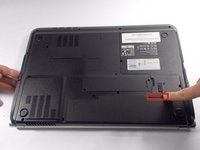
    3. Gateway MS2285 RAM Replacement, Release The Battery: 步骤 3 中的图像 1,2 Gateway MS2285 RAM Replacement, Release The Battery: 步骤 3 中的图像 2,2
      • Slide the long slider towards the unlocked lock icon.

      • This slider is spring loaded and may require a little force.

      • If done correctly, a click will be heard and the battery will be slightly raised.

      询问修复机器人

      添加评论

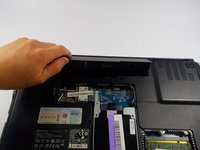
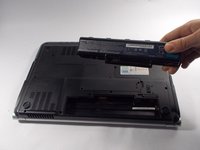
    4. Gateway MS2285 RAM Replacement, Remove The Battery: 步骤 4 中的图像 1,2 Gateway MS2285 RAM Replacement, Remove The Battery: 步骤 4 中的图像 2,2
      • Grasp the battery's raised end and lift upwards.

      询问修复机器人

      添加评论

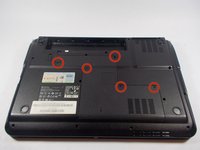
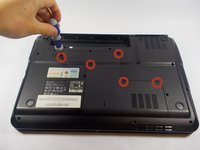
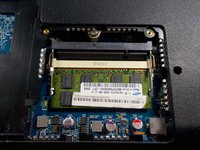
    1. Gateway MS2285 RAM Replacement, Unscrew Backplate: 步骤 5 中的图像 1,2 Gateway MS2285 RAM Replacement, Unscrew Backplate: 步骤 5 中的图像 2,2
      • Use the phillips head screwdriver to remove the five screws holding the back plate.

      • The screws are counter-clockwise threaded.

      询问修复机器人
      添加评论

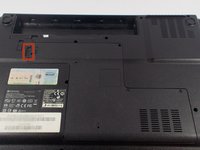
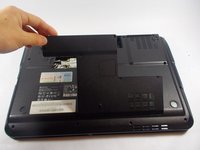
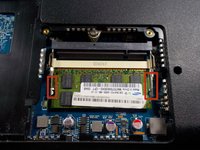
    2. Gateway MS2285 RAM Replacement, Remove Back Plate: 步骤 6 中的图像 1,3 Gateway MS2285 RAM Replacement, Remove Back Plate: 步骤 6 中的图像 2,3 Gateway MS2285 RAM Replacement, Remove Back Plate: 步骤 6 中的图像 3,3
      • Place fingers under back plate via the indentation and lift upwards to remove.

      询问修复机器人
      添加评论

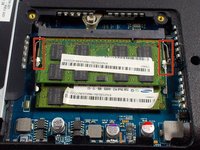
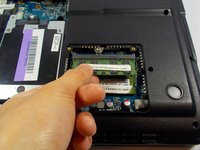
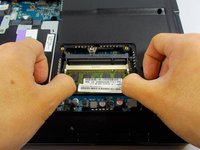
    3. Gateway MS2285 RAM Replacement, Unlock Upper RAM Module: 步骤 7 中的图像 1,3 Gateway MS2285 RAM Replacement, Unlock Upper RAM Module: 步骤 7 中的图像 2,3 Gateway MS2285 RAM Replacement, Unlock Upper RAM Module: 步骤 7 中的图像 3,3
      • Push the upper RAM module's two pins outwards at the same time.

      • If done correctly, the module should have lifted.

      询问修复机器人
      添加评论

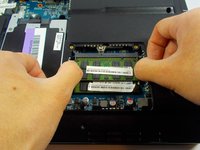
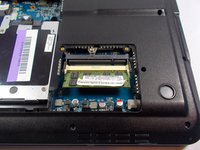
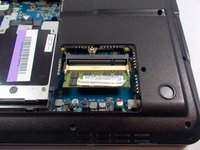
    4. Gateway MS2285 RAM Replacement, Remove Upper RAM Module: 步骤 8 中的图像 1,2 Gateway MS2285 RAM Replacement, Remove Upper RAM Module: 步骤 8 中的图像 2,2
      • Grab onto the module and pull away in a straight direction.

      • Do not touch the gold connectors.

      询问修复机器人

      添加评论

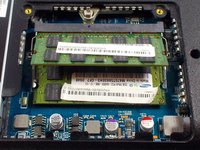
    5. Gateway MS2285 RAM Replacement, Unlock Lower RAM Module: 步骤 9 中的图像 1,3 Gateway MS2285 RAM Replacement, Unlock Lower RAM Module: 步骤 9 中的图像 2,3 Gateway MS2285 RAM Replacement, Unlock Lower RAM Module: 步骤 9 中的图像 3,3
      • Push the lower RAM module's two pins outwards at the same time.

      • If done correctly, the module should have lifted.

      询问修复机器人

      添加评论

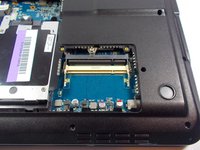
    6. Gateway MS2285 RAM Replacement, Remove Lower RAM Module: 步骤 10 中的图像 1,3 Gateway MS2285 RAM Replacement, Remove Lower RAM Module: 步骤 10 中的图像 2,3 Gateway MS2285 RAM Replacement, Remove Lower RAM Module: 步骤 10 中的图像 3,3
      • Like removing the upper module, grab the module and pull away in a straight direction.

      • Do not touch the gold connectors.

      询问修复机器人

      添加评论

结论

To reassemble your device, follow these instructions in reverse order.

取消:我没有完成这个指南。

Chris mello

于10/22/14注册

331 声望

创作了3篇指南

团队

UMass Dartmouth, Team 1-7, Shastany Fall 2014 UMass Dartmouth, Team 1-7, Shastany Fall 2014 的会员

UMASSD-SHASTANY-F14S1G7

3 名成员

创作了18篇指南

0指南评论

添加评论

浏览统计数据:

过去 24 小时: 0

过去 7 天: 5

过去 30 天: 23

总计 2,931