跳转到主内容
加入维修社区 - 创建账户

Framework Laptop 12 Touchpad Installation

仅作为前提条件
本指南仅提供前提条件!本指南是另一个程序的一部分,不能单独使用。

你所需要的

  1. Framework Laptop 12 Touchpad Installation, Align the replacement touchpad: 步骤 1 中的图像 1,1
    • The replacement touchpad comes with a blue plastic alignment tool pre-installed. Don't remove this from the touchpad yet.

    • Make sure the small tabs around the alignment tool are folded down around the touchpad. Use your fingers to fold them down if they're not.

  2. Framework Laptop 12 Touchpad Installation: 步骤 2 中的图像 1,2 Framework Laptop 12 Touchpad Installation: 步骤 2 中的图像 2,2
    • Lay the touchpad into its Input Cover recess.

    • The tabs on the alignment tool will center the touchpad on the Input Cover.

  3. Framework Laptop 12 Touchpad Installation, Install the touchpad screws: 步骤 3 中的图像 1,2 Framework Laptop 12 Touchpad Installation, Install the touchpad screws: 步骤 3 中的图像 2,2
    • Use your Framework Screwdriver to install the seven 2.1 mm‑long T5 Torx screws to secure the touchpad.

    • If you didn't use an alignment tool, manually center the touchpad to the Input Cover before tightening the screws.

    • Tighten the screws until they're snug. Don't over-tighten them, or you may strip the screws.

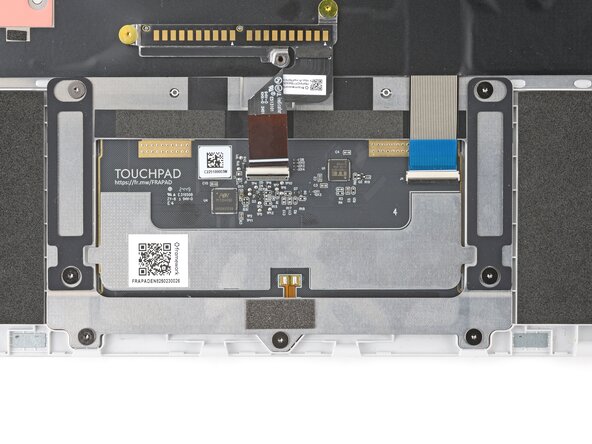
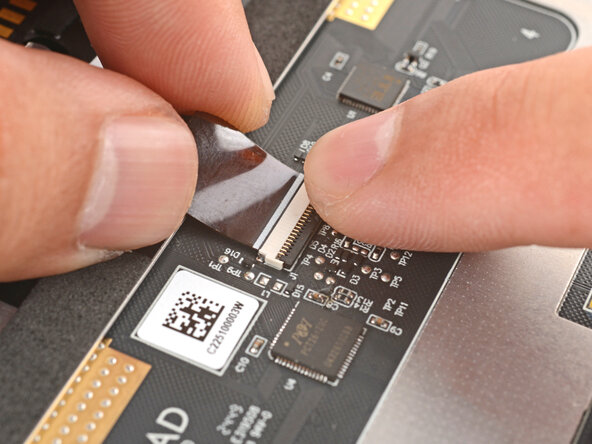
  4. Framework Laptop 12 Touchpad Installation, Connect the touchpad cables: 步骤 4 中的图像 1,3 Framework Laptop 12 Touchpad Installation, Connect the touchpad cables: 步骤 4 中的图像 2,3 Framework Laptop 12 Touchpad Installation, Connect the touchpad cables: 步骤 4 中的图像 3,3
    • Slide the keyboard ZIF cable into its connector, up to the printed line on the cable.

    • Use your finger to flip down and gently press the locking tab in place.

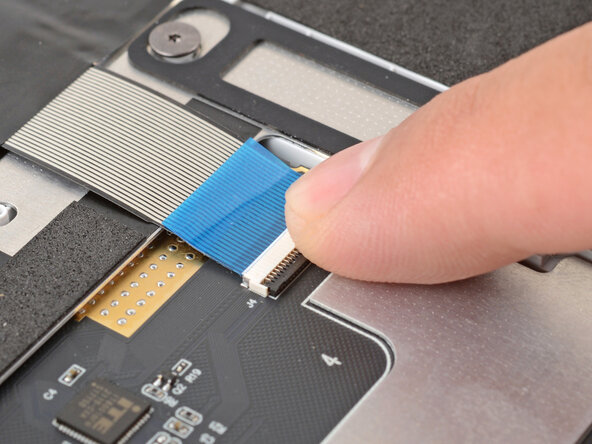
  5. Framework Laptop 12 Touchpad Installation: 步骤 5 中的图像 1,3 Framework Laptop 12 Touchpad Installation: 步骤 5 中的图像 2,3 Framework Laptop 12 Touchpad Installation: 步骤 5 中的图像 3,3
    • Slide the touchpad ZIF cable into its connector, up to the printed line on the cable.

    • Use your finger to flip down and gently press the locking tab in place.

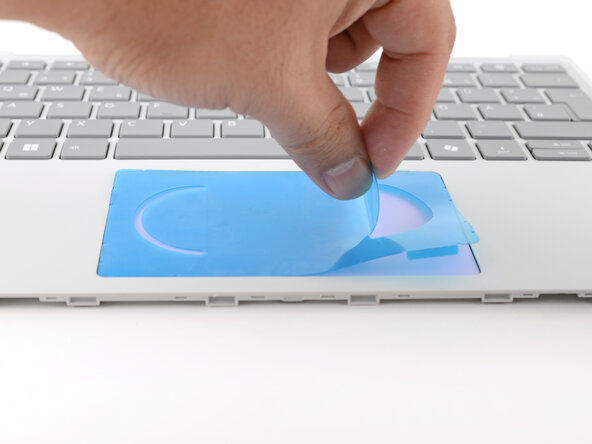
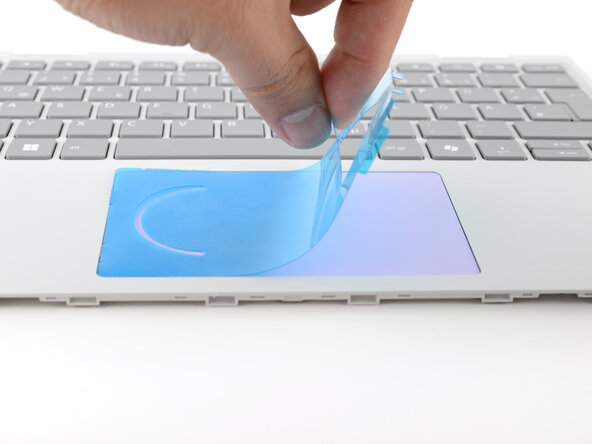
  6. Framework Laptop 12 Touchpad Installation, Remove the alignment tool: 步骤 6 中的图像 1,2 Framework Laptop 12 Touchpad Installation, Remove the alignment tool: 步骤 6 中的图像 2,2
    • Skip this step if you didn't use an alignment tool.

    • Use your fingers to peel and remove the alignment tool from the touchpad.

终点

Arthur Shi

于01/03/18注册

316,209 声望

创作了730篇指南

0指南评论

添加评论

浏览统计数据:

过去 24 小时: 0

过去 7 天: 1

过去 30 天: 4

总计 51