跳转到主内容
加入维修社区 - 创建账户

Framework Laptop 12 Install the Display (separated)

仅作为前提条件
本指南仅提供前提条件!本指南是另一个程序的一部分,不能单独使用。

你所需要的

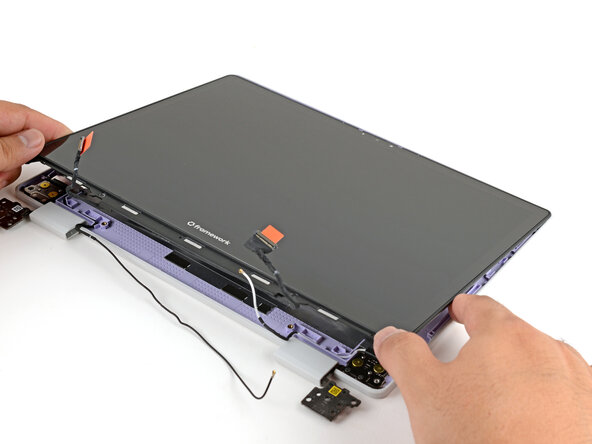
  1. Framework Laptop 12 Install the Display (separated), Install the display: 步骤 1 中的图像 1,3 Framework Laptop 12 Install the Display (separated), Install the display: 步骤 1 中的图像 2,3 Framework Laptop 12 Install the Display (separated), Install the display: 步骤 1 中的图像 3,3
    • Lay the display in place in the Top Cover, such that the top edge of the display is slightly below the top edge of the Top Cover.

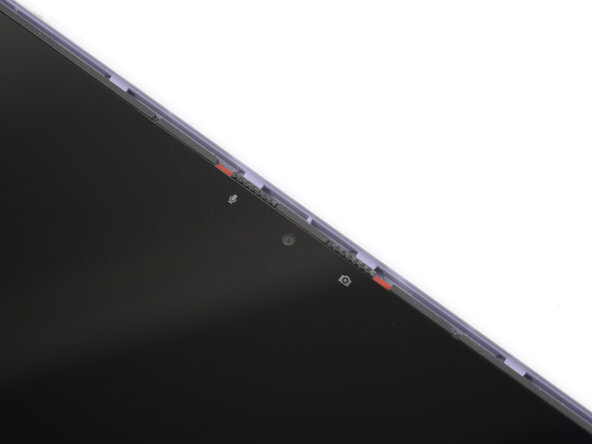
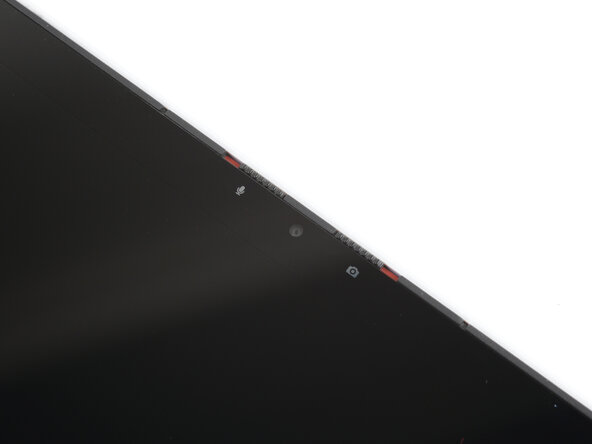
  2. Framework Laptop 12 Install the Display (separated): 步骤 2 中的图像 1,3 Framework Laptop 12 Install the Display (separated): 步骤 2 中的图像 2,3 Framework Laptop 12 Install the Display (separated): 步骤 2 中的图像 3,3
    • Use your fingers to slide the display upwards to latch the tabs on the top edge of the display.

    • The top edge shouldn't have any gaps when the display's in place.

  3. Framework Laptop 12 Install the Display (separated), Install the display screws: 步骤 3 中的图像 1,1
    • Use your Framework Screwdriver to install the four 3.3 mm‑long T5 Torx screws to secure the display to the Top Cover.

    • Make sure you don't accidentally install the 4.5 mm‑long hinge screws here. They look identical, but the hinge screws are longer.

    • Tighten the screws until they're snug. Don't over-tighten them, or you may damage the screw tabs.

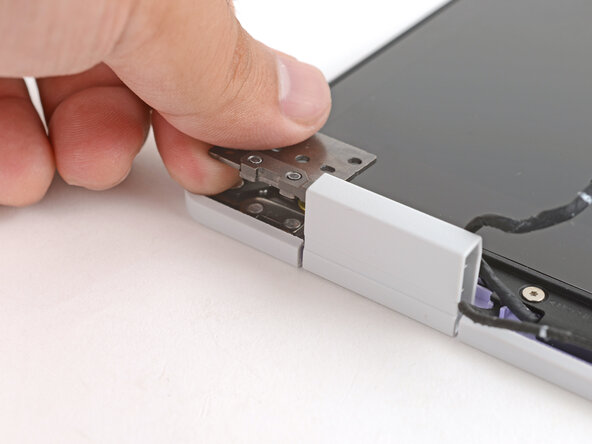
  4. Framework Laptop 12 Install the Display (separated): 步骤 4 中的图像 1,3 Framework Laptop 12 Install the Display (separated): 步骤 4 中的图像 2,3 Framework Laptop 12 Install the Display (separated): 步骤 4 中的图像 3,3
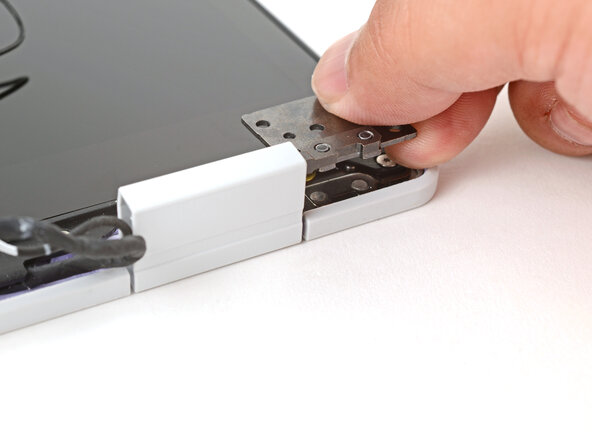
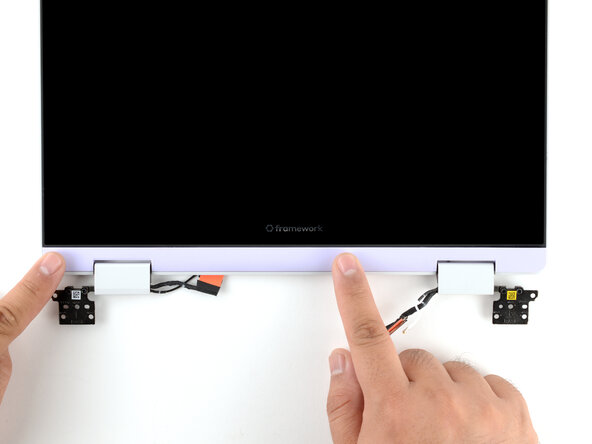
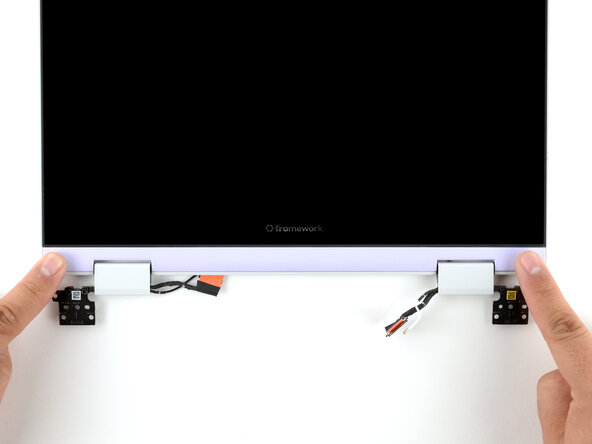
    • Use your fingers to twist both hinge plates so they're flipped over the display.

  5. Framework Laptop 12 Install the Display (separated): 步骤 5 中的图像 1,3 Framework Laptop 12 Install the Display (separated): 步骤 5 中的图像 2,3 Framework Laptop 12 Install the Display (separated): 步骤 5 中的图像 3,3
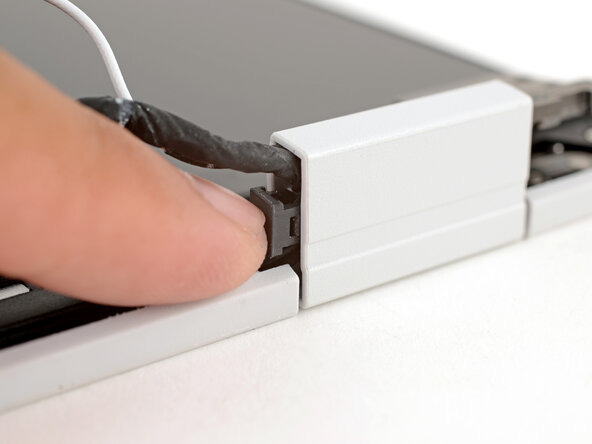
    • Place the cable clip around the right hinge cables, where they were bent from being inserted into the hinge.

    • Use your fingers to press the clip into the hinge to secure the cables.

  6. Framework Laptop 12 Install the Display (separated): 步骤 6 中的图像 1,2 Framework Laptop 12 Install the Display (separated): 步骤 6 中的图像 2,2
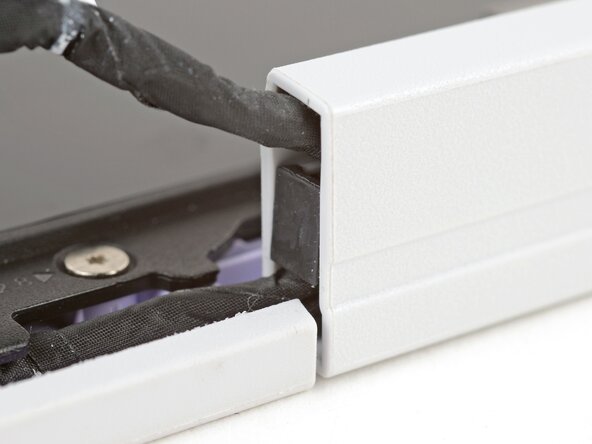
    • Repeat the procedure on the left hinge to secure the left cables.

  7. Framework Laptop 12 Install the Display (separated): 步骤 7 中的图像 1,2 Framework Laptop 12 Install the Display (separated): 步骤 7 中的图像 2,2
    • Make sure both cable clips are fully inserted into the hinges, so that they won't be snagged when the hinges pivot.

  8. Framework Laptop 12 Install the Display (separated): 步骤 8 中的图像 1,3 Framework Laptop 12 Install the Display (separated): 步骤 8 中的图像 2,3 Framework Laptop 12 Install the Display (separated): 步骤 8 中的图像 3,3
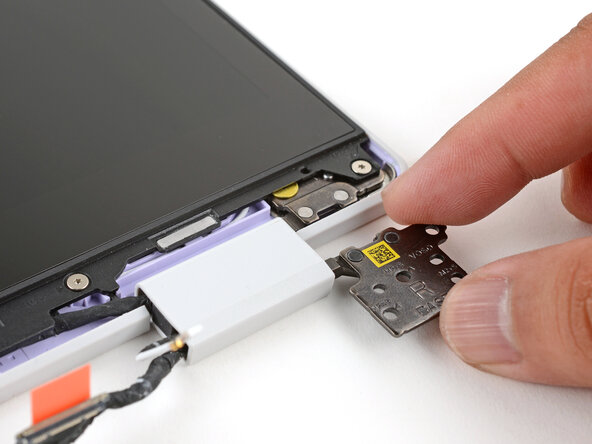
    • Use your fingers to twist both hinge plates so that they lay flat on your work surface.

  9. Framework Laptop 12 Install the Display (separated): 步骤 9 中的图像 1,3 Framework Laptop 12 Install the Display (separated): 步骤 9 中的图像 2,3 Framework Laptop 12 Install the Display (separated): 步骤 9 中的图像 3,3
    • Lay the Display Cover in place below the display.

    • Use your finger to press along the length of the Display Cover to snap it onto the laptop.

终点

Arthur Shi

于01/03/18注册

317,106 声望

创作了730篇指南

0指南评论

添加评论

浏览统计数据:

过去 24 小时: 0

过去 7 天: 1

过去 30 天: 7

总计 43