跳转到主内容
加入维修社区 - 创建账户

Framework Laptop 12 Fan Removal

仅作为前提条件
本指南仅提供前提条件!本指南是另一个程序的一部分,不能单独使用。

你所需要的

  1. Framework Laptop 12 Fan Removal, Power down your laptop: 步骤 1 中的图像 1,3 Framework Laptop 12 Fan Removal, Power down your laptop: 步骤 1 中的图像 2,3 Framework Laptop 12 Fan Removal, Power down your laptop: 步骤 1 中的图像 3,3
    • Before you begin repairs, unplug your laptop and shut it down from the operating system. This ensures that the laptop isn't in standby/suspend mode.

    • The indicator LEDs along the edges should be unlit. The laptop should be silent.

    • If you accidentally turn on the laptop during repair, hold the power button down for 10 seconds to shut it down.

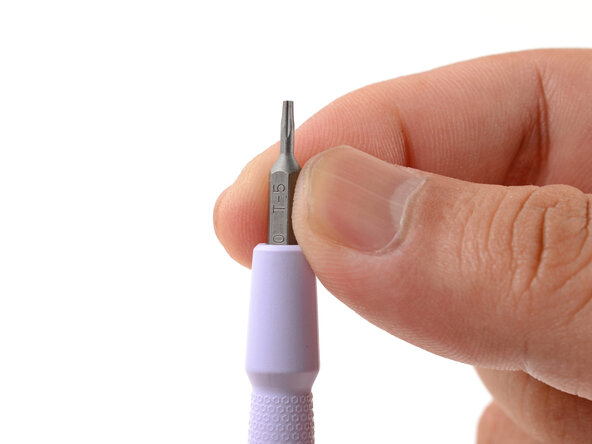
    • Make sure your Framework Screwdriver has the T5 Torx bit (labeled as T-5) facing outwards. If it's not, pull the bit out and flip it.

  2. Framework Laptop 12 Fan Removal, Set your laptop down: 步骤 2 中的图像 1,1
    • Set your Framework Laptop face-down on a clean work surface.

  3. Framework Laptop 12 Fan Removal, Loosen the bottom screws: 步骤 3 中的图像 1,2 Framework Laptop 12 Fan Removal, Loosen the bottom screws: 步骤 3 中的图像 2,2
    • Use your Framework Screwdriver to fully loosen the eight captive T5 Torx screws on the bottom of your laptop.

    • Most screws in your Framework Laptop (including these) are captive—they're designed to stay in place after you loosen them.

  4. Framework Laptop 12 Fan Removal, Flip your laptop over: 步骤 4 中的图像 1,1
    • Flip your laptop over so it's face-up on your work surface.

  5. Framework Laptop 12 Fan Removal, Open your laptop: 步骤 5 中的图像 1,2 Framework Laptop 12 Fan Removal, Open your laptop: 步骤 5 中的图像 2,2
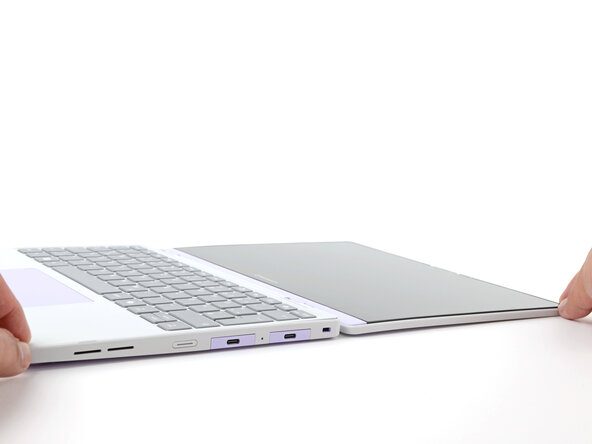
    • Open the laptop lid so that both the screen and the base lie flat on your work surface.

  6. Framework Laptop 12 Fan Removal, Remove the Input Cover: 步骤 6 中的图像 1,3 Framework Laptop 12 Fan Removal, Remove the Input Cover: 步骤 6 中的图像 2,3 Framework Laptop 12 Fan Removal, Remove the Input Cover: 步骤 6 中的图像 3,3
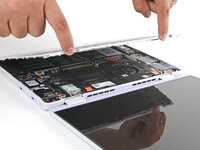
    • Use your fingers to grip the Input Cover in the hinge cutouts.

    • Lift upwards to swing the Input Cover up from the base of the laptop.

    • Magnets hold the Input Cover down, so you'll feel some resistance. If it feels stuck, check that you've fully loosened all the screws on the bottom of your laptop.

    • Remove the Input Cover.

  7. Framework Laptop 12 Fan Removal, Loosen the battery screws: 步骤 7 中的图像 1,1
    • Use your Framework Screwdriver to loosen the six captive T5 Torx screws securing the battery.

  8. Framework Laptop 12 Fan Removal, Disconnect the battery: 步骤 8 中的图像 1,2 Framework Laptop 12 Fan Removal, Disconnect the battery: 步骤 8 中的图像 2,2
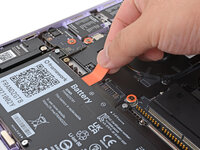
    • Grab the orange battery tab with your fingers and lift straight up to disconnect the battery.

    • The battery connector can be tight, requiring some force. If it feels like part of the battery won't come up, check that the battery screws are fully loosened.

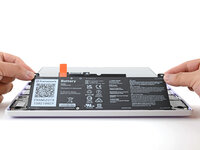
  9. Framework Laptop 12 Fan Removal, Remove the battery: 步骤 9 中的图像 1,2 Framework Laptop 12 Fan Removal, Remove the battery: 步骤 9 中的图像 2,2
    • Lift and remove the battery from the laptop.

  10. Framework Laptop 12 Fan Removal, Disconnect the fan connector: 步骤 10 中的图像 1,3 Framework Laptop 12 Fan Removal, Disconnect the fan connector: 步骤 10 中的图像 2,3 Framework Laptop 12 Fan Removal, Disconnect the fan connector: 步骤 10 中的图像 3,3
    • Use the flat end of your Framework Screwdriver to gently push on one of the fan connector's protruding edges, then the other, to loosen the connector out of its socket.

  11. Framework Laptop 12 Fan Removal: 步骤 11 中的图像 1,2 Framework Laptop 12 Fan Removal: 步骤 11 中的图像 2,2
    • Use your fingers and your Framework Screwdriver to slide the fan connector out of its socket.

  12. Framework Laptop 12 Fan Removal, Loosen the fan screws: 步骤 12 中的图像 1,1
    • Use your Framework Screwdriver to loosen the two captive T5 Torx screws securing the fan.

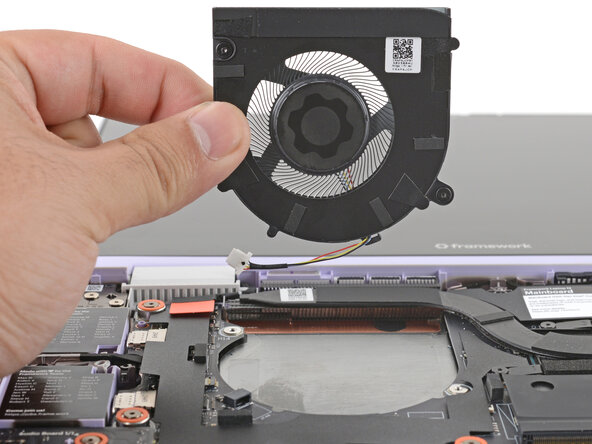
  13. Framework Laptop 12 Fan Removal, Remove the fan: 步骤 13 中的图像 1,2 Framework Laptop 12 Fan Removal, Remove the fan: 步骤 13 中的图像 2,2
    • Lift and remove the fan.

终点

Arthur Shi

于01/03/18注册

324,452 声望

创作了802篇指南

0指南评论

添加评论

浏览统计数据:

过去 24 小时: 0

过去 7 天: 1

过去 30 天: 3

总计 50