跳转到主内容

Framework Desktop Fastener Kit

你所需要的

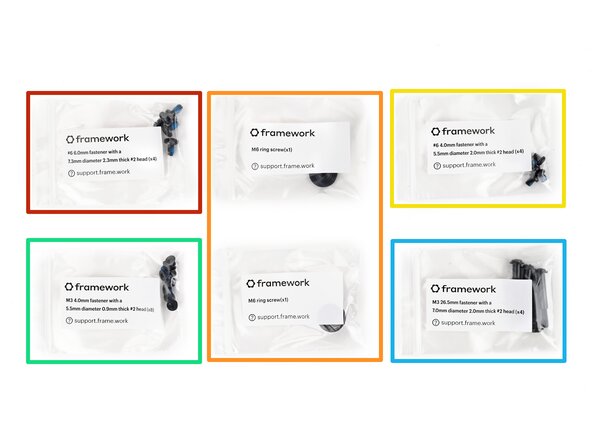
  1. Framework Desktop Fastener Kit, Fastener information: 步骤 1 中的图像 1,2 Framework Desktop Fastener Kit, Fastener information: 步骤 1 中的图像 2,2
    • The Fastener Kit contains the following:

    • Four screws labeled "6.0 mm fastener with a 7.3 mm diameter 2.3 mm thick"

    • Two large screws labeled "M6 ring screws"

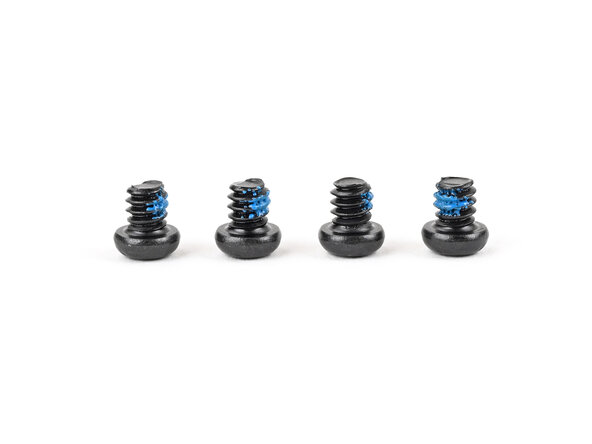
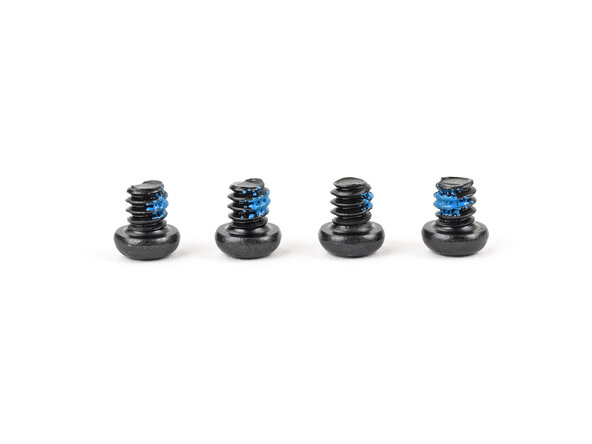
    • Four screws labeled "4.0 mm fastener with a 5.5 mm diameter 2.0 mm thick"

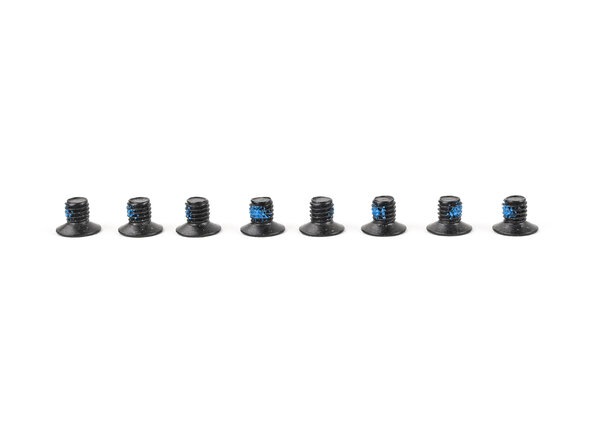
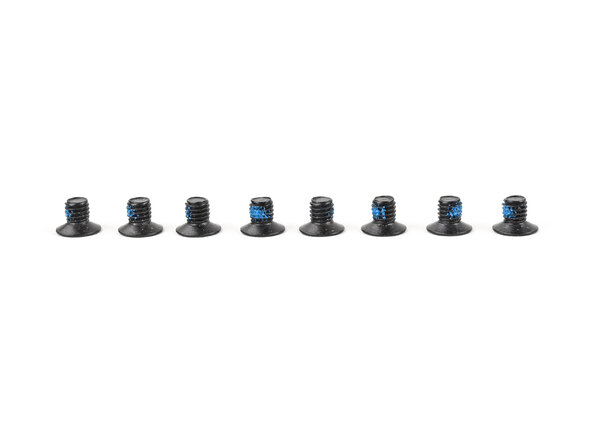
    • Eight screws labeled "4.0 mm fastener with a 5.5 mm diameter 0.9 mm thick"

    • Four long screws labeled "26.5 mm fastener with a 7.0 mm diameter 2.0 mm thick"

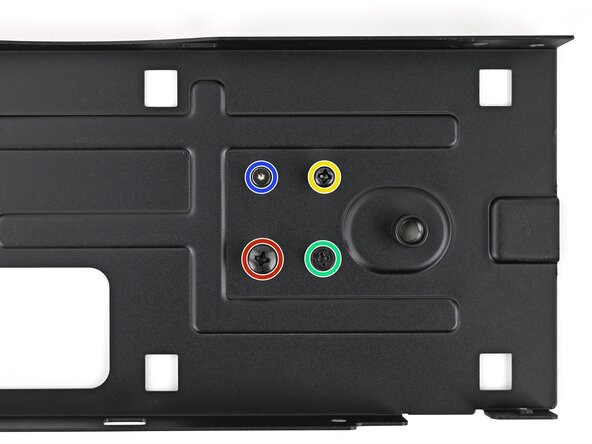
    • Your Framework Desktop comes with a spare screw of each size attached to the bottom of the top plate. You can use the Fastener Kit to replenish any screws you used there.

    • Not included in the Fastener Kit is a silver 4.5 mm‑long T5 Torx screw that secures the SSD covers, I/O shield, and USB‑C brackets.

  2. Framework Desktop Fastener Kit, Top Panel screws: 步骤 2 中的图像 1,3 Framework Desktop Fastener Kit, Top Panel screws: 步骤 2 中的图像 2,3 Framework Desktop Fastener Kit, Top Panel screws: 步骤 2 中的图像 3,3
    • The two screws labeled "M6 ring screws" secure the Top Panel.

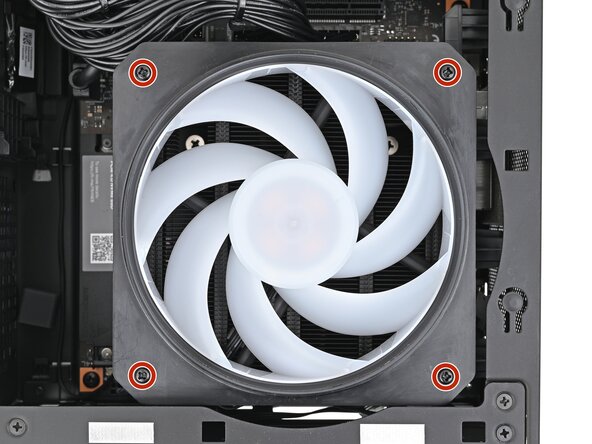
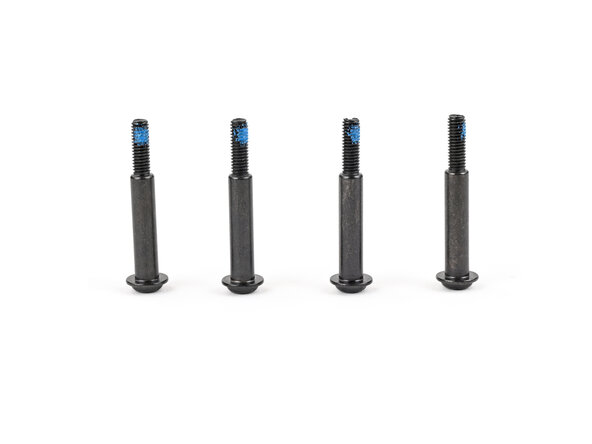
  3. Framework Desktop Fastener Kit, Fan screws: 步骤 3 中的图像 1,2 Framework Desktop Fastener Kit, Fan screws: 步骤 3 中的图像 2,2
    • The long screws labeled "26.5 mm fastener with a 7.0 mm diameter 2.0 mm thick" secure the Fan.

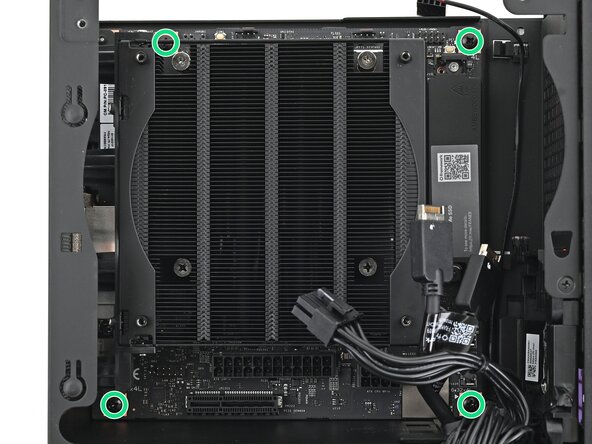
  4. Framework Desktop Fastener Kit, Mainboard screws: 步骤 4 中的图像 1,2 Framework Desktop Fastener Kit, Mainboard screws: 步骤 4 中的图像 2,2
    • The screws labeled "6.0 mm fastener with a 7.3 mm diameter 2.3 mm thick" secure the Mainboard.

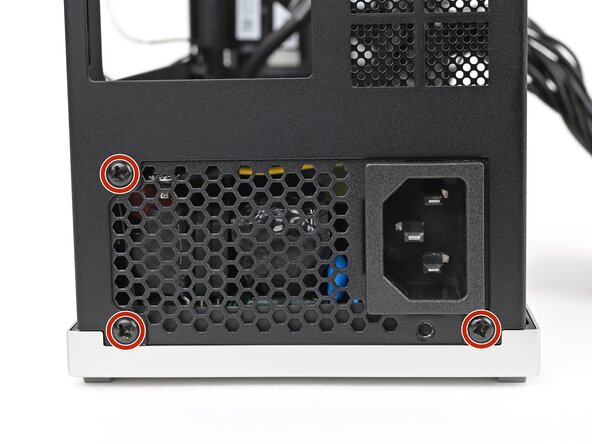
  5. Framework Desktop Fastener Kit, Power supply screws: 步骤 5 中的图像 1,2 Framework Desktop Fastener Kit, Power supply screws: 步骤 5 中的图像 2,2
    • The screws labeled "4.0 mm fastener with a 5.5 mm diameter 2.0 mm thick" secure the power supply.

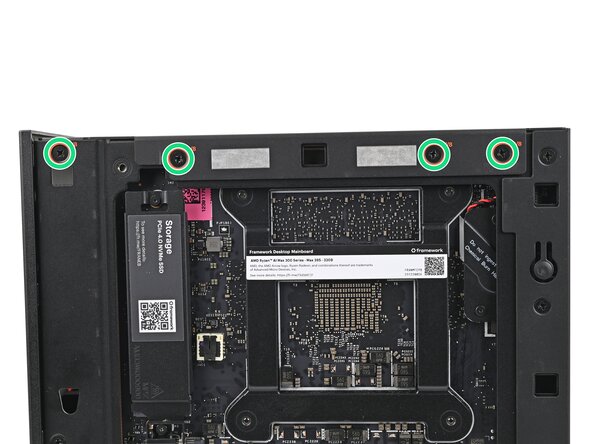
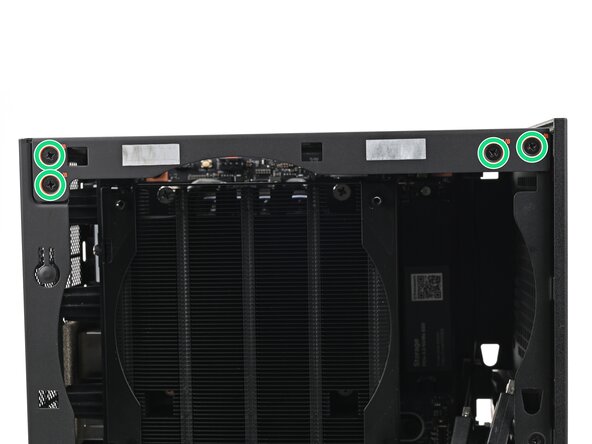
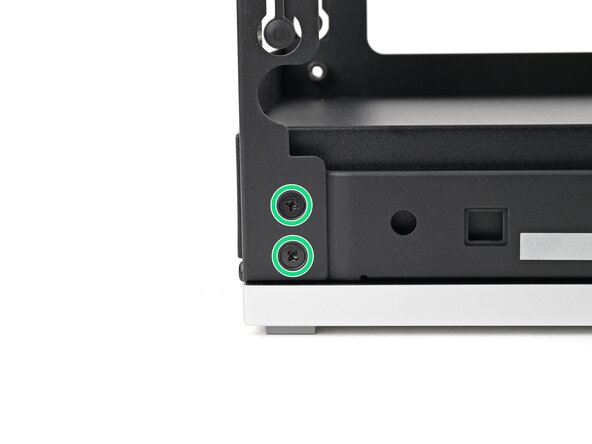
  6. Framework Desktop Fastener Kit, Top plate screws: 步骤 6 中的图像 1,3 Framework Desktop Fastener Kit, Top plate screws: 步骤 6 中的图像 2,3 Framework Desktop Fastener Kit, Top plate screws: 步骤 6 中的图像 3,3
    • The screws labeled "4.0 mm fastener with a 5.5 mm diameter 0.9 mm thick" secure the top plate.

  7. Framework Desktop Fastener Kit, Rear plate screws: 步骤 7 中的图像 1,3 Framework Desktop Fastener Kit, Rear plate screws: 步骤 7 中的图像 2,3 Framework Desktop Fastener Kit, Rear plate screws: 步骤 7 中的图像 3,3
    • The screws labeled "4.0 mm fastener with a 5.5 mm diameter 0.9 mm thick" secure the rear plate.

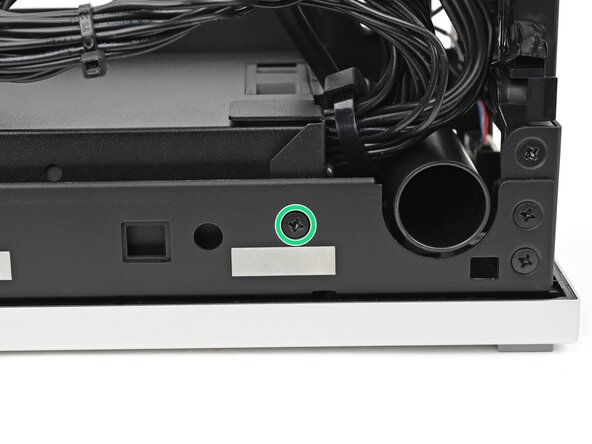
  8. Framework Desktop Fastener Kit, Side power supply screw: 步骤 8 中的图像 1,2 Framework Desktop Fastener Kit, Side power supply screw: 步骤 8 中的图像 2,2
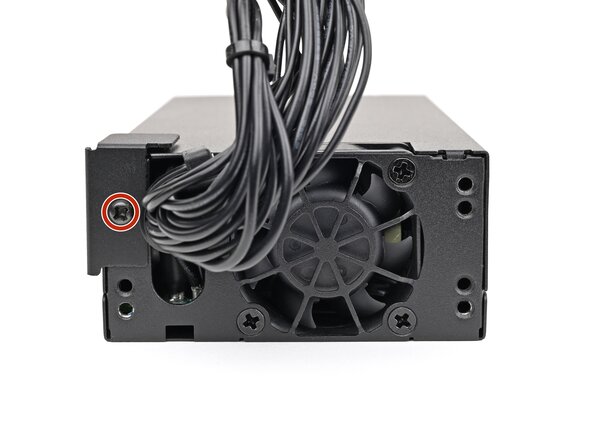
    • The screws labeled "4.0 mm fastener with a 5.5 mm diameter 0.9 mm thick" secure the side of the power supply.

  9. Framework Desktop Fastener Kit, Power duct screws: 步骤 9 中的图像 1,3 Framework Desktop Fastener Kit, Power duct screws: 步骤 9 中的图像 2,3 Framework Desktop Fastener Kit, Power duct screws: 步骤 9 中的图像 3,3
    • The screws labeled "4.0 mm fastener with a 5.5 mm diameter 2.0 mm thick" secure the power supply.

结论

If you need help, contact Framework support.

Alex Diaz-Kokaisl

于01/16/22注册

213,259 声望

创作了1,040篇指南

0指南评论

添加评论

浏览统计数据:

过去 24 小时: 1

过去 7 天: 2

过去 30 天: 97

总计 97