跳转到主内容
加入维修社区 - 创建账户

Dremel 4000 Back Case Replacement

仅作为前提条件
本指南仅提供前提条件!本指南是另一个程序的一部分,不能单独使用。

你所需要的

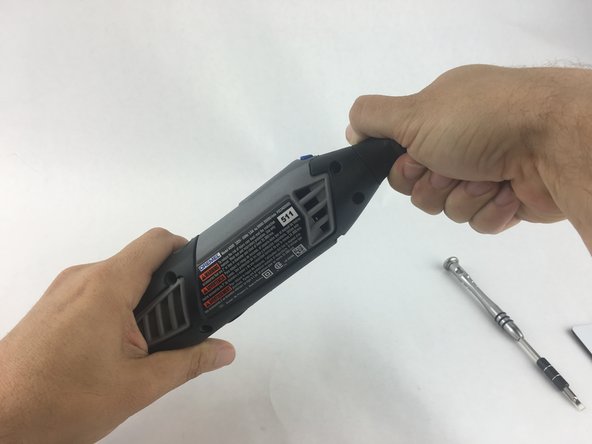
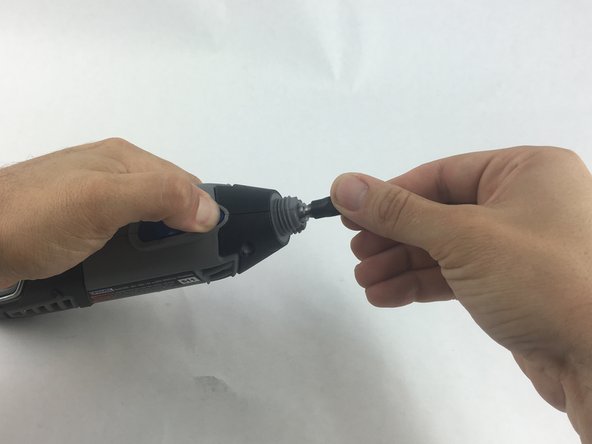
  1. Dremel 4000 Back Case Replacement, Back Case: 步骤 1 中的图像 1,2 Dremel 4000 Back Case Replacement, Back Case: 步骤 1 中的图像 2,2
    • Start by removing the housing cap by unscrewing it.

    • Next, unscrew the now exposed collet nut while holding down the shaft lock button.

    • To remove the collet nut, you may need to use the small open-end wrench provided with the Dremel.

    添加评论

  2. Dremel 4000 Back Case Replacement: 步骤 2 中的图像 1,1
    • Using your hands, carefully remove hanger from casing.

    添加评论

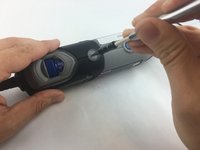
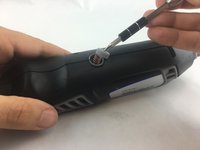
  3. Dremel 4000 Back Case Replacement: 步骤 3 中的图像 1,2 Dremel 4000 Back Case Replacement: 步骤 3 中的图像 2,2
    • Remove the brush caps (one on each side) by using a flathead screwdriver bit.

    • The brush caps are spring loaded.

    添加评论

  4. Dremel 4000 Back Case Replacement: 步骤 4 中的图像 1,1
    • Using the Torx 15 screwdriver tip, remove the 5 screws (12.5 mm) that hold the casing together.

    询问修复机器人

    添加评论

  5. Dremel 4000 Back Case Replacement: 步骤 5 中的图像 1,1
    • Use a plastic opening tool to gently wedge apart the hard plastic threads.

    询问修复机器人

    添加评论

  6. Dremel 4000 Back Case Replacement: 步骤 6 中的图像 1,1
    • Use your hands to carefully remove the back casing so that none of the components fall out.

    询问修复机器人

    添加评论

结论

To reassemble your device, follow these instructions in reverse order.

取消:我没有完成这个指南。

2等其他人完成本指南。

John Cobb

于01/20/16注册

1,842 声望

创作了4篇指南

团队

USF Tampa, Team 15-4, Remmell Spring 2016 USF Tampa, Team 15-4, Remmell Spring 2016 的会员

USFT-REMMELL-S16S15G4

4 名成员

创作了17篇指南

0指南评论

添加评论

浏览统计数据:

过去 24 小时: 2

过去 7 天: 8

过去 30 天: 67

总计 2,127