跳转到主内容
加入维修社区 - 创建账户

Disassembling HTC One V Back Case

你所需要的

  1. Disassembling HTC One V Back Case, Disassembling HTC ONE V Bottom Assembly: 步骤 1 中的图像 1,3 Disassembling HTC One V Back Case, Disassembling HTC ONE V Bottom Assembly: 步骤 1 中的图像 2,3 Disassembling HTC One V Back Case, Disassembling HTC ONE V Bottom Assembly: 步骤 1 中的图像 3,3
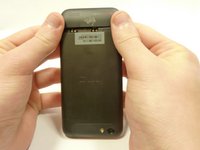
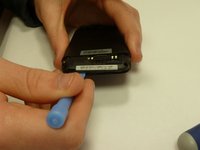
    • Power off your device.

    • Remove the bottom cover by sliding it off.

    询问修复机器人
  2. Disassembling HTC One V Back Case: 步骤 2 中的图像 1,1
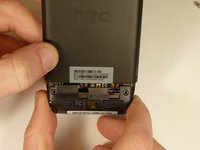
    • Remove the SIM card.

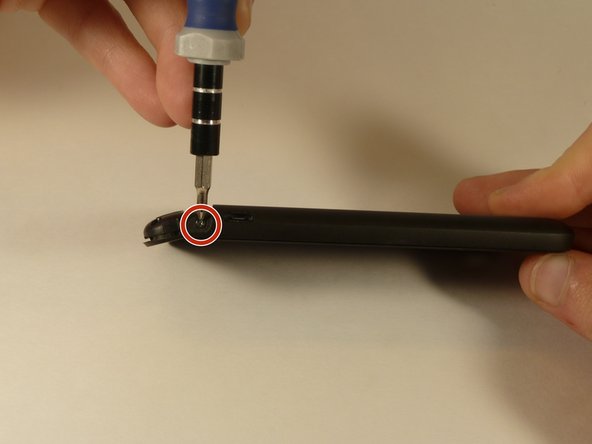
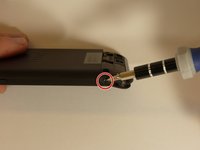
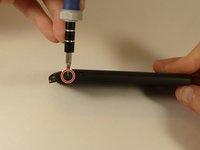
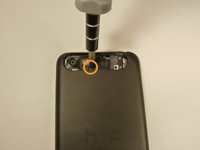
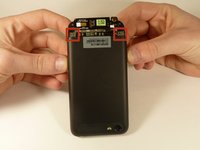
    • Remove the four screws securing the bottom casing.

    • Two 3.0 mm Phillips #0 screws in the top left and right corners.

    • Two 2.0 mm Phillips #0 screws in the bottom left and right corners.

    询问修复机器人
  3. Disassembling HTC One V Back Case: 步骤 3 中的图像 1,2 Disassembling HTC One V Back Case: 步骤 3 中的图像 2,2
    • Remove the 2.0 mm Phillips #0 screws on either side of the phone.

    询问修复机器人
  4. Disassembling HTC One V Back Case: 步骤 4 中的图像 1,3 Disassembling HTC One V Back Case: 步骤 4 中的图像 2,3 Disassembling HTC One V Back Case: 步骤 4 中的图像 3,3
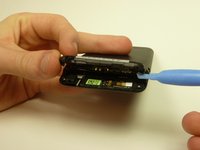
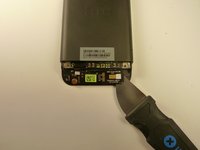
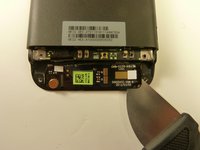
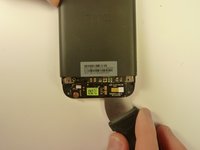
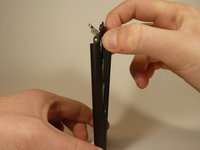
    • Use a plastic opening tool to pry open the bottom casing.

    • Remove the bottom casing by pulling it towards you.

    询问修复机器人
  5. Disassembling HTC One V Back Case, Disassembling HTC One V Back Case: 步骤 5 中的图像 1,3 Disassembling HTC One V Back Case, Disassembling HTC One V Back Case: 步骤 5 中的图像 2,3 Disassembling HTC One V Back Case, Disassembling HTC One V Back Case: 步骤 5 中的图像 3,3
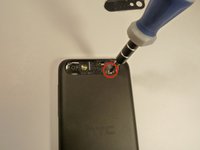
    • Use the plastic opening tool to pry open the rear camera panel.

    • Remove both screws that are securing the back case.

    • One 4.0 mm Phillips #0 screw.

    • One 3.0 mm Phillips #0 screw.

    询问修复机器人
  6. Disassembling HTC One V Back Case: 步骤 6 中的图像 1,3 Disassembling HTC One V Back Case: 步骤 6 中的图像 2,3 Disassembling HTC One V Back Case: 步骤 6 中的图像 3,3
    • Use a Jimmy to pry up the OEM SIM and SD card reader contact.

    • Pry from right to left to avoid potential damages to the ribbon.

    询问修复机器人
  7. Disassembling HTC One V Back Case: 步骤 7 中的图像 1,3 Disassembling HTC One V Back Case: 步骤 7 中的图像 2,3 Disassembling HTC One V Back Case: 步骤 7 中的图像 3,3
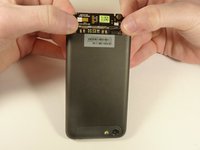
    • Using both thumbs, gently push on the two bottom rear corners of the motherboard.

    • Gently and slowly pull the screen out from the front of the phone, while feeding the OEM reader contact through the opening.

    询问修复机器人
结论

To reassemble your device, follow these instructions in reverse order.

3等其他人完成本指南。

团队

USF Tampa, Team 1-3, Blackwell Winter 2015 USF Tampa, Team 1-3, Blackwell Winter 2015 的会员

USFT-BLACKWELL-W15S1G3

4 名成员

创作了16篇指南

0指南评论

添加评论

浏览统计数据:

过去 24 小时: 1

过去 7 天: 12

过去 30 天: 65

总计 3,491