简介
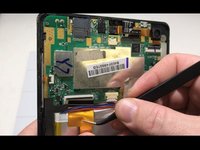
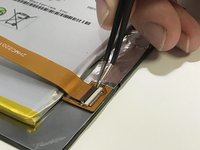
This repair is for when the internal ribbon in their DigiLand DL8006 has worn down or broke and the screen is no longer working. This guide will assist the user with replacing the internal ribbon that lays on top of the battery, accessible at the back end of the tablet.
你所需要的
-
-
Flip the tablet to where its back is facing upward.
-
Remove the back cover by prying the sides with a plastic opening tool.
-
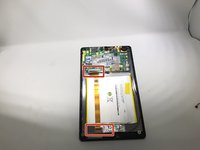
Lay the opened device with the circuit board exposed.
 询问修复机器人
-
-


To reassemble your device, follow these instructions in reverse order.
另外一个人完成了本指南。

团队

University of Memphis, Team S2-G5, Kim Fall 2019 University of Memphis, Team S2-G5, Kim Fall 2019 的会员
UM-KIM-F19S2G5
3 名成员
创作了5篇指南
