跳转到主内容
加入维修社区 - 创建账户

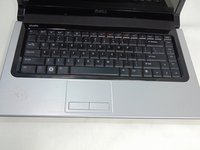
Dell Studio 1555 Keyboard Replacement

你所需要的

    1. Dell Studio 1555 Keyboard Replacement, Battery: 步骤 1 中的图像 1,1
      • Turn off and unplug the laptop.

      • Failure to properly turn off device before handling the battery could result in electrical shock.

      • Flip the laptop so the underside is facing up with the battery closest to you.

      询问修复机器人

      添加评论

    2. Dell Studio 1555 Keyboard Replacement: 步骤 2 中的图像 1,3 Dell Studio 1555 Keyboard Replacement: 步骤 2 中的图像 2,3 Dell Studio 1555 Keyboard Replacement: 步骤 2 中的图像 3,3
      • Slide the locking switch to the left to release the battery.

      询问修复机器人

      添加评论

    3. Dell Studio 1555 Keyboard Replacement: 步骤 3 中的图像 1,1
      • Gently pull the battery away from the device.

      询问修复机器人

      添加评论

    1. Dell Studio 1555 Keyboard Replacement, Keyboard: 步骤 4 中的图像 1,1
      • Remove the single 3mm screw underneath the battery with a #1 Phillips screw driver, which holds the media control cover.

      询问修复机器人

      添加评论

    2. Dell Studio 1555 Keyboard Replacement: 步骤 5 中的图像 1,2 Dell Studio 1555 Keyboard Replacement: 步骤 5 中的图像 2,2
      • Flip the laptop over and flatten it out as much as possible.

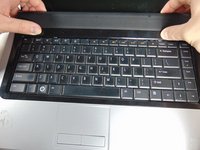
      • Unsnap the media control cover from the laptop starting nearest to the display.

      询问修复机器人

      添加评论

    3. Dell Studio 1555 Keyboard Replacement: 步骤 6 中的图像 1,2 Dell Studio 1555 Keyboard Replacement: 步骤 6 中的图像 2,2
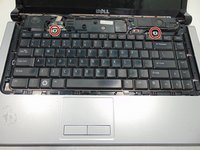
      • Remove the two 3mm screws with a #1 Phillips screwdriver, holding down the keyboard.

      询问修复机器人

      添加评论

    4. Dell Studio 1555 Keyboard Replacement: 步骤 7 中的图像 1,1
      • Slowly lift the keyboard away from the base.

      • If you pull to hard you risk breaking the keyboard cable connector from the motherboard.

      询问修复机器人

      添加评论

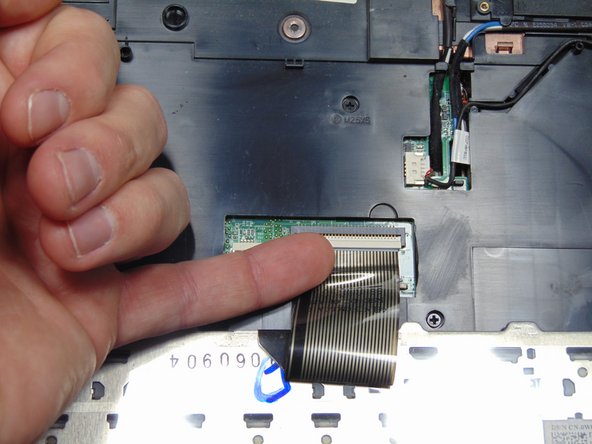
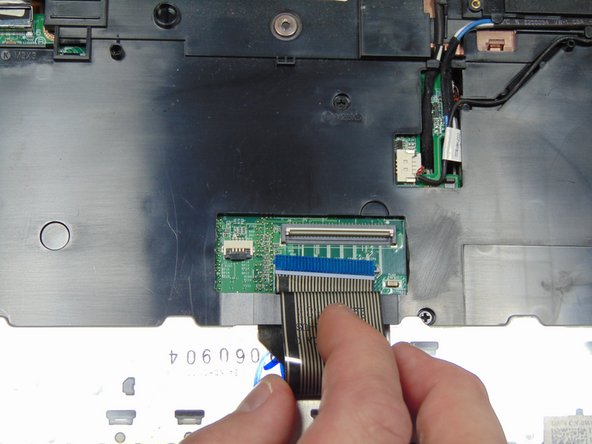
    5. Dell Studio 1555 Keyboard Replacement: 步骤 8 中的图像 1,3 Dell Studio 1555 Keyboard Replacement: 步骤 8 中的图像 2,3 Dell Studio 1555 Keyboard Replacement: 步骤 8 中的图像 3,3
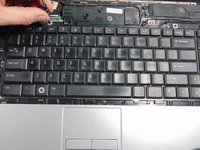
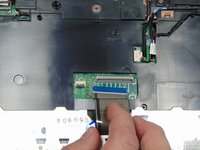
      • Flip up the black tab on the keyboard ZIF connector and unplug the cable.

      询问修复机器人

      添加评论

    6. Dell Studio 1555 Keyboard Replacement: 步骤 9 中的图像 1,1
      • Remove the keyboard

      询问修复机器人

      添加评论

结论

To reassemble your device, follow these instructions in reverse order.

取消:我没有完成这个指南。

2等其他人完成本指南。

Hunter Tuck

于10/10/16注册

214 声望

撰写一个指南

团队

0指南评论

添加评论

浏览统计数据:

过去 24 小时: 1

过去 7 天: 8

过去 30 天: 24

总计 1,275