跳转到主内容
加入维修社区 - 创建账户

Dell Optiplex GX620 CPU Replacement

你所需要的

  1. Dell Optiplex GX620 CPU Replacement, How to unplug and discharge before repair: 步骤 1 中的图像 1,2 Dell Optiplex GX620 CPU Replacement, How to unplug and discharge before repair: 步骤 1 中的图像 2,2
    • Power down your PC and remove the power cord from the back.

    询问修复机器人

    添加评论

  2. Dell Optiplex GX620 CPU Replacement: 步骤 2 中的图像 1,2 Dell Optiplex GX620 CPU Replacement: 步骤 2 中的图像 2,2
    • Press and hold the power button for about 10 seconds, then release.

    • This helps drain any remaining power stored in the capacitors, so that you can safely work on the internal components.

    询问修复机器人

    添加评论

  3. Dell Optiplex GX620 CPU Replacement, Dell Optiplex GX620 Side Panel Disassembly: 步骤 3 中的图像 1,1
    • With the computer standing upright, firmly pull on the tab at the back of the computer.

    • When the side panel pops free, gently pull the panel away from the computer.

    • If you have trouble freeing the side panel from the case, you may need to pull the tab a bit harder.

    询问修复机器人

    添加评论

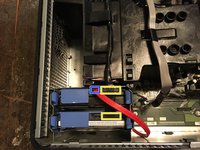
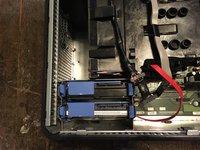
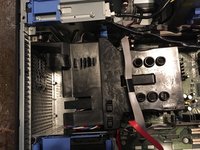
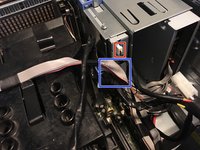
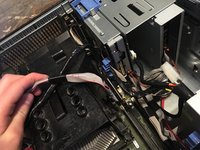
  4. Dell Optiplex GX620 CPU Replacement, Now unplug your hard drives power and data cables.: 步骤 4 中的图像 1,3 Dell Optiplex GX620 CPU Replacement, Now unplug your hard drives power and data cables.: 步骤 4 中的图像 2,3 Dell Optiplex GX620 CPU Replacement, Now unplug your hard drives power and data cables.: 步骤 4 中的图像 3,3
    • Move the cables out of your way.

    • SATA Power

    • SATA Data

    询问修复机器人

    添加评论

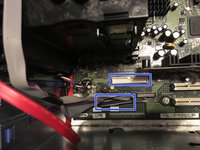
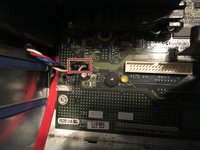
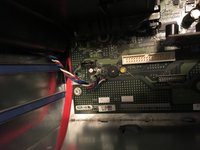
  5. Dell Optiplex GX620 CPU Replacement, Unplug your floppy drive on the motherboard and the drive.: 步骤 5 中的图像 1,3 Dell Optiplex GX620 CPU Replacement, Unplug your floppy drive on the motherboard and the drive.: 步骤 5 中的图像 2,3 Dell Optiplex GX620 CPU Replacement, Unplug your floppy drive on the motherboard and the drive.: 步骤 5 中的图像 3,3
    • Unplug the power cable

    • Unplug the data cable

    询问修复机器人

    添加评论

  6. Dell Optiplex GX620 CPU Replacement, Disconnect CPU fan.: 步骤 6 中的图像 1,2 Dell Optiplex GX620 CPU Replacement, Disconnect CPU fan.: 步骤 6 中的图像 2,2
    • Unplug the fan that is on the motherboard.

    询问修复机器人

    添加评论

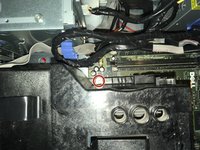
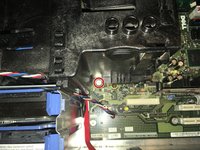
  7. Dell Optiplex GX620 CPU Replacement: 步骤 7 中的图像 1,2 Dell Optiplex GX620 CPU Replacement: 步骤 7 中的图像 2,2
    • There is two Phillips #2 screws that need to be removed.

    • The two screws have springs that keep them there.

    询问修复机器人

    添加评论

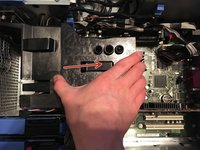
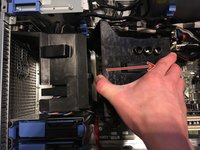
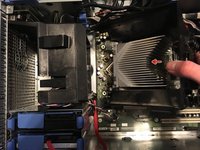
  8. Dell Optiplex GX620 CPU Replacement, New it’s time to remove the  heat sink.: 步骤 8 中的图像 1,3 Dell Optiplex GX620 CPU Replacement, New it’s time to remove the  heat sink.: 步骤 8 中的图像 2,3 Dell Optiplex GX620 CPU Replacement, New it’s time to remove the  heat sink.: 步骤 8 中的图像 3,3
    • Lift the heat sink.

    询问修复机器人

    添加评论

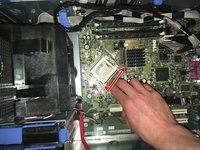
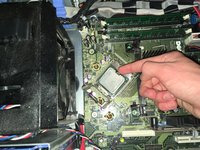
  9. Dell Optiplex GX620 CPU Replacement, CPU removal.: 步骤 9 中的图像 1,3 Dell Optiplex GX620 CPU Replacement, CPU removal.: 步骤 9 中的图像 2,3 Dell Optiplex GX620 CPU Replacement, CPU removal.: 步骤 9 中的图像 3,3
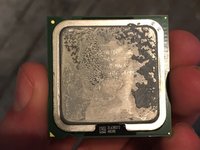
    • Push and release tap on it. And then take the CPU out.

    • Remember to put new thermal paste on the CPU.

    询问修复机器人

    添加评论

结论

To reassemble your device, follow these instructions in reverse order.

取消:我没有完成这个指南。

3等其他人完成本指南。

Padraic Hoselton

于08/22/17注册

4,420 声望

创作了12篇指南

0指南评论

添加评论

浏览统计数据:

过去 24 小时: 1

过去 7 天: 7

过去 30 天: 71

总计 3,067