跳转到主内容
加入维修社区 - 创建账户

Dell Inspiron 1100 Keyboard Replacement

你所需要的

    1. Dell Inspiron 1100 Keyboard Replacement, Keyboard: 步骤 1 中的图像 1,3 Dell Inspiron 1100 Keyboard Replacement, Keyboard: 步骤 1 中的图像 2,3 Dell Inspiron 1100 Keyboard Replacement, Keyboard: 步骤 1 中的图像 3,3
      • Remove the plastic face plate from the laptop using the iFixit Plastic Opening Tool.

      • Start by inserting the iFixit Plastic Opening Tool into the groove on the right side of the face plate.

      • This step does require some force. Be careful to not bend or break the plastic face plate.

      询问修复机器人

      添加评论

    2. Dell Inspiron 1100 Keyboard Replacement: 步骤 2 中的图像 1,2 Dell Inspiron 1100 Keyboard Replacement: 步骤 2 中的图像 2,2
      • Remove the four 3mm Phillips #0 screws securing the keyboard.

      询问修复机器人

      添加评论

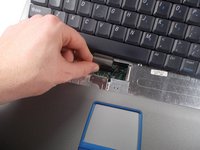
    3. Dell Inspiron 1100 Keyboard Replacement: 步骤 3 中的图像 1,1
      • Lift up the keyboard to expose the ribbon header on the motherboard.

      • Be careful as the keyboard can only move a little ways from the surface of the laptop and is easily damaged.

      询问修复机器人

      添加评论

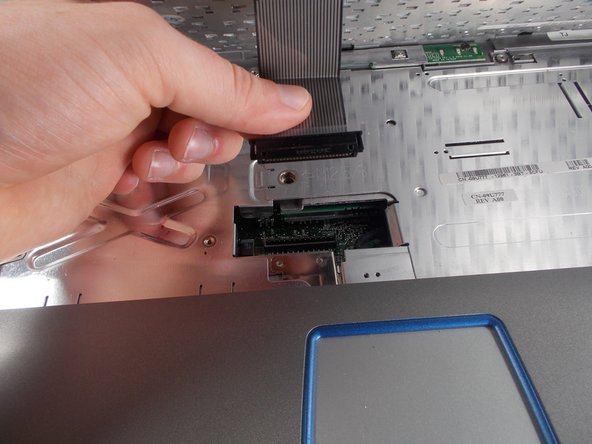
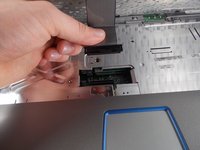
    4. Dell Inspiron 1100 Keyboard Replacement: 步骤 4 中的图像 1,2 Dell Inspiron 1100 Keyboard Replacement: 步骤 4 中的图像 2,2
      • Grip the ribbon on its hard plastic connector, and pull the ribbon and its connector out of the motherboard header.

      • Do not pull on the ribbon itself, as this may cause internal damage to the connector.

      询问修复机器人

      添加评论

结论

To reassemble your device, follow these instructions in reverse order.

取消:我没有完成这个指南。

2等其他人完成本指南。

团队

UMass Dartmouth, Team 3-3, Isaacson Fall 2016 UMass Dartmouth, Team 3-3, Isaacson Fall 2016 的会员

UMASSD-ISAACSON-F16S3G3

3 名成员

创作了20篇指南

0指南评论

添加评论

浏览统计数据:

过去 24 小时: 3

过去 7 天: 8

过去 30 天: 22

总计 747