简介
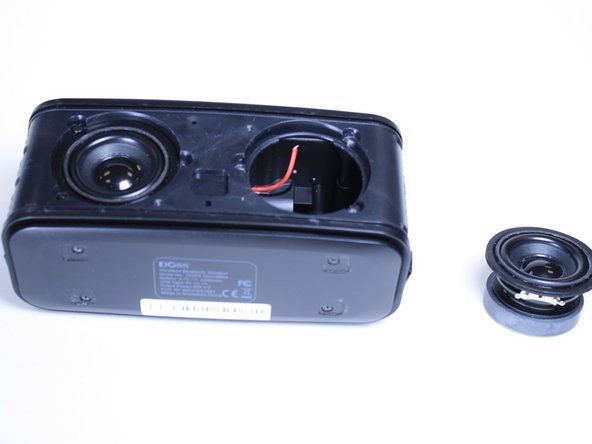
In the case of a faulty speaker, use this guide to remove the speaker on the DOSS Soundbox for replacement.
Removing the speaker properly allows you to be able to install a new speaker to improve the quality of the speaker for better listening.
For this project you will need a Soldering Iron and knowledge on how to safely use this tool. Soldering Irons can be very hot so its important to use this took properly and take proper measures to protect yourself from the heat it produces.
你所需要的
-
-
-
Use the JIS #00 screwdriver to remove the 3/32" screws that secure the speaker to the body.
-
Remove the smaller 3/32" screws that secure the left side of the speaker with a JIS #1 screwdriver.
 询问修复机器人
-
-
-


To reassemble your device, follow instructions in reverse order.
2等其他人完成本指南。

团队

Linn Benton Community College, Team S1-G3, Johnson Fall 2018 Linn Benton Community College, Team S1-G3, Johnson Fall 2018 的会员
LBCC-JOHNSON-F18S1G3
4 名成员
创作了12篇指南
1指南评论
The instructions say: "The speakers are ready to be removed and replaced." But nowhere in this article am I told where to get replacement speakers. Am I just on my own for that? This website has always been so helpful in providing links for such things. :(
