跳转到主内容
加入维修社区 - 创建账户

Canon EOS Rebel G Flash Replacement

你所需要的

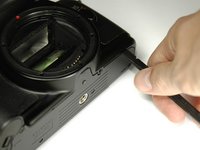
    1. Canon EOS Rebel G Flash Replacement, Front Panel: 步骤 1 中的图像 1,1
      • Using a #00 Phillips screw driver, remove three 4.4 mm Phillips screws as indicated by the red circles.

      询问修复机器人

      添加评论

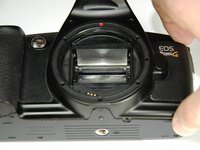
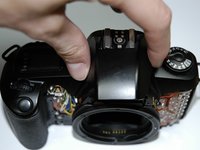
    2. Canon EOS Rebel G Flash Replacement: 步骤 2 中的图像 1,2 Canon EOS Rebel G Flash Replacement: 步骤 2 中的图像 2,2
      • Using your finger, peel back the textured grip so the components are separated.

      询问修复机器人

      添加评论

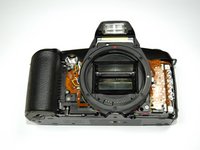
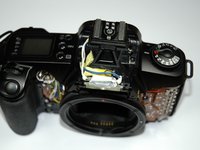
    3. Canon EOS Rebel G Flash Replacement: 步骤 3 中的图像 1,3 Canon EOS Rebel G Flash Replacement: 步骤 3 中的图像 2,3 Canon EOS Rebel G Flash Replacement: 步骤 3 中的图像 3,3
      • Using the flat end of a spudger, loosen the connection between the front panel and the device.

      • Remove the front panel using your hands.

      询问修复机器人

      添加评论

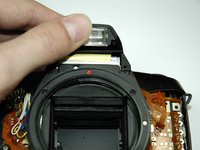
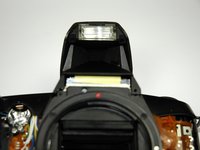
    1. Canon EOS Rebel G Flash Replacement, Flash: 步骤 4 中的图像 1,2 Canon EOS Rebel G Flash Replacement, Flash: 步骤 4 中的图像 2,2
      • Pop the flash up with your thumb

      询问修复机器人

      添加评论

    2. Canon EOS Rebel G Flash Replacement: 步骤 5 中的图像 1,1
      • Unscrew the two screws on the front of the flash near the bulb cover.

      询问修复机器人

      添加评论

    3. Canon EOS Rebel G Flash Replacement: 步骤 6 中的图像 1,3 Canon EOS Rebel G Flash Replacement: 步骤 6 中的图像 2,3 Canon EOS Rebel G Flash Replacement: 步骤 6 中的图像 3,3
      • Close the flash.

      • Lift the flash cover off.

      询问修复机器人

      添加评论

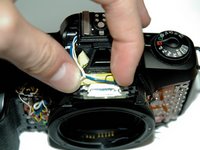
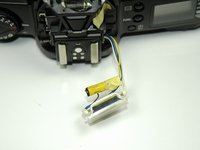
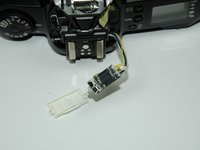
    4. Canon EOS Rebel G Flash Replacement: 步骤 7 中的图像 1,2 Canon EOS Rebel G Flash Replacement: 步骤 7 中的图像 2,2
      • Pull off yellow capacitor from flash wiring.

      询问修复机器人

      添加评论

    5. Canon EOS Rebel G Flash Replacement: 步骤 8 中的图像 1,1
      • Remove white cocking with a razor blade, and then unsolder connection.

      询问修复机器人

      添加评论

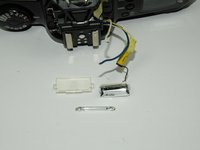
    6. Canon EOS Rebel G Flash Replacement: 步骤 9 中的图像 1,2 Canon EOS Rebel G Flash Replacement: 步骤 9 中的图像 2,2
      • Remove the flash cover to access the flash bulb.

      • After wires are unsoldered, slide flash bulb out from housing.

      询问修复机器人

      添加评论

结论

To reassemble your device, follow these instructions in reverse order.

取消:我没有完成这个指南。

另外一个人完成了本指南。

Zach

于04/04/12注册

46 声望

创作了8篇指南

团队

Cal Poly, Team 14-9, Forte Spring 2012 Cal Poly, Team 14-9, Forte Spring 2012 的会员

CPSU-FORTE-S12S14G9

5 名成员

创作了36篇指南

0指南评论

添加评论

浏览统计数据:

过去 24 小时: 0

过去 7 天: 3

过去 30 天: 26

总计 3,130