简介
This guide will show users how to remove the front panel. It is necessary to remove the front panel in order to remove the top panel and access many internal components.
你所需要的
-
-
-
Peel back the rubber cover above the in/out ports to reveal two screw heads.
 询问修复机器人
-
-
-
-
Remove each data ribbon cable from the motherboard by applying pressure down towards the motherboard and gently sliding your thumb upwards on the slot where the cable meets the motherboard. This will raise a very small clip that locks the cable in place.
-
The back panel is now free from the rest of the device.
-
-
-
-
在这个步骤中使用的工具:Tweezers$4.99
-
Using tweezers, pull out the wire attaching the front panel to the motherboard.
-
-


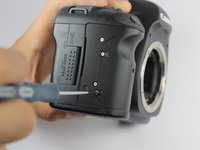
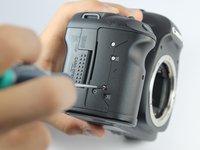
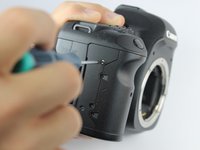


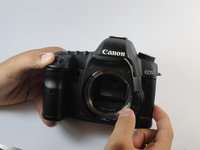
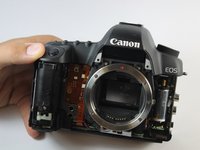
To reassemble your device, follow these instructions in reverse order.
14等其他人完成本指南。

团队

USF Tampa, Team 1-6, Hickman Fall 2014 USF Tampa, Team 1-6, Hickman Fall 2014 的会员
USFT-HICKMAN-F14S1G6
3 名成员
创作了34篇指南
