跳转到主内容
加入维修社区 - 创建账户

BlackBerry Curve 8530 Keypad Replacement

你所需要的

  1. BlackBerry Curve 8530 Keypad Replacement, Battery: 步骤 1 中的图像 1,2 BlackBerry Curve 8530 Keypad Replacement, Battery: 步骤 1 中的图像 2,2
    • Place the phone on a flat surface with the screen facing down.

    • Remove the plastic backplate by pulling up on the bottom of the cover.

    询问修复机器人

    添加评论

  2. BlackBerry Curve 8530 Keypad Replacement: 步骤 2 中的图像 1,1
    • Remove the battery by pulling up from the top of the battery.

    询问修复机器人

    添加评论

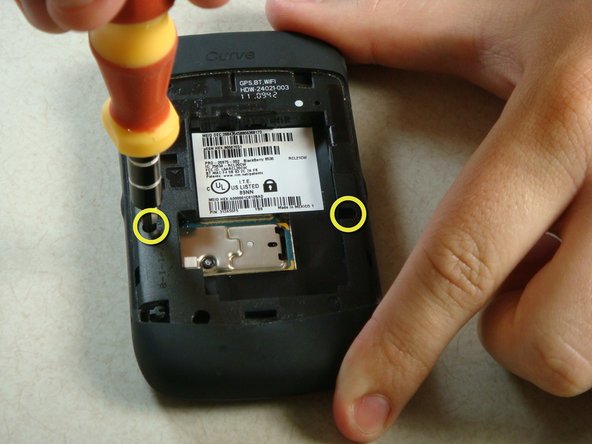
  3. BlackBerry Curve 8530 Keypad Replacement, Keypad: 步骤 3 中的图像 1,2 BlackBerry Curve 8530 Keypad Replacement, Keypad: 步骤 3 中的图像 2,2
    • Remove the two screws midway up the phone on the left and right sides using a T6 Torx Screwdriver.

    • Warning: One screw will have warranty tape covering the screw. Removing this screw will likely void the phones warranty.

    询问修复机器人

    添加评论

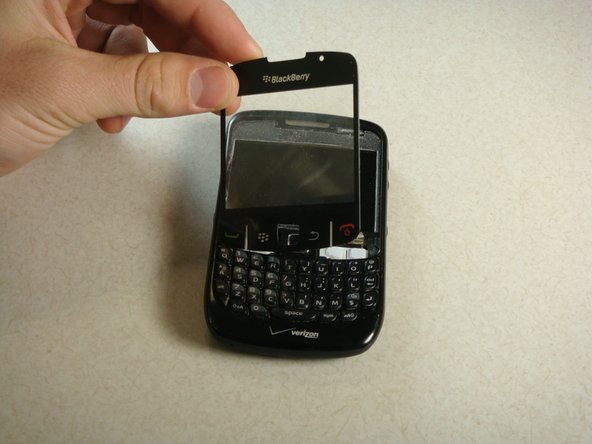
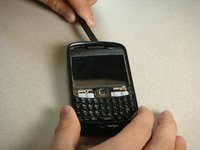
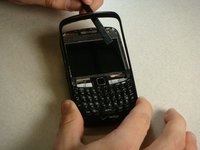
  4. BlackBerry Curve 8530 Keypad Replacement: 步骤 4 中的图像 1,2 BlackBerry Curve 8530 Keypad Replacement: 步骤 4 中的图像 2,2
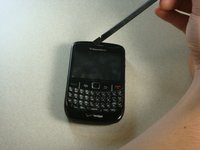
    • Flip the phone over so the keyboard faces up.

    • Insert a plastic spudger into the screen where speaker resides.

    • I recommend going from the side. There are two layers to the cover. You need to make sure you get underneath the bottom layer if you plan on reusing this cover.

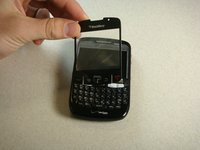
    • Gently lift up plastic screen cover until screen cover separates from screen.

    • Continue until screen cover is completely removed.

    询问修复机器人

    添加评论

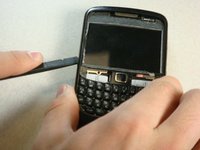
  5. BlackBerry Curve 8530 Keypad Replacement: 步骤 5 中的图像 1,3 BlackBerry Curve 8530 Keypad Replacement: 步骤 5 中的图像 2,3 BlackBerry Curve 8530 Keypad Replacement: 步骤 5 中的图像 3,3
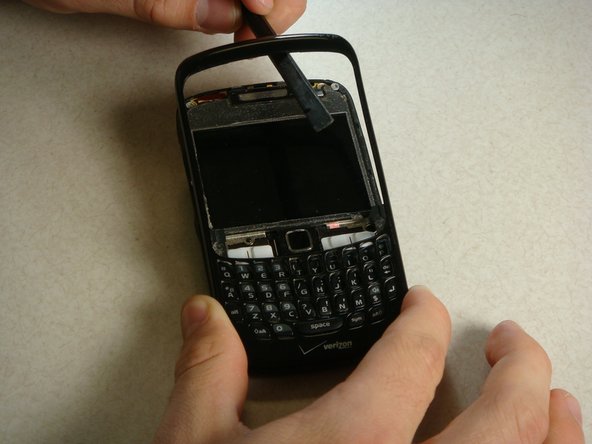
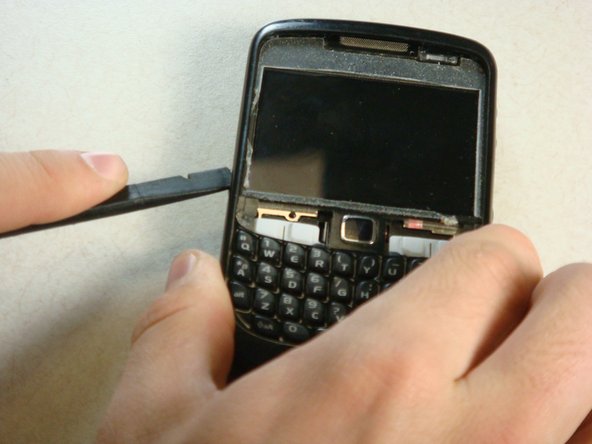
    • Insert the spudger into the top of the plastic siding on the front of the phone and lift up until the siding lifts up.

    • Slide the tool around the entire perimeter of the phone until the plastic siding is completely removed.

    询问修复机器人

    添加评论

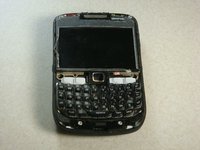
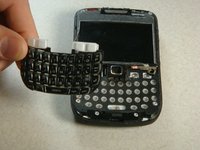
  6. BlackBerry Curve 8530 Keypad Replacement: 步骤 6 中的图像 1,2 BlackBerry Curve 8530 Keypad Replacement: 步骤 6 中的图像 2,2
    • The keyboard should slide off of the phone now that the plastic siding has been removed.

    询问修复机器人

    添加评论

结论

To reassemble the device, follow the instructions in reverse order.

取消:我没有完成这个指南。

4等其他人完成本指南。

Cory Davis

于04/19/11注册

503 声望

创作了3篇指南

团队

Cal Poly, Team 15-13, Regan Spring 2011 Cal Poly, Team 15-13, Regan Spring 2011 的会员

CPSU-REGAN-S11S15G13

3 名成员

创作了11篇指南

1指南评论

This is a handy technique I will use it when next time I fix my phone and if you get time do visit us we fix these type of problems in India, Kolkata here is our site link https://techyuga.com/kolkata/

Ankita - 回复 分享

添加评论

浏览统计数据:

过去 24 小时: 2

过去 7 天: 10

过去 30 天: 29

总计 6,823