跳转到主内容
加入维修社区 - 创建账户

BlackBerry 7280 Battery Connector Replacement

你所需要的

  1. BlackBerry 7280 Battery Connector Replacement, Battery: 步骤 1 中的图像 1,3 BlackBerry 7280 Battery Connector Replacement, Battery: 步骤 1 中的图像 2,3 BlackBerry 7280 Battery Connector Replacement, Battery: 步骤 1 中的图像 3,3
    • With your thumb press down on the locking- button on the back of the BlackBerry 7280.

    • Slide the battery cover off the device.

    询问修复机器人
  2. BlackBerry 7280 Battery Connector Replacement: 步骤 2 中的图像 1,2 BlackBerry 7280 Battery Connector Replacement: 步骤 2 中的图像 2,2
    • Remove the lithium-ion battery from the back of the device using your index finger.

    询问修复机器人
  3. BlackBerry 7280 Battery Connector Replacement, SIM Card: 步骤 3 中的图像 1,3 BlackBerry 7280 Battery Connector Replacement, SIM Card: 步骤 3 中的图像 2,3 BlackBerry 7280 Battery Connector Replacement, SIM Card: 步骤 3 中的图像 3,3
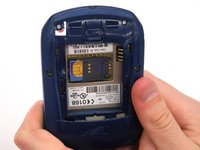
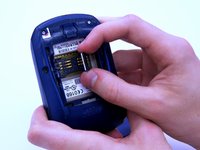
    • Hold the device with both hands.

    • Lift the SIM card holder using your thumb and index finger.

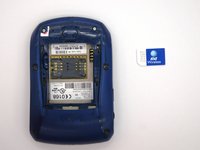
    • Remove the SIM card from the device.

    询问修复机器人
  4. BlackBerry 7280 Battery Connector Replacement, Back Case: 步骤 4 中的图像 1,2 BlackBerry 7280 Battery Connector Replacement, Back Case: 步骤 4 中的图像 2,2
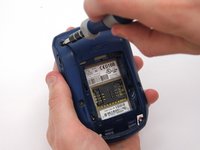
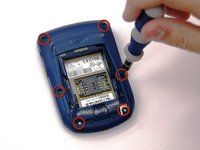
    • Using a Torx T6 screwdriver, remove all six 1/8 inch screws (marked in red) from the back case. Set screws aside.

    • The SIM card has been removed here to prevent damage to the card. This is recommended, but not not required.

    询问修复机器人
  5. BlackBerry 7280 Battery Connector Replacement: 步骤 5 中的图像 1,2 BlackBerry 7280 Battery Connector Replacement: 步骤 5 中的图像 2,2
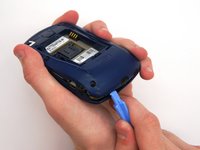
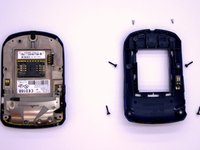
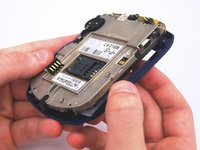
    • Use the plastic opening tool to pry the back case away from the front case.

    询问修复机器人
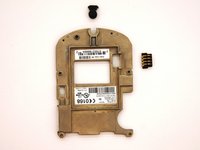
  6. BlackBerry 7280 Battery Connector Replacement, Front Case: 步骤 6 中的图像 1,2 BlackBerry 7280 Battery Connector Replacement, Front Case: 步骤 6 中的图像 2,2
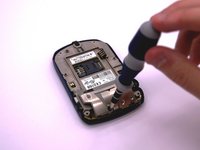
    • Using a Torx T6 screwdriver, remove the lone 1/8 inch screw that holds the upper metal bracket onto the larger metal bracket. Set aside the screw and the bracket.

    询问修复机器人
  7. BlackBerry 7280 Battery Connector Replacement: 步骤 7 中的图像 1,2 BlackBerry 7280 Battery Connector Replacement: 步骤 7 中的图像 2,2
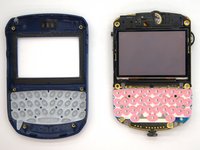
    • Remove the front plastic case from the metal bracket.

    询问修复机器人
  8. BlackBerry 7280 Battery Connector Replacement, LCD Screen and Speaker: 步骤 8 中的图像 1,2 BlackBerry 7280 Battery Connector Replacement, LCD Screen and Speaker: 步骤 8 中的图像 2,2
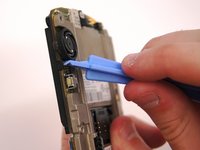
    • Use the plastic opening tool to pry at the edge of the screen near the track-wheel.

    询问修复机器人
  9. BlackBerry 7280 Battery Connector Replacement, Logic Board: 步骤 9 中的图像 1,1
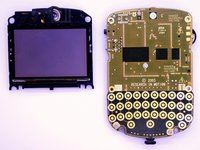
    • Use a Torx T6 screwdriver to remove the 3 1/8 inch screws shown.

    询问修复机器人
  10. BlackBerry 7280 Battery Connector Replacement: 步骤 10 中的图像 1,1
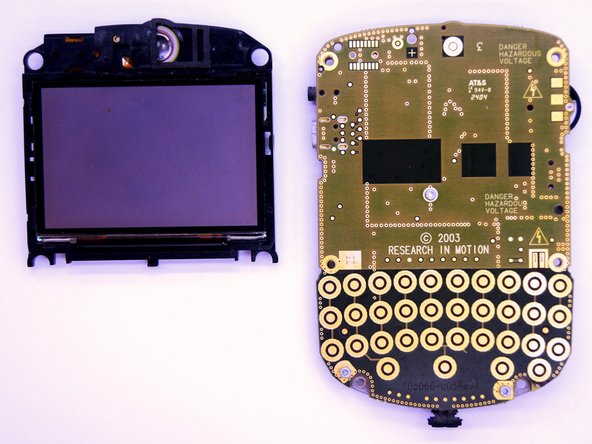
    • Remove the logic board with your hands.

    询问修复机器人
  11. BlackBerry 7280 Battery Connector Replacement, Battery Connector: 步骤 11 中的图像 1,2 BlackBerry 7280 Battery Connector Replacement, Battery Connector: 步骤 11 中的图像 2,2
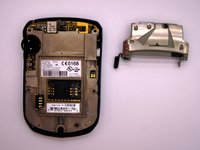
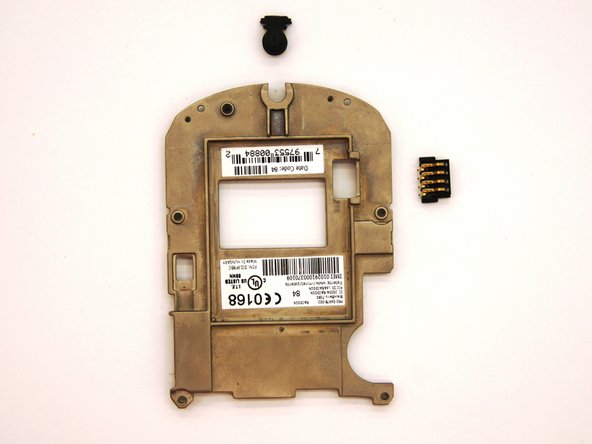
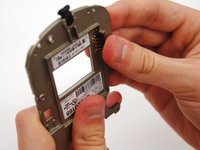
    • To remove the battery connector simply slide it out from the metal bracket using your hand.

    询问修复机器人
结论

To reassemble your device, follow these instructions in reverse order.

团队

Clemson, Team 12-2, Benson Spring 2013 Clemson, Team 12-2, Benson Spring 2013 的会员

CLEM-BENSON-S13S12G2

4 名成员

创作了11篇指南

0指南评论

添加评论

浏览统计数据:

过去 24 小时: 0

过去 7 天: 6

过去 30 天: 43

总计 516