跳转到主内容
加入维修社区 - 创建账户

Battery Replacement

你所需要的

  1. Battery Replacement, removal of bottom case: 步骤 1 中的图像 1,2 Battery Replacement, removal of bottom case: 步骤 1 中的图像 2,2
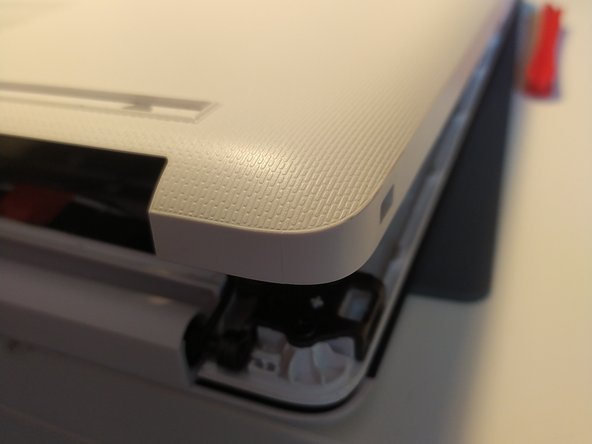
    • remove the feet with a spudger

    询问修复机器人
  2. Battery Replacement: 步骤 2 中的图像 1,2 Battery Replacement: 步骤 2 中的图像 2,2
    • Remove the 11 screw with a PH0 screwdriver.

    • The screws are identical

    询问修复机器人
  3. Battery Replacement: 步骤 3 中的图像 1,2 Battery Replacement: 步骤 3 中的图像 2,2
    • Insert a spudger between the bottom cover and the keyboard module, then go around the whole cover to uncip everything.

    • Remove the bottom cover from the computer.

    询问修复机器人
  4. Battery Replacement: 步骤 4 中的图像 1,1
    • You now have acces to the inside of the machine.

    询问修复机器人
  5. Battery Replacement, Battery: 步骤 5 中的图像 1,1
    • Remove the 3 screws that keep the battery in place, using a Phillips screwdriver.

    询问修复机器人
  6. Battery Replacement: 步骤 6 中的图像 1,1
    • Disconnect the battery by gently lifting it.

    • Don't lift the battery too forcefully! It is held together by notches on the opposite side of the connector.

    • Pull the battery toward the top of the computer to dislodge it.

    询问修复机器人
结论

To put your device back together, follow the instructions in reverse order.

由衷感谢以下译者:

fr en

100%

这些译者帮助我们修补全世界! 您也想加入吗?
开始翻译 ›

Léo FRAYSSE

于09/03/18注册

1,426 声望

创作了6篇指南

0指南评论

添加评论

浏览统计数据:

过去 24 小时: 1

过去 7 天: 6

过去 30 天: 35

总计 456