简介
This is a prerequisite guide! This guide is part of another procedure and is not meant to be used alone.
Use this guide to disconnect the battery in the Xiaomi Poco F3.
你所需要的
-
-
Prepare an iOpener and apply it to the rear glass for at least two minutes to loosen the adhesive underneath.
-
-
-
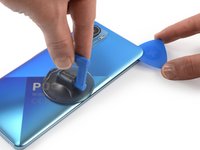
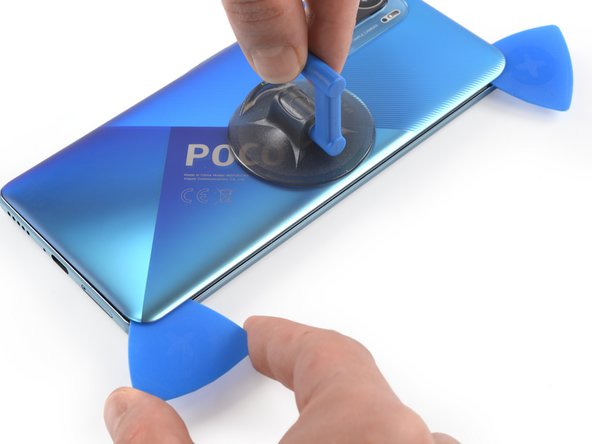
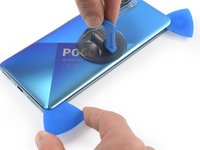
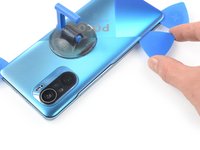
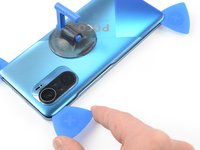
Secure a suction handle to the right edge of the rear glass, as close to the edge as possible.
-
Lift the rear glass with the suction handle to create a small gap between the rear glass and the frame.
-
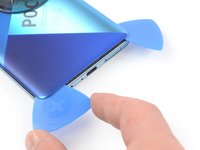
Insert an opening pick into the gap you created.
-
-
-
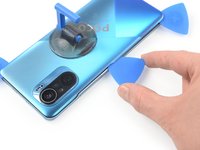
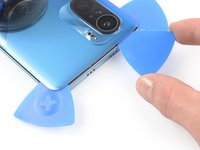
Slide the opening pick to the top right corner to slice the adhesive.
-
Leave the opening pick in place to prevent the adhesive from resealing.
-
-
-
-
Use a Phillips screwdriver to remove the eleven screws securing the motherboard cover:
-
Ten 3.4 mm-long screws
-
One 1.5 mm-long screw
-
-
-
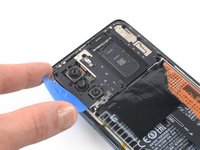
Insert the tip of an opening pick under the bottom left edge of the motherboard cover.
-
Use the opening pick to lift up the motherboard cover and release the plastic clips that hold the cover in its place.
-
-
-
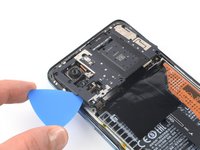
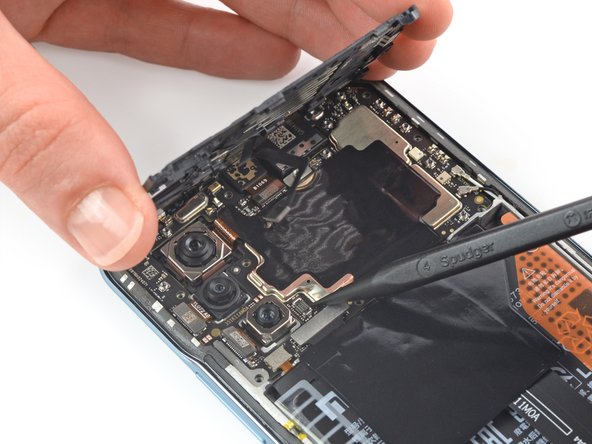
Use your fingers to lift up the motherboard cover to access the connector on the motherboard.
-
Use a spudger to disconnect the motherboard cover by prying the connector straight up from its socket at the motherboard.
-
Remove the motherboard cover.
-
-
-
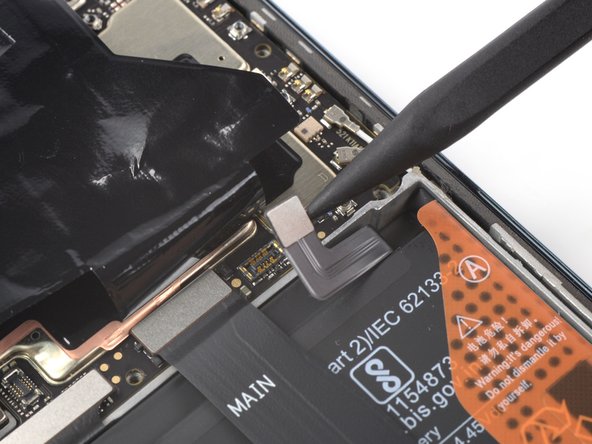
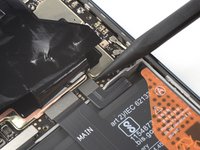
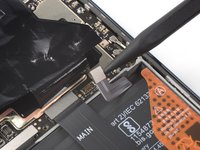
Use a spudger to disconnect the battery by prying the connector straight up from its socket.
-

















To reassemble your device, follow these instructions in reverse order.



