跳转到主内容

BLU Studio G Screen Replacement

你所需要的

  1. 注意:步骤 1-8 源自标记为进行中的 指南

    BLU Studio G Screen Replacement, Motherboard Prerequisite: 步骤 1 中的图像 1,3 BLU Studio G Screen Replacement, Motherboard Prerequisite: 步骤 1 中的图像 2,3 BLU Studio G Screen Replacement, Motherboard Prerequisite: 步骤 1 中的图像 3,3
    • To remove the back cover, turn the device over, locate the safety indented notch on the bottom left corner as the screen is facing down.

    • Using your finger (or spudger), prop upwards to detach the back cover properly from the rest of the device.

  2. BLU Studio G Screen Replacement: 步骤 2 中的图像 1,2 BLU Studio G Screen Replacement: 步骤 2 中的图像 2,2
    • Locate the notch at the bottom of the battery for safe removal.

    • Carefully lift battery from the notch making sure not to puncture the battery rubber casting.

  3. BLU Studio G Screen Replacement: 步骤 3 中的图像 1,2 BLU Studio G Screen Replacement: 步骤 3 中的图像 2,2
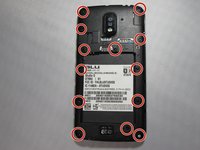
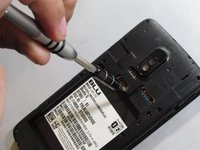
    • Unscrew the 13 Phillips #0 screws from the back of the phone.

  4. BLU Studio G Screen Replacement: 步骤 4 中的图像 1,1
    • To remove the back panel, slide the metal spudger into 3 notches on left and right side outside edges of the device.

    • With some slow but strong pressure insert and dislodge the panel from the rest of the device. These are tough but small clips that hold together the back panel.

  5. BLU Studio G Screen Replacement: 步骤 5 中的图像 1,2 BLU Studio G Screen Replacement: 步骤 5 中的图像 2,2
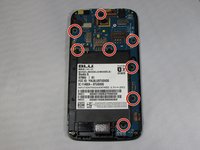
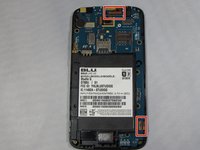
    • Remove all 8 3.175 mm screws that secure the motherboard in place.

    • Remove by turning counter clockwise using a Phillips #0 bit with the correct screwdriver using medium/ firm pressure, assuring that you don't strip the screws.

    • Set aside

  6. BLU Studio G Screen Replacement: 步骤 6 中的图像 1,3 BLU Studio G Screen Replacement: 步骤 6 中的图像 2,3 BLU Studio G Screen Replacement: 步骤 6 中的图像 3,3
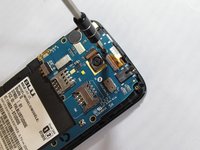
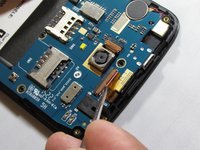
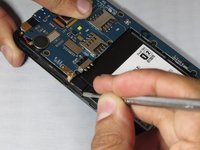
    • Locate the two connector clamps on the motherboard.

    • Carefully place the tip of a precision tweezer or metal spudger under the short light brown plastic clamp. This will release the connectors.

    • Gently pull out the connectors from the clamp inserts by pulling slowly away from of device using precision tweezers.

  7. BLU Studio G Screen Replacement: 步骤 7 中的图像 1,1
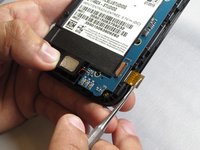
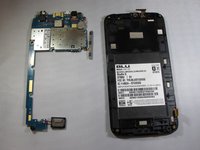
    • Locate the speaker on the bottom of the device and slowly pry upwards and to the right as its wired to the motherboard.

  8. BLU Studio G Screen Replacement: 步骤 8 中的图像 1,3 BLU Studio G Screen Replacement: 步骤 8 中的图像 2,3 BLU Studio G Screen Replacement: 步骤 8 中的图像 3,3
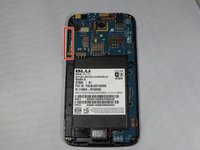
    • Locate the volume button strip on the left side of the device and slowly pry outwards from one end to the other from the device.

    • Carefully pull over the motherboard.

  9. BLU Studio G Screen Replacement, Screen: 步骤 9 中的图像 1,1
    在这个步骤中使用的工具:
    Tweezers
    $4.99
    • Turn the phone over after detaching the connectors that were attached to the motherboard

    • Carefully pry between the screen and the bevel with precision tweezers lifting slowly separating the screen.

    • Use of another thin tool will help support the lifting

  10. BLU Studio G Screen Replacement: 步骤 10 中的图像 1,3 BLU Studio G Screen Replacement: 步骤 10 中的图像 2,3 BLU Studio G Screen Replacement: 步骤 10 中的图像 3,3
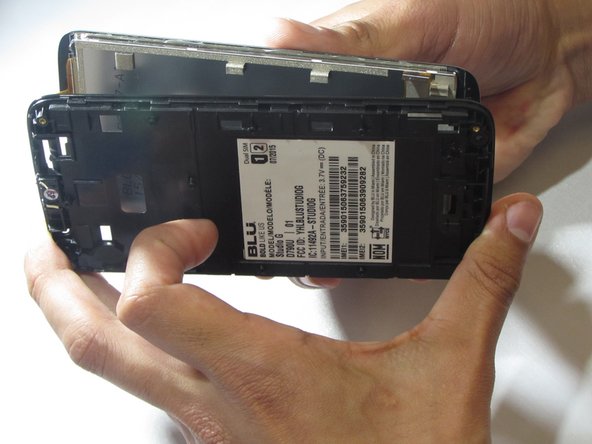
    • Insert the metal spudger between the screen and the frame, using the blue plastic tool as a brace to prevent the screen from reattaching to the frame.

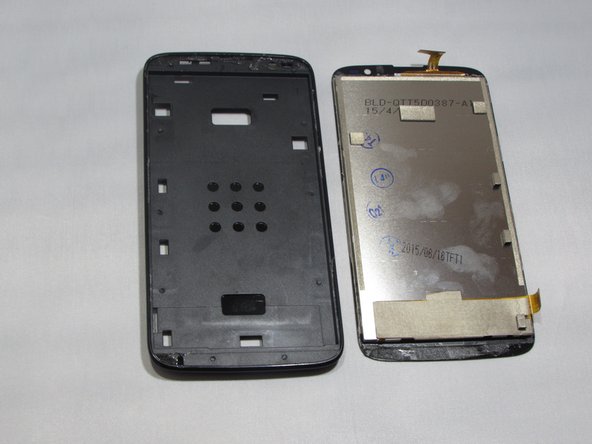
    • To fully remove the screen from the frame, repeat the previous step around the entire perimeter of the device.

    • Carefully remove the screen.

结论

To reassemble your device, follow these instructions in reverse order.

4等其他人完成本指南。

5指南评论

Thank YOU and I will begin disassembling my BLU as soon as I receive a phone screen. that is entirely different but resembles my BLU enough to use these steps to complete the mission.

Lamiah - 回复
Can anyone tell me where I can buy a screen for a blu view 3

Thank you

mrcblake50@gmail.com

Charles Blake (Mr Blake) - 回复
Most thorough and informative procedure out of the many I reviewed. Thank you.

Alan Doud - 回复

I need screen fue the sam3 ministerio blu.where to buy

Alexis urdaneta - 回复

Hi

I need digitizer where can I get one

Pls reply

Thanks

BiD N Buy - 回复

添加评论

浏览统计数据:

过去 24 小时: 0

过去 7 天: 4

过去 30 天: 30

总计 2,247