跳转到主内容
加入维修社区 - 创建账户

BLU Life X8 Motherboard Replacement

你所需要的

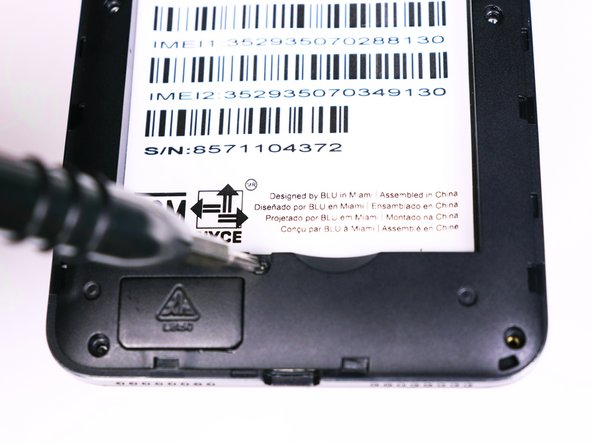
  1. BLU Life X8 Motherboard Replacement, Battery: 步骤 1 中的图像 1,2 BLU Life X8 Motherboard Replacement, Battery: 步骤 1 中的图像 2,2
    • Flip the phone over so that the screen is facing down.

    • Slide the opening tool between the micro-USB port and the back cover.

    • Use the opening tool to create a gap.

  2. BLU Life X8 Motherboard Replacement: 步骤 2 中的图像 1,1
    • Use your thumb to pry off the back panel once the gap is large enough.

  3. BLU Life X8 Motherboard Replacement: 步骤 3 中的图像 1,1
    • Once the back panel is off, locate the indent at the bottom of the battery.

    • Use your thumb to slip the battery out of the case.

  4. BLU Life X8 Motherboard Replacement, Motherboard: 步骤 4 中的图像 1,2 BLU Life X8 Motherboard Replacement, Motherboard: 步骤 4 中的图像 2,2
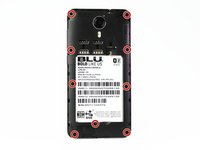
    • Use the Phillips #00 bit to undo the nine 1.5mm screws from the back of the device.

  5. BLU Life X8 Motherboard Replacement: 步骤 5 中的图像 1,1
    • Wedge the opening tool into the seam of between the screen and the gray frame.

    • Run the opening tool along the seam to release the clips that hold the two pieces together.

    • You may need to use the opening picks to prevent the clips from re-engaging.

  6. BLU Life X8 Motherboard Replacement: 步骤 6 中的图像 1,1
    • Once all the clips have been released, lift the frame and set it aside.

  7. BLU Life X8 Motherboard Replacement: 步骤 7 中的图像 1,2 BLU Life X8 Motherboard Replacement: 步骤 7 中的图像 2,2
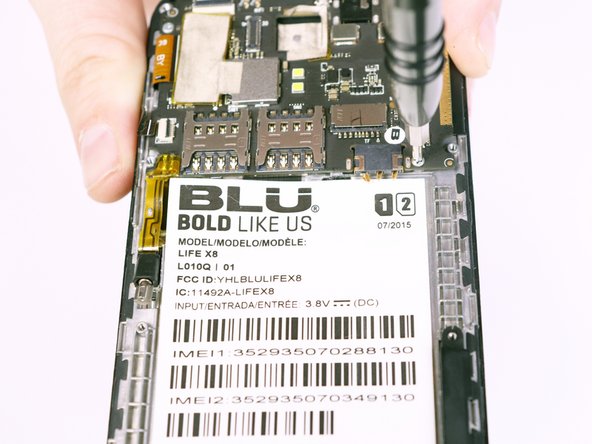
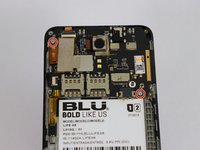
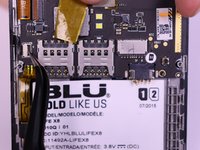
    • Use the Phillips #00 Phillips bit to undo the two 1.5mm screws from the motherboard.

  8. BLU Life X8 Motherboard Replacement: 步骤 8 中的图像 1,3 BLU Life X8 Motherboard Replacement: 步骤 8 中的图像 2,3 BLU Life X8 Motherboard Replacement: 步骤 8 中的图像 3,3
    在这个步骤中使用的工具:
    Tweezers
    $4.99
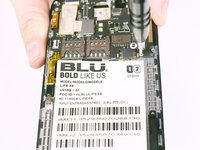
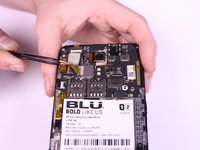
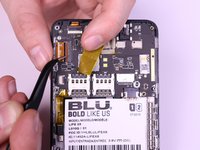
    • Use the tweezers to peel away the mesh tape and reveal the ribbon connectors.

    • Use the tweezers to lift the brown and black tabs to release the ribbon cables and unlock them.

  9. BLU Life X8 Motherboard Replacement: 步骤 9 中的图像 1,1
    • The ribbon cables should be free. Pull back on the ribbons to release them from their connectors.

  10. BLU Life X8 Motherboard Replacement: 步骤 10 中的图像 1,1
    • Slowly lift the vibration motor away from the frame and peel up the tape.

结论

To reassemble your device, follow these instructions in reverse order.

2等其他人完成本指南。

团队

USF Tampa, Team S1-G2, Nance Fall 2017 USF Tampa, Team S1-G2, Nance Fall 2017 的会员

USFT-NANCE-F17S1G2

4 名成员

创作了6篇指南

1指南评论

These steps sure was easy then i thought it would be.

Sweetie Tufele - 回复 分享

添加评论

浏览统计数据:

过去 24 小时: 0

过去 7 天: 6

过去 30 天: 23

总计 688