跳转到主内容
加入维修社区 - 创建账户

Asus UL80J Keyboard Replacement

你所需要的

  1. Asus UL80J Keyboard Replacement, Battery: 步骤 1 中的图像 1,1
    • Place laptop face down with battery facing up.

    询问修复机器人
  2. Asus UL80J Keyboard Replacement: 步骤 2 中的图像 1,1
    • Slide unlock button to the right.

    询问修复机器人
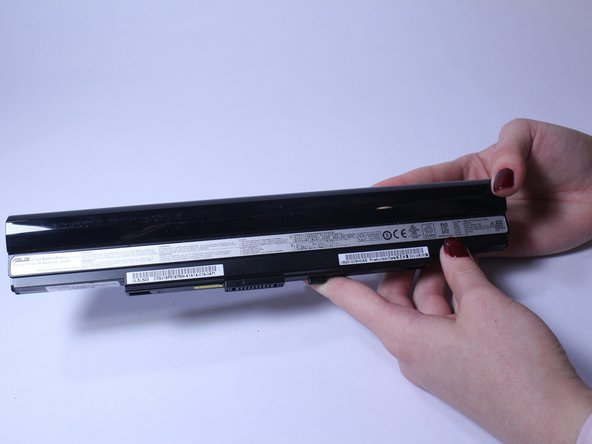
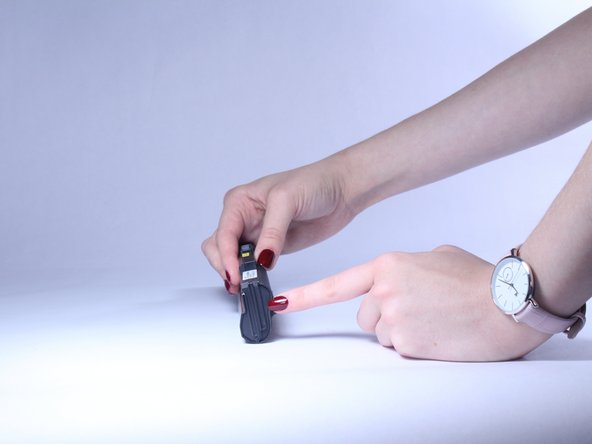
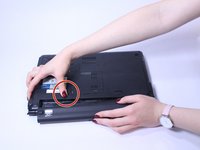
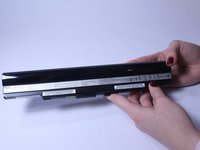
  3. Asus UL80J Keyboard Replacement: 步骤 3 中的图像 1,3 Asus UL80J Keyboard Replacement: 步骤 3 中的图像 2,3 Asus UL80J Keyboard Replacement: 步骤 3 中的图像 3,3
    • Slide the button marked with an arrow to the left. The battery should now unclick. Slide the battery away from the laptop to remove it.

    询问修复机器人
  4. Asus UL80J Keyboard Replacement, Keyboard: 步骤 4 中的图像 1,1
    • Insert a plastic opening tool or a flat-head screwdriver between the laptop body and the keyboard.

    询问修复机器人
  5. Asus UL80J Keyboard Replacement: 步骤 5 中的图像 1,1
    在这个步骤中使用的工具:
    Plastic Cards
    $2.99
    • Gently pry the keyboard up. This will allow you to unclip the keyboard.

    • Use an old plastic card or a similar flat object to prevent the keyboard from clipping back in while carefully working along the keyboard perimeter.

    • Unclipping sounds are normal.

    询问修复机器人
    • Keep unclipping the keyboard along the perimeter. Once the keyboard is unclipped, be careful and do not take it out right away, as there is still a ribbon that connects the keyboard with the rest of the computer located on the bottom.

    询问修复机器人
  6. Asus UL80J Keyboard Replacement: 步骤 7 中的图像 1,1
    • Slowly lift the keyboard and use flash light if needed to locate the ribbon cable on the bottom. Lift the ZIF connector tab before pulling the ribbon cable out.

    • Remove the tape from the ribbon cable if needed and remove the keyboard.

    询问修复机器人
结论

To reassemble your device, follow these instructions in reverse order.

团队

USF Tampa, Team S2-G4, Lacy Spring 2017 USF Tampa, Team S2-G4, Lacy Spring 2017 的会员

USFT-LACY-S17S2G4

3 名成员

创作了7篇指南

0指南评论

添加评论

浏览统计数据:

过去 24 小时: 3

过去 7 天: 9

过去 30 天: 49

总计 692