简介
This guide will describe how to remove the battery on the Asus Q551L. This is a fairly simple procedure that requires only a screwdriver. The battery may need to be replaced if it cannot hold a charge, experiences heating issues, or simply ceases to function. Make sure your device is turned off and unplugged before removing the battery.
你所需要的
-
-
-
Unscrew the 10 screws around the edge of the back panel. Eight of the screws are 0.0793mm T5 , two of them are 0.0793 JIS #0.
 询问修复机器人
-
-
-
-


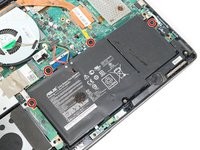
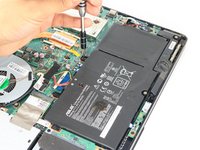


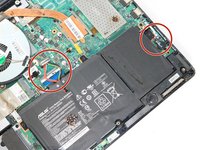
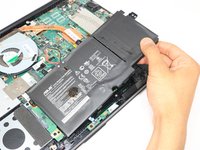
To reassemble your device, follow these instructions in reverse order.
4等其他人完成本指南。

团队

Eastern Washington University, Team S3-G2, Rowley Spring 2018 Eastern Washington University, Team S3-G2, Rowley Spring 2018 的会员
EWU-ROWLEY-S18S3G2
3 名成员
创作了35篇指南
1指南评论
Is there a part to order if the solder gives from the mother board connection peice. My cable came up from the board with connection still attached
wolf brown - 回复 分享
