跳转到主内容
加入维修社区 - 创建账户

Astro A20 Speaker Replacement

你所需要的

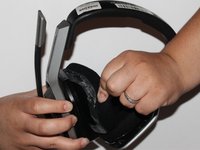
  1. Astro A20  Speaker Replacement, Cushion: 步骤 1 中的图像 1,1
    • Place one hand on the hard side of the headset ear portion and on the cushion.

    • Lift the small portion on the edge of the cushion.

    询问修复机器人

    添加评论

  2. Astro A20  Speaker Replacement: 步骤 2 中的图像 1,1
    • Slide the metal spudger underneath the lift part of the ear cushion.

    • Pull the ear cushion while wedging the spudge around the edge of the ear cushion.

    添加评论

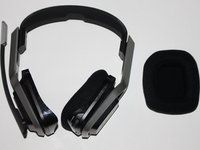
  3. Astro A20  Speaker Replacement: 步骤 3 中的图像 1,2 Astro A20  Speaker Replacement: 步骤 3 中的图像 2,2
    • Remove the ear cushion from the headset.

    添加评论

  4. Astro A20  Speaker Replacement, Speaker: 步骤 4 中的图像 1,1
    • Place your hand on the opposite side of the speaker.

    询问修复机器人

    添加评论

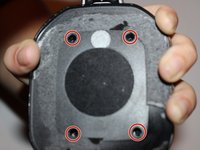
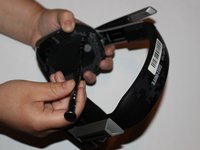
  5. Astro A20  Speaker Replacement: 步骤 5 中的图像 1,2 Astro A20  Speaker Replacement: 步骤 5 中的图像 2,2
    • Remove the four 7mm screws with a Phillips #1 screwdriver.

    • You may want to use a 60mm screwdriver extension to reach the screws inside of the headset.

    询问修复机器人

    添加评论

  6. Astro A20  Speaker Replacement: 步骤 6 中的图像 1,2 Astro A20  Speaker Replacement: 步骤 6 中的图像 2,2
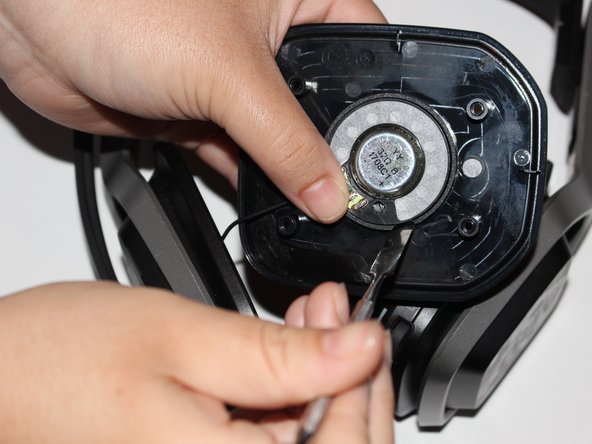
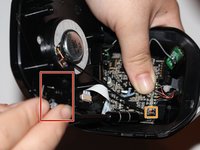
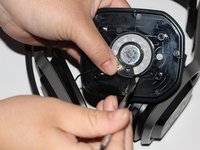
    • Lift the speaker area.

    • Disconnect the wires connected to the speaker.

    • Wedge a spudger on the edge of the speaker and lift upwards to remove the speaker from the device.

    询问修复机器人

    添加评论

结论

To reassemble your device, follow these instructions in reverse order.

取消:我没有完成这个指南。

3等其他人完成本指南。

0指南评论

添加评论

浏览统计数据:

过去 24 小时: 7

过去 7 天: 18

过去 30 天: 62

总计 9,367